Set up the vendor who produces your goods and the warehouse locations used on work orders and runs.
Before creating Work Order or Production Run, you need to ensure that Vendor information was correctly setup.
- Go to Manage - Suppliers
- You have two options, you can either Edit or create new Vendor information.
-
Edit an existing Vendor - select the Vendor you need to Edit, click the three dots, then click Edit Record.
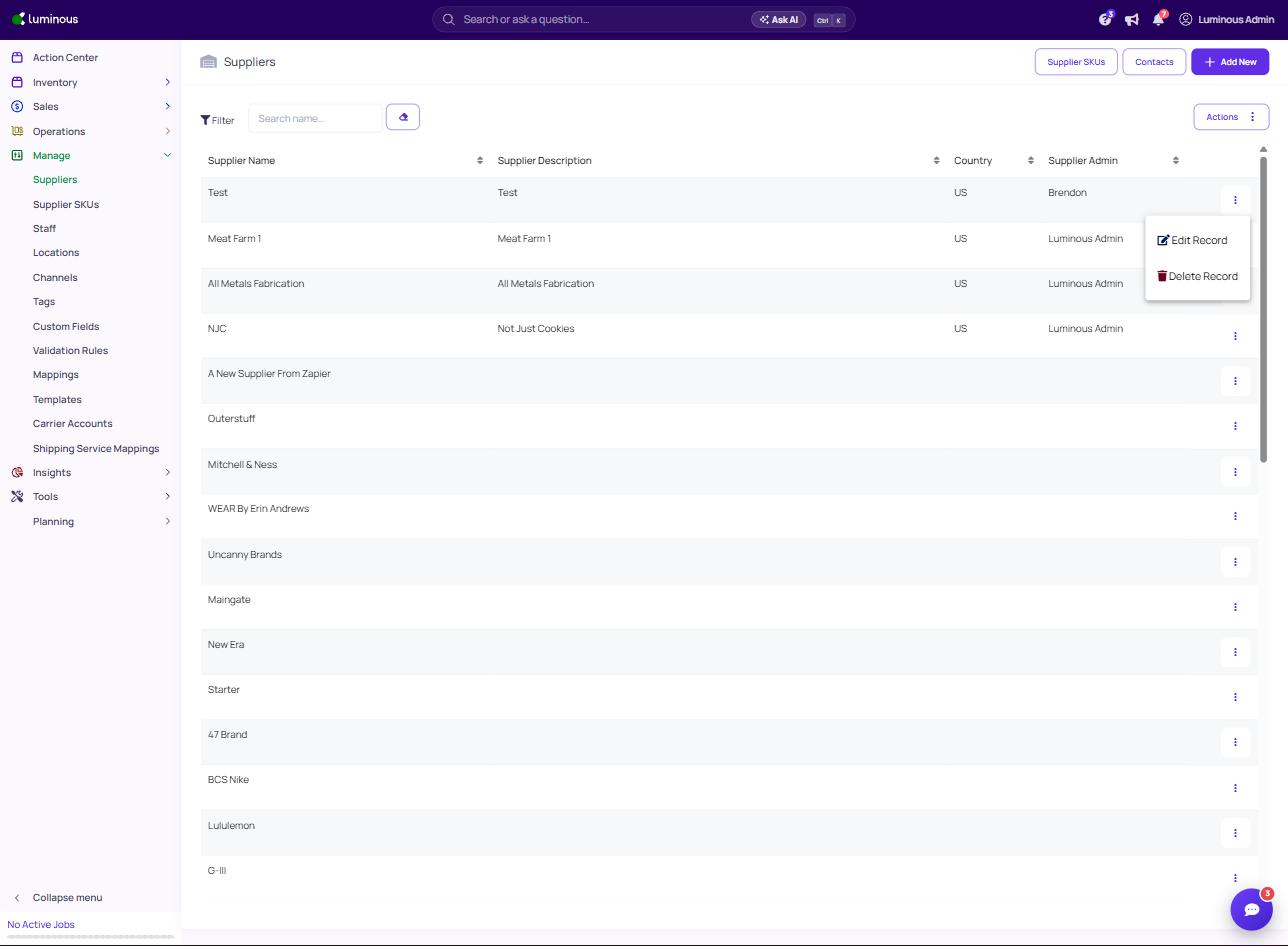
- Click the Save button after editing to save new information.
-
Create New Vendor - Click the "+ Add New" button.
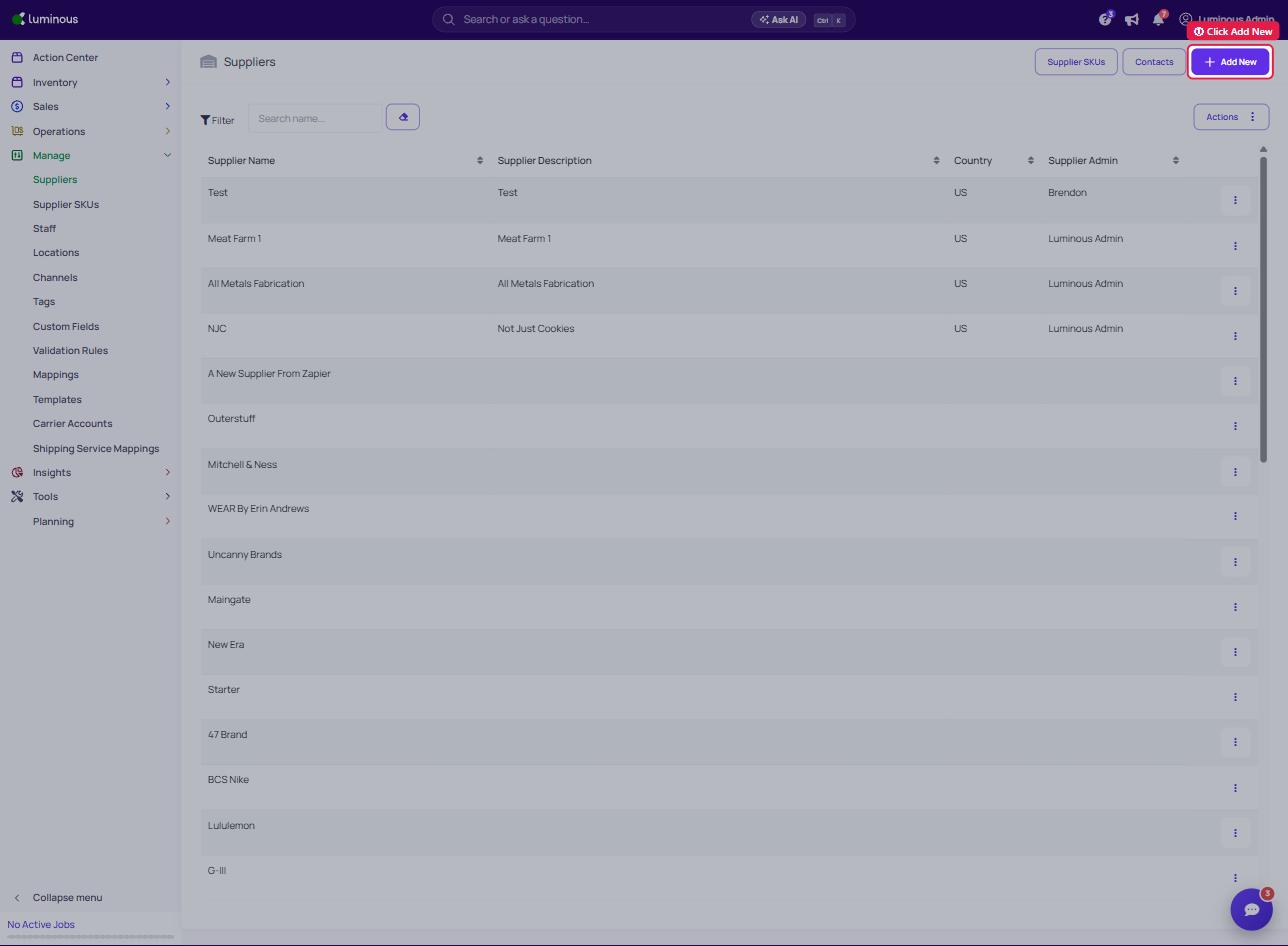
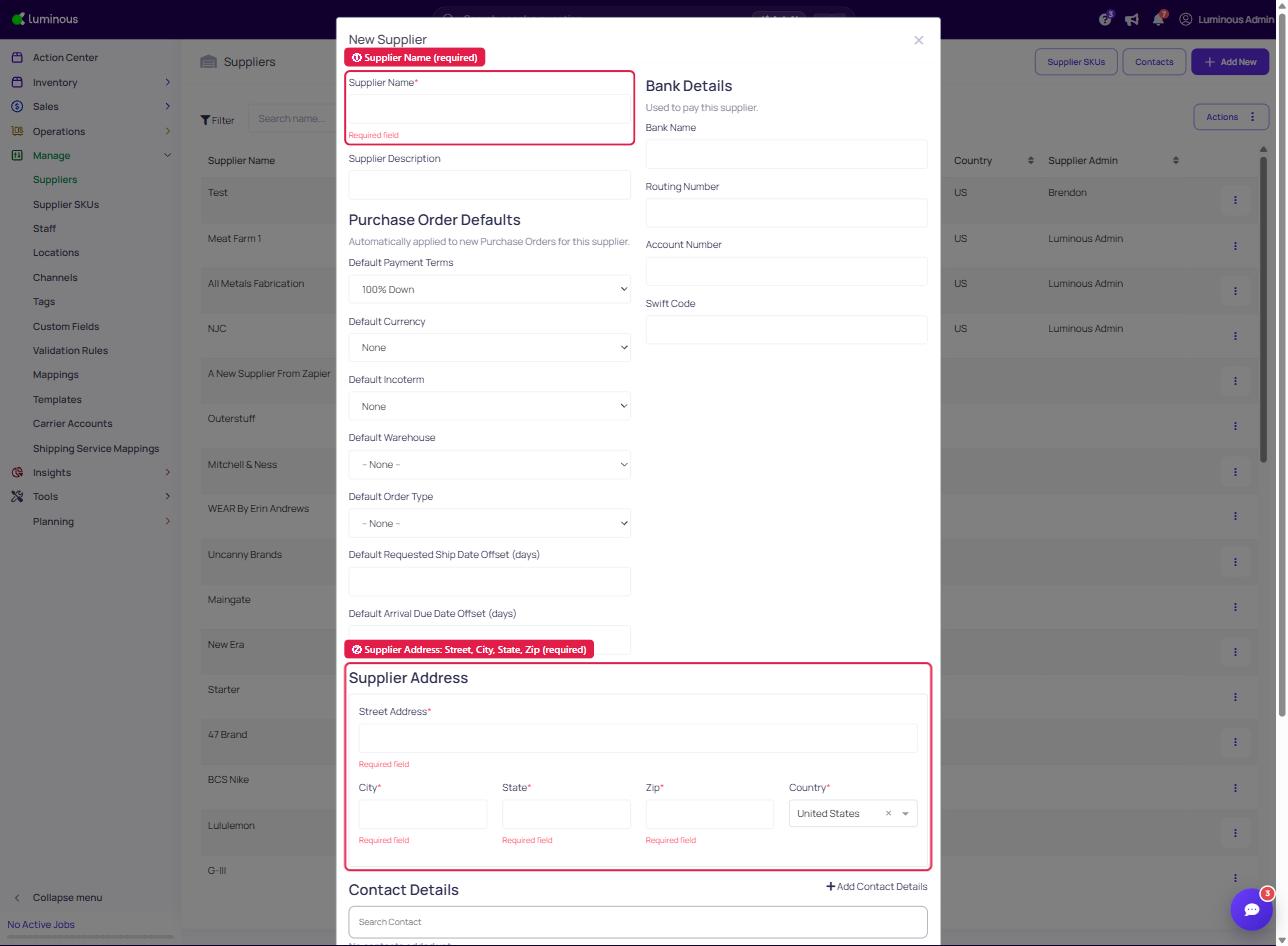
- Fill out all the required fields
-
Supplier Name
-
Supplier Address (Street Address, City, State, Zip and Country)
-
- Click Save.
- Fill out all the required fields
-
Creating your Work Order or Production Run
When you create a Work Order or a Run, you need to configure your co-manufacturer and warehouse locations.
What to configure?
- Co-manufacturer (vendor) — who performs manufacturing; drives service-fee cost rules.
- Production location — where assembly happens and components are consumed.
- Destination warehouse — where finished goods sit until shipped.
Standard pattern: for most brands, the production location and destination are the same co-manufacturer site — goods stay there until you split-ship them out via transfer orders.
Full details: Configure co-manufacturer vendors, production locations, and destination warehouses.