Instead of typing in what a co-manufacturer produced, you can upload their packing slip PDF and let Luminous extract the quantities with AI, then report production for the work order.
Who this is for
Ops staff reporting production from a co-manufacturer's packing slip.
Before you begin
- The work order exists and is In Progress.
- You have the packing slip as a PDF (max 10 MB).
Steps
- On the work order, choose Import from Packing Slip.
- Located on the top right, click the Import Packing Slip
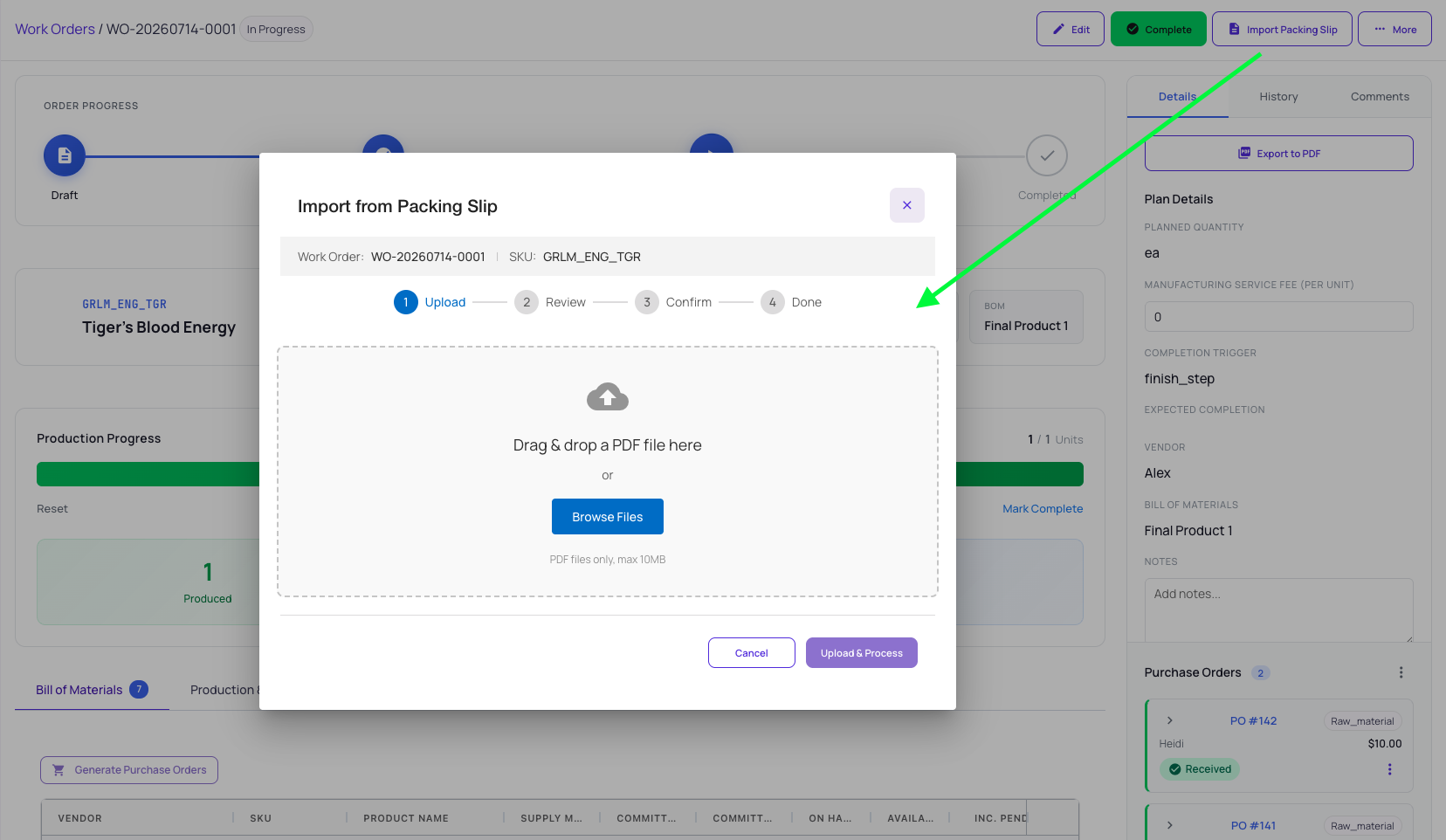
- Upload — drag and drop or browse to the PDF, then Upload & Process. Luminous processes it with AI.
- Review — check the extracted items: page, product number, matched SKU, quantity, lot number, and a confidence score. Low-confidence or unmatched rows are highlighted for you to correct.
- Confirm — review the summary (total items, total quantity, assembly orders to create) and choose Report Production.
- Done — Luminous creates the assembly orders and reports the production.
What happens next
The created assembly orders behave like any others — complete them to finalize lots, yield, and unit cost.
Related articles
- Record a production batch with Quick Complete
- Complete assembly orders: lots, yields, and consumption basis
Still stuck? Contact support if a SKU on the packing slip cannot be matched, or extraction confidence is low.