Overview
The Inventory Discrepancy tool helps identify and resolve mismatches between stock quantities and cost layer quantities.
Discrepancies can occur for several reasons, but are most commonly caused by syncing inventory with an external warehouse system.
This tool allows users to review variances and post corrections to ensure inventory values remain accurate.
How to Resolve Inventory Discrepancies
- Navigate to Insights then select Accounting
- Select Resolve Inventory Discrepancies
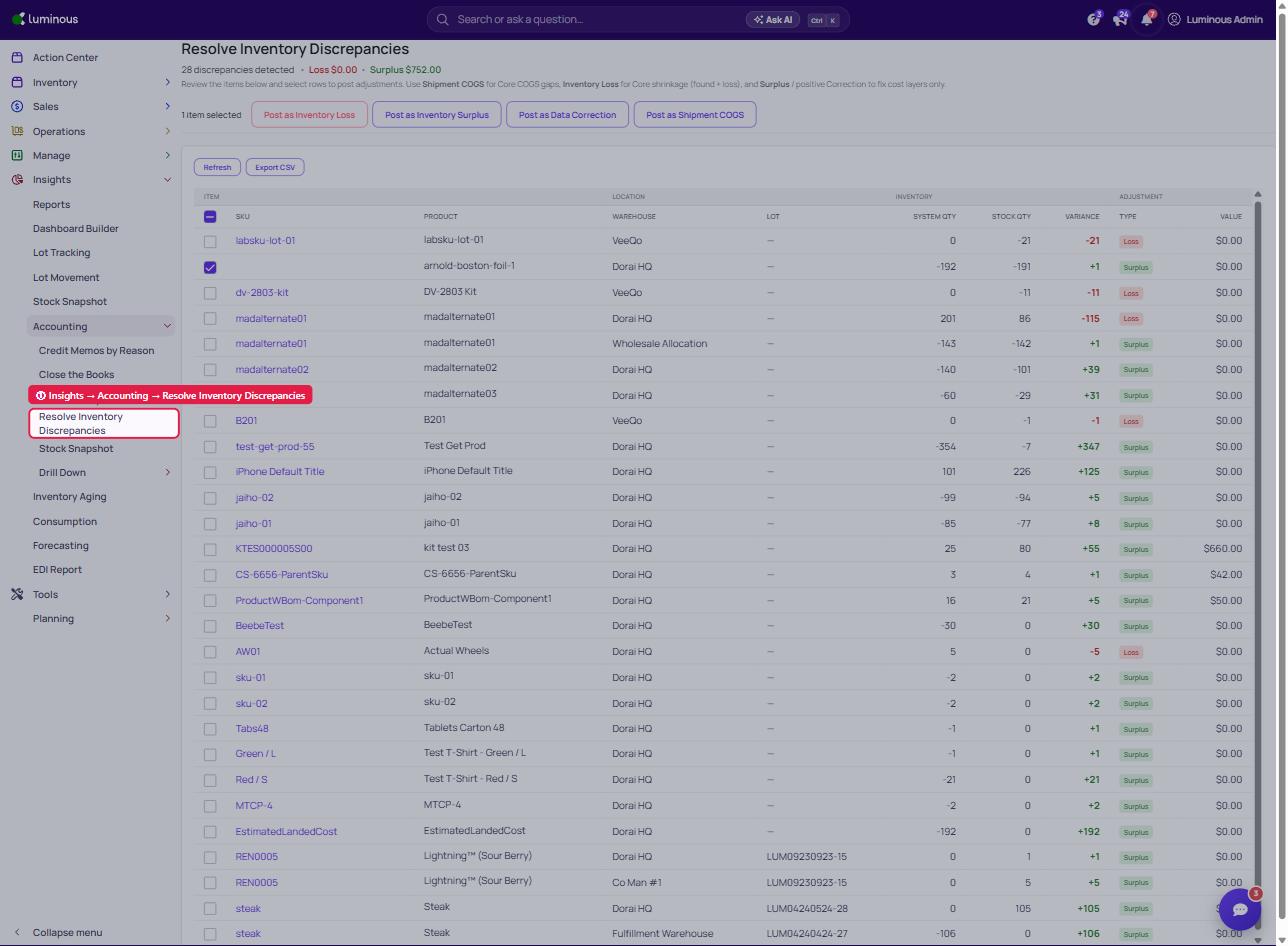
- Review the discrepancy table, which includes:
- Stock Quantity
- System Quantity
- Value
- Variance
- Type
- Identify any mismatches between stock and cost layers by checking the Variance Column.
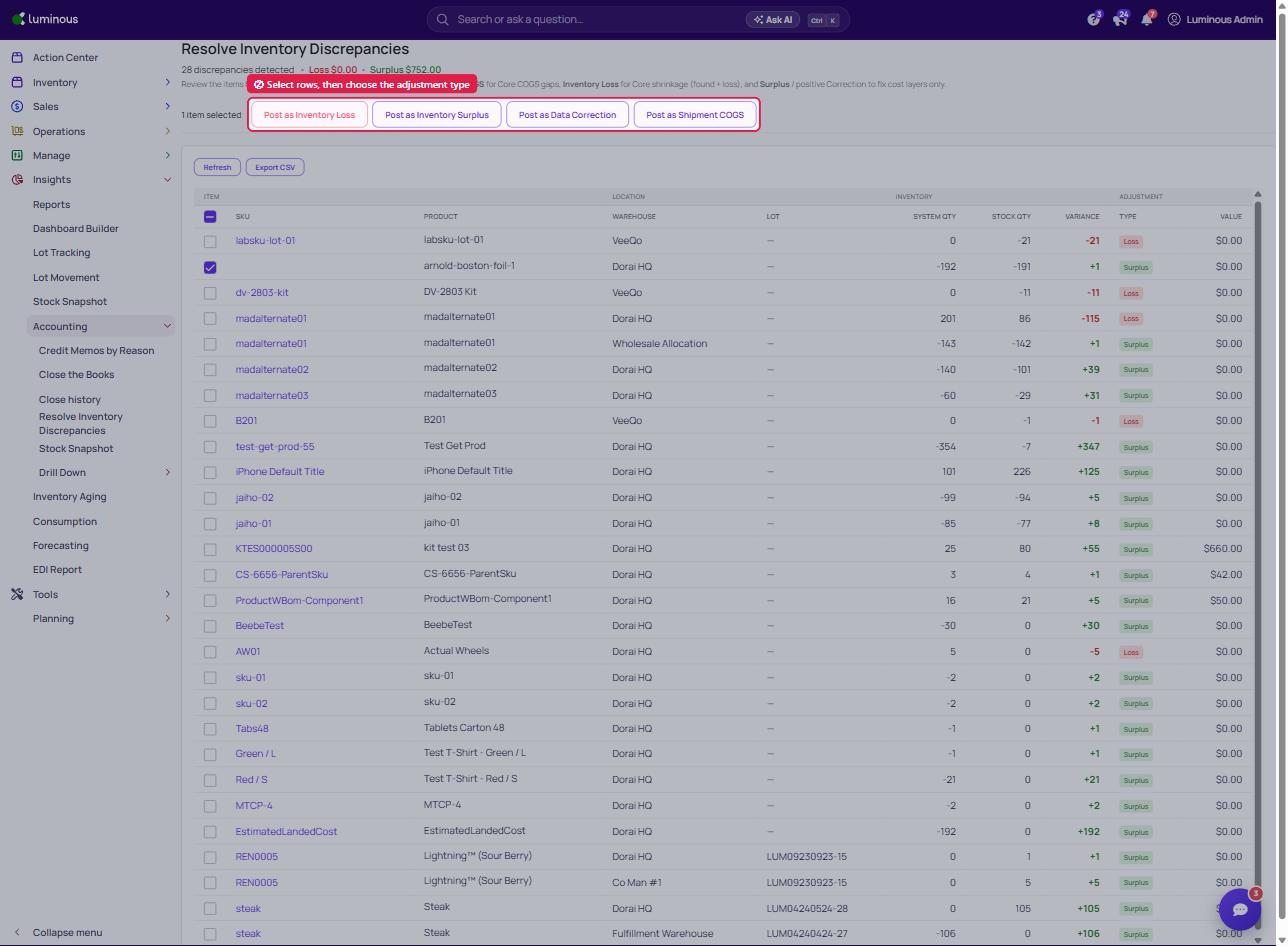
- Review the items and select rows to post adjustments.
- Select the appropriate discrepancy option
-
Inventory Loss
-
Inventory Surplus
-
Data Correction
Shipment COGS (for Core COGS gaps)
-
-
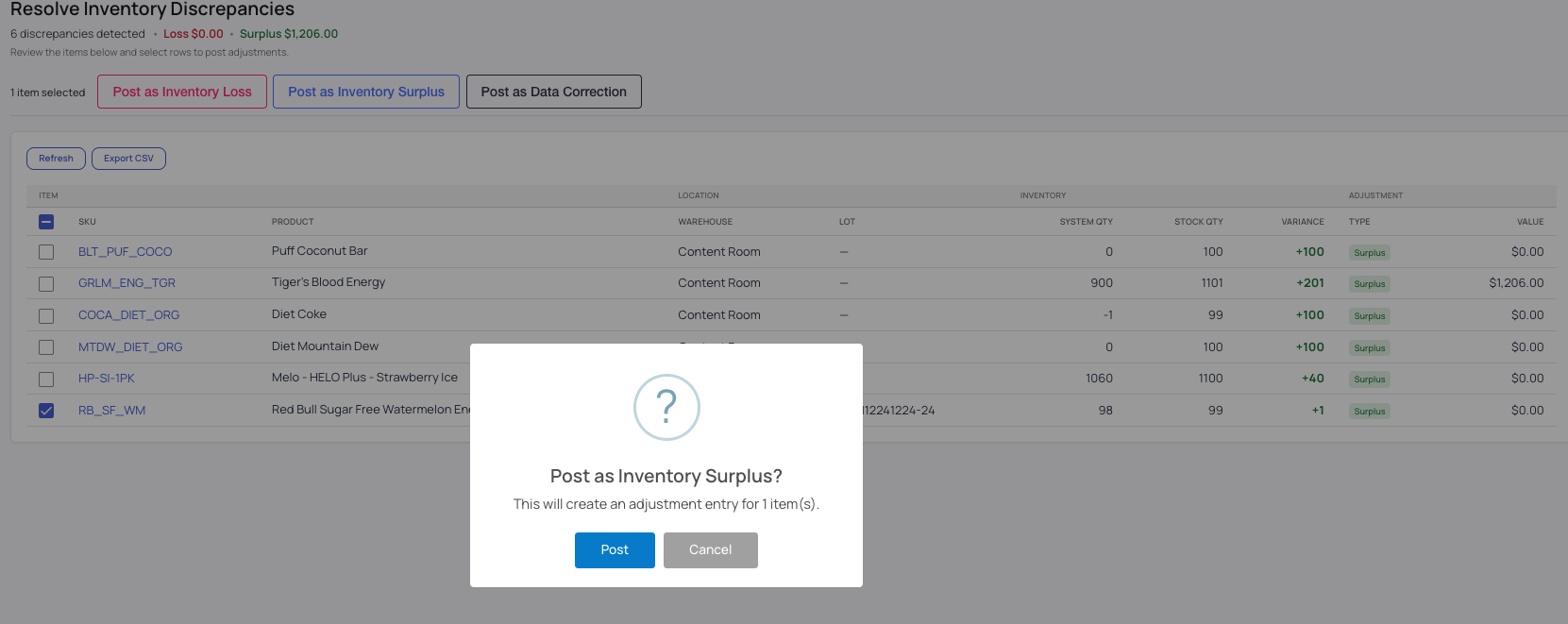
Confirm the update to adjust cost layers
What Happens After Posting
- Cost layers are updated to match stock quantities
- The adjustment is recorded in your SKUs' Quantity logs as a either loss, surplus or just a Data correction in the system
- Inventory values are brought back into alignment
- Inventory will not change after posting
Common Causes of Discrepancies
- Sync issues with external warehouse systems
- Inventory updates occurring outside of Luminous
- Timing mismatches between stock and cost layer updates
Tips & Best Practices
- Review discrepancies regularly to keep inventory accurate
- Investigate the root cause before posting adjustments
- Use this tool as a correction method—not as a replacement for proper inventory workflows
FAQs
Why do my stock and cost layers not match?
This is usually caused by external integrations or sync delays that update stock without updating cost layers.
Does this affect financial reporting?
Yes. Posting a discrepancy logs a loss and updates inventory valuation.
Need Help?
If discrepancies continue to appear or are unclear, contact the support team for assistance.