Need help with something in Luminous? We're here for ya! Whether you’ve encountered a bug, have a question, or just need a hand, you’ve got a few quick ways to reach us:
🧠 Option 1: Use the Help & Support Chat
The fastest way to get support is directly inside Luminous:
- Log into Luminous.
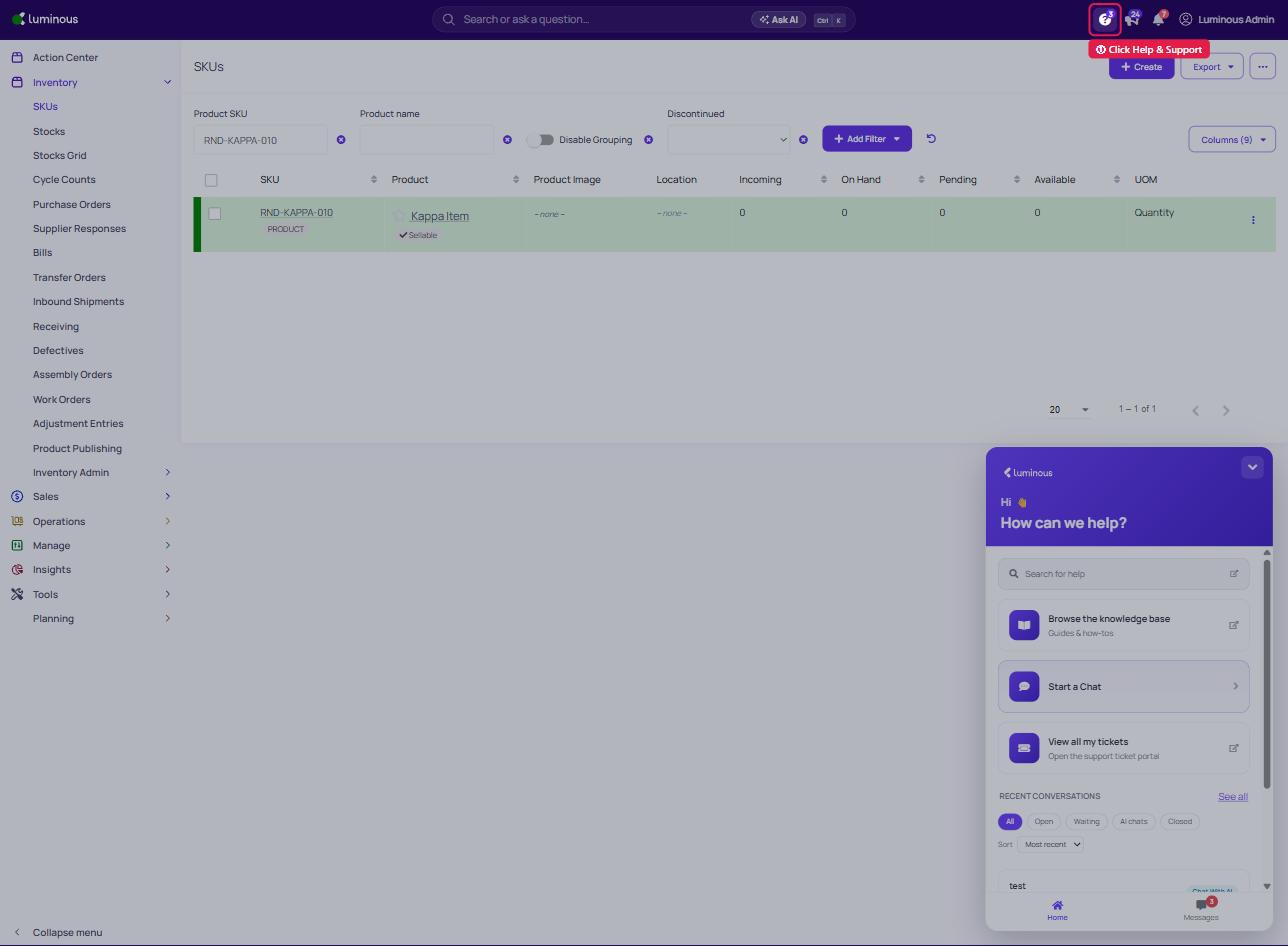
- Click on the “Help & Support” button (the question-mark icon in the top-right corner of your screen — see screenshot below).
- From there, you can:
- Ask our helpful Luminous AI assistant, to troubleshoot common issues or point you to a solution.
- Type “Talk to a person” at any time to reach a live support team member.
- View and Track Tickets in the Ticket Portal
- The Ticket Portal allows users to view all submitted tickets and track their current status in one place.
- Click View all my tickets.
- A new window will open.
- The portal will display a list of all submitted tickets.
- The Ticket Portal allows users to view all submitted tickets and track their current status in one place.
- Each ticket will show its current status:
- On Luminous – The support team is actively working on the ticket.
- On You – A response or action is required from you(user).
- Closed – The ticket has been resolved.
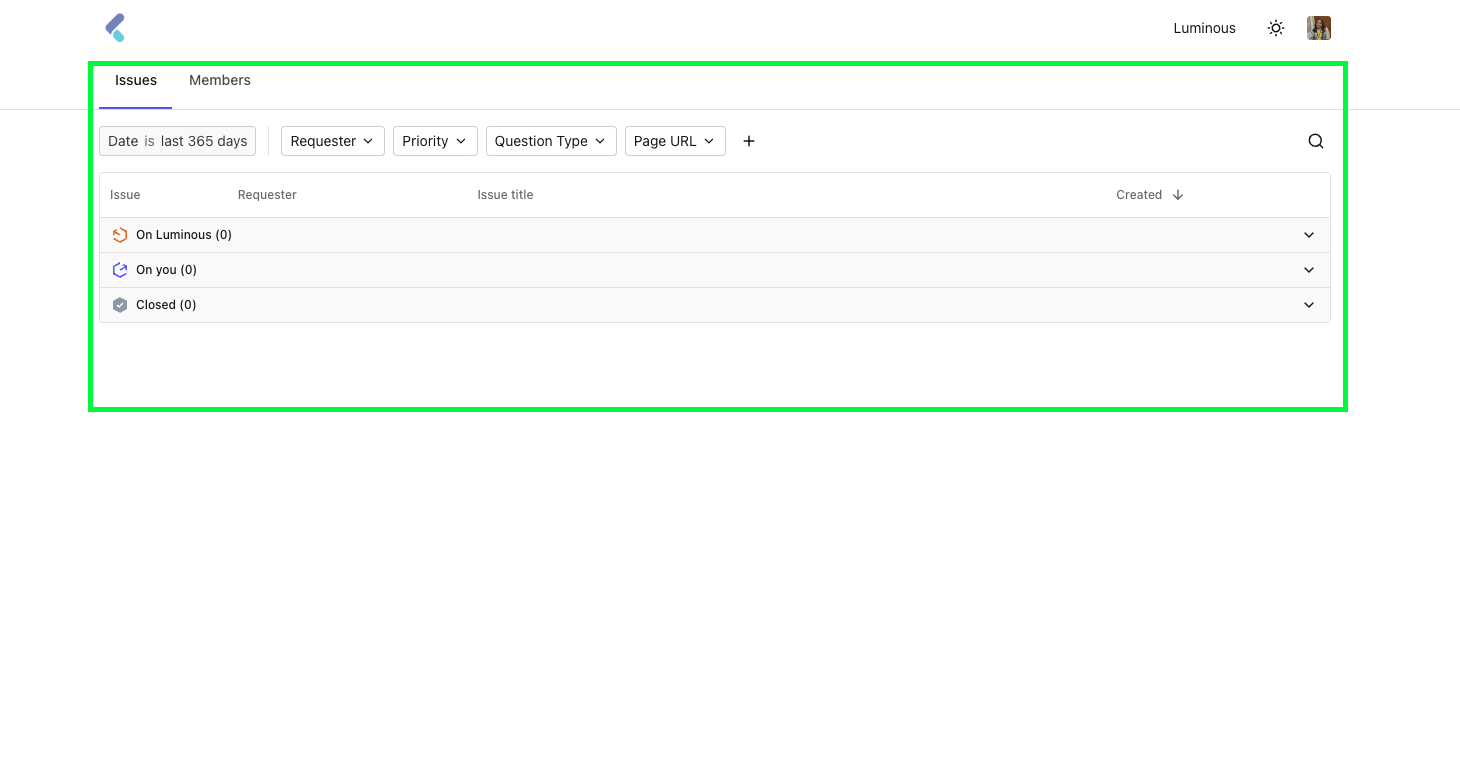
Note: If you have not login on this Portal, there will be a request validation where a code will be sent to your registered email account(will only take 1-2 mins).
📧 Option 2: Email Us
You can email our team directly at help@joinluminous.com
We recommend including the following to help us investigate faster:
- A short description of the issue or question
- Steps to reproduce (if it’s a bug)
- Expected vs. actual results
- Screenshots or screen recordings, if possible
💡 Tips for Faster Help
If you’re reporting a bug or issue, the more detail you can provide, the better. Here’s what helps us most:
- What were you trying to do?
- What actually happened?
- When did it happen?
- Can you show us with a screenshot or screen recording?
We’re here to help you get the most out of Luminous — don’t hesitate to reach out!