Overview
The Allow Auto Fulfill setting on Sales Order (SO) line items can now be edited during order creation or when editing an order. This provides greater control over whether a specific item should automatically create a Fulfillment Order (FO) when fulfillment rules are applied.
Previously, this setting was visible on the sales order but could not be edited. With this update, users can enable or disable auto-fulfillment per line item, allowing fulfillment automation to be paused when needed.
When Fulfillment Order rules run, the system will now honor the Allow Auto Fulfill selection for each line item.
Where the Setting Appears
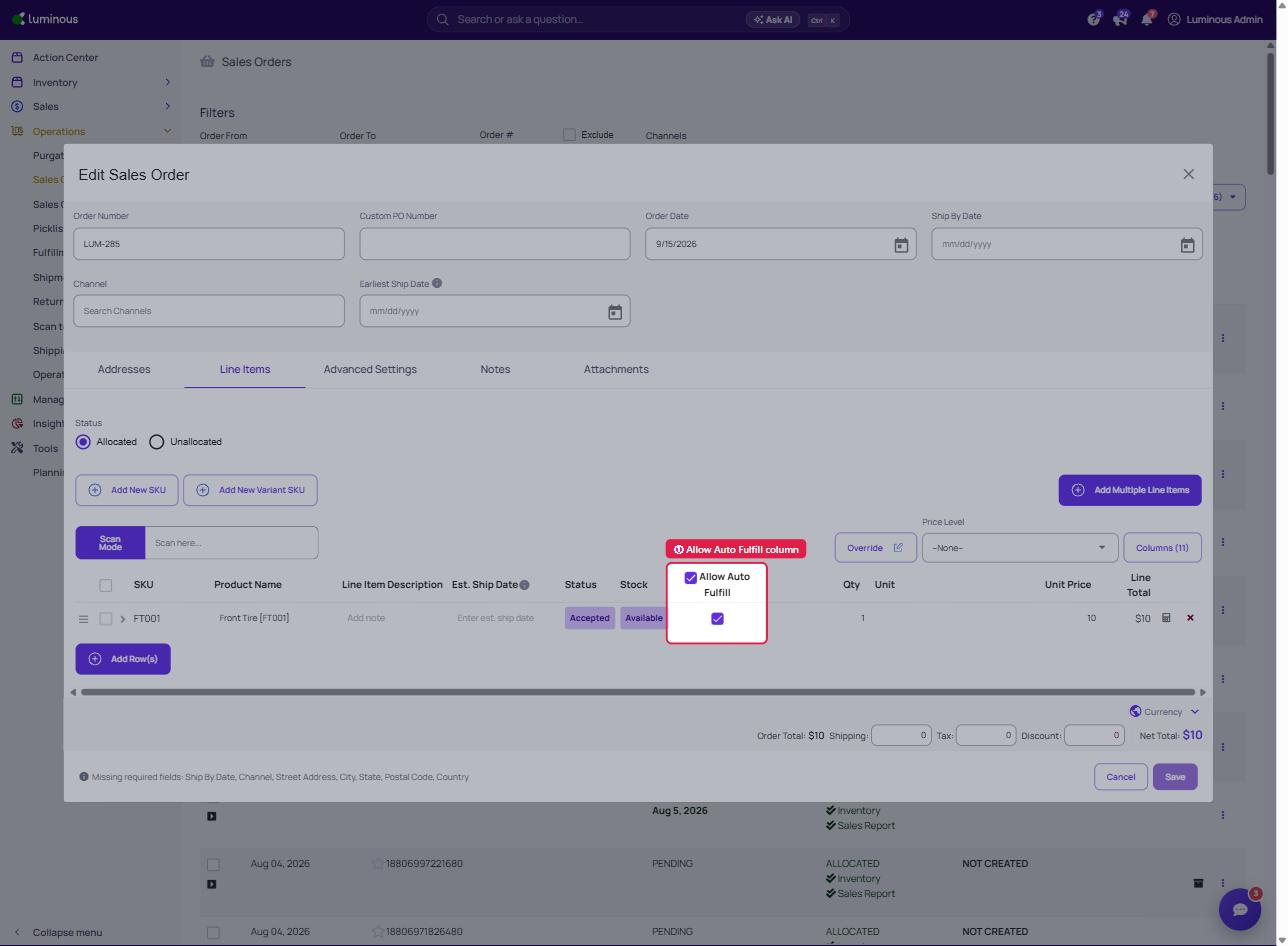
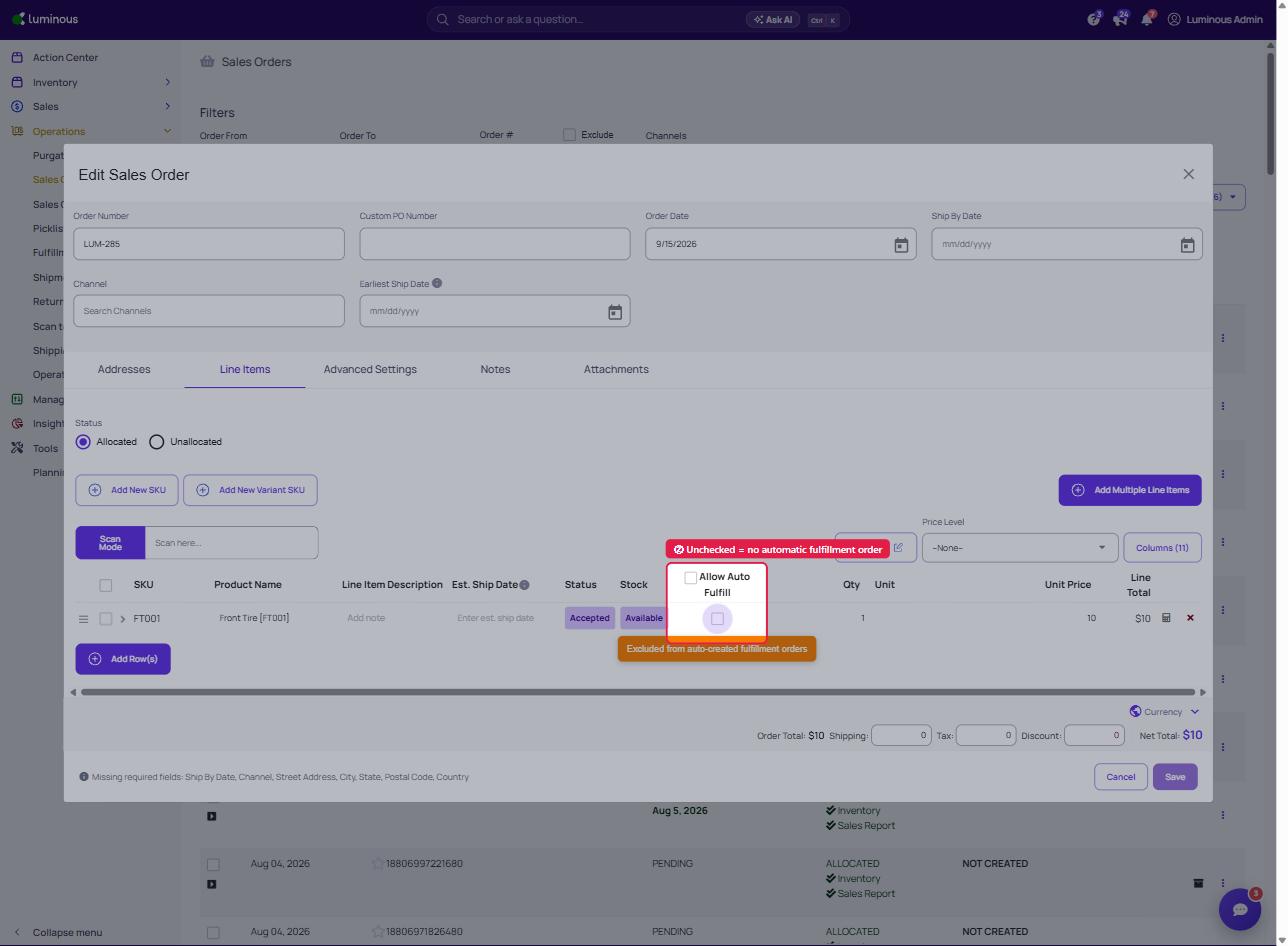
The Allow Auto Fulfill column is displayed in the Line Items section of the Sales Order.
This column indicates whether a line item is eligible for automatic fulfillment.
- Checked – The item can create a fulfillment order automatically when FO rules apply.
- Unchecked – The item will not automatically create a fulfillment order.
Editing the Allow Auto Fulfill Setting
Step 1: Open the Sales Order
- Navigate to Operations → Sales Orders.
- Select the order that needs to be updated.
- Click Edit Sales Order.
Step 2: Navigate to Line Items
- Open the Line Items tab.
- Locate the Allow Auto Fulfill column.
Step 3: Update the Setting
- Check the box to allow the item to auto-fulfill.
- Uncheck the box to prevent the item from automatically creating a fulfillment order.
- Click Save to apply the changes.
Updating Multiple Line Items
When editing a sales order, users can update the Allow Auto Fulfill setting for multiple line items directly within the Line Items table.
This allows quick control over which items will generate fulfillment orders automatically.
How This Works with Fulfillment Order Rules
When fulfillment automation runs:
- Line items with Allow Auto Fulfill enabled will follow the configured FO rules.
- Line items with Allow Auto Fulfill disabled will be skipped and will not automatically generate fulfillment orders.
This ensures fulfillment automation respects the manual selection made on the sales order.
Limitations on the Auto-Fulfillment
-
Order Items Cannot Be Edited
Line items cannot be edited for orders imported from ShipStation. Orders from external systems cannot have their line items modified to maintain data integrity. Custom fields can still be edited.
-
Sales Order that have Shipped Status cannot be Edited