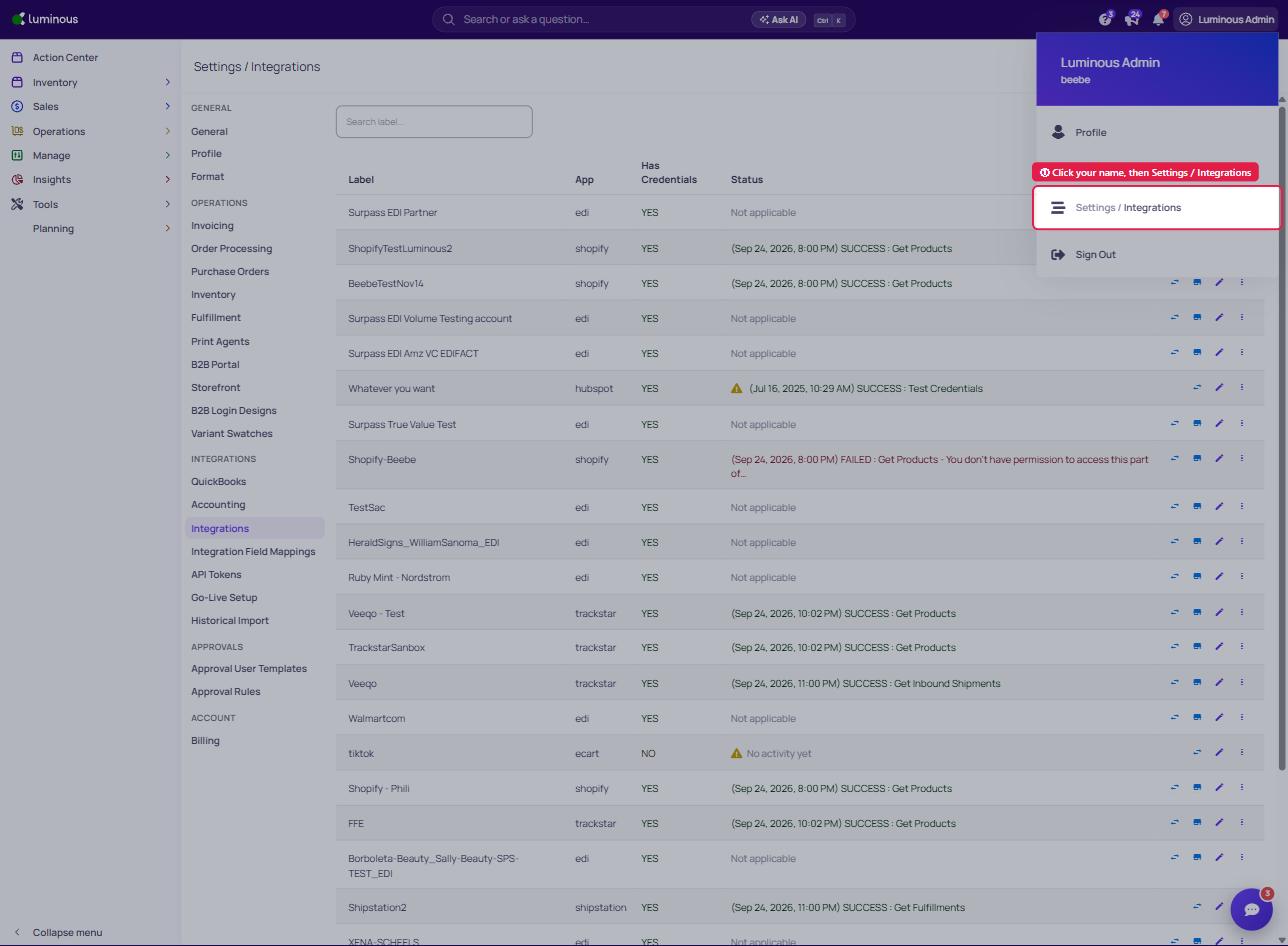
1. Click your name in the top right corner, then select 'Settings / Integrations'
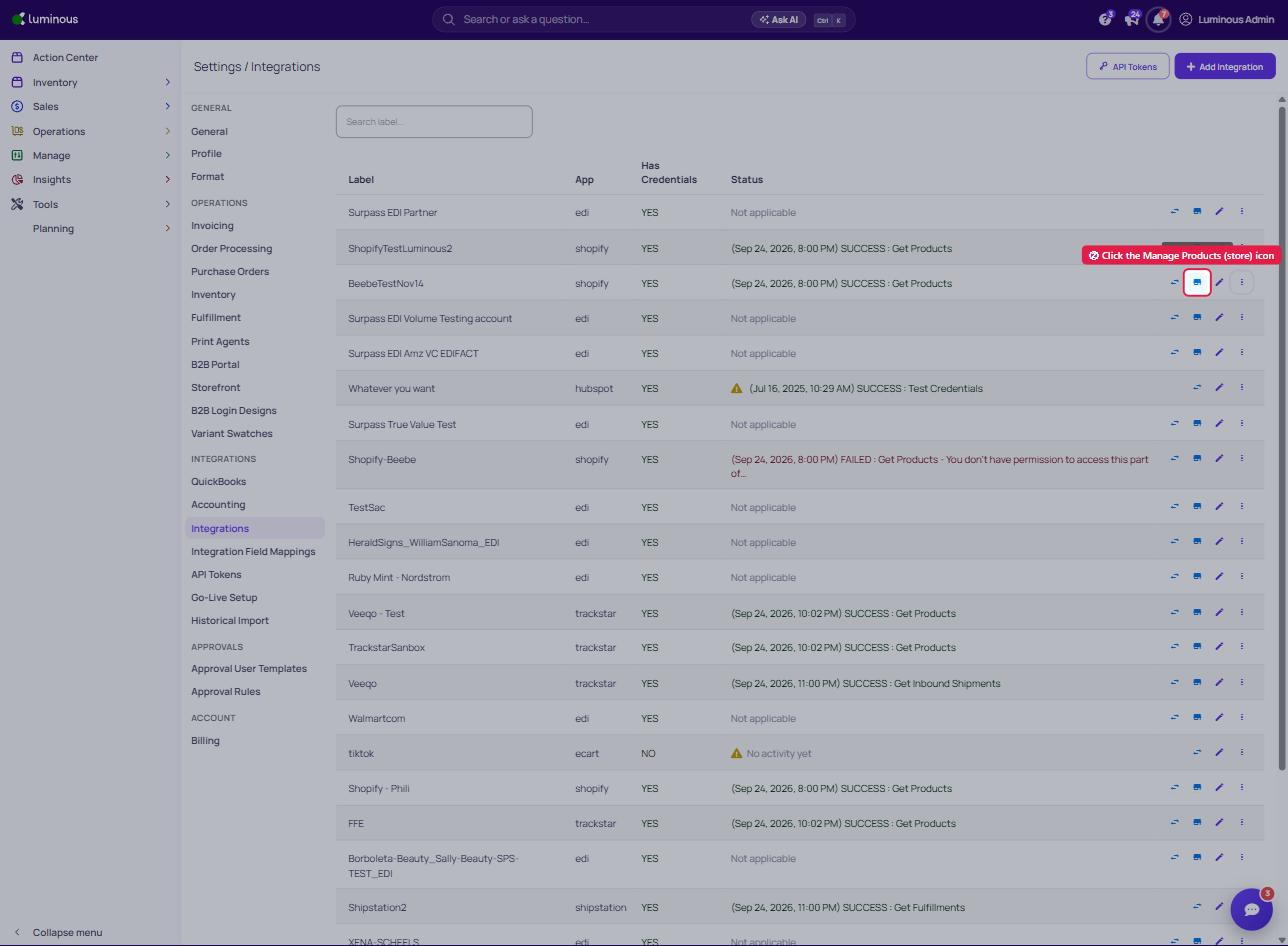
2. On the integration's row, click the 'Manage Products' (store) icon
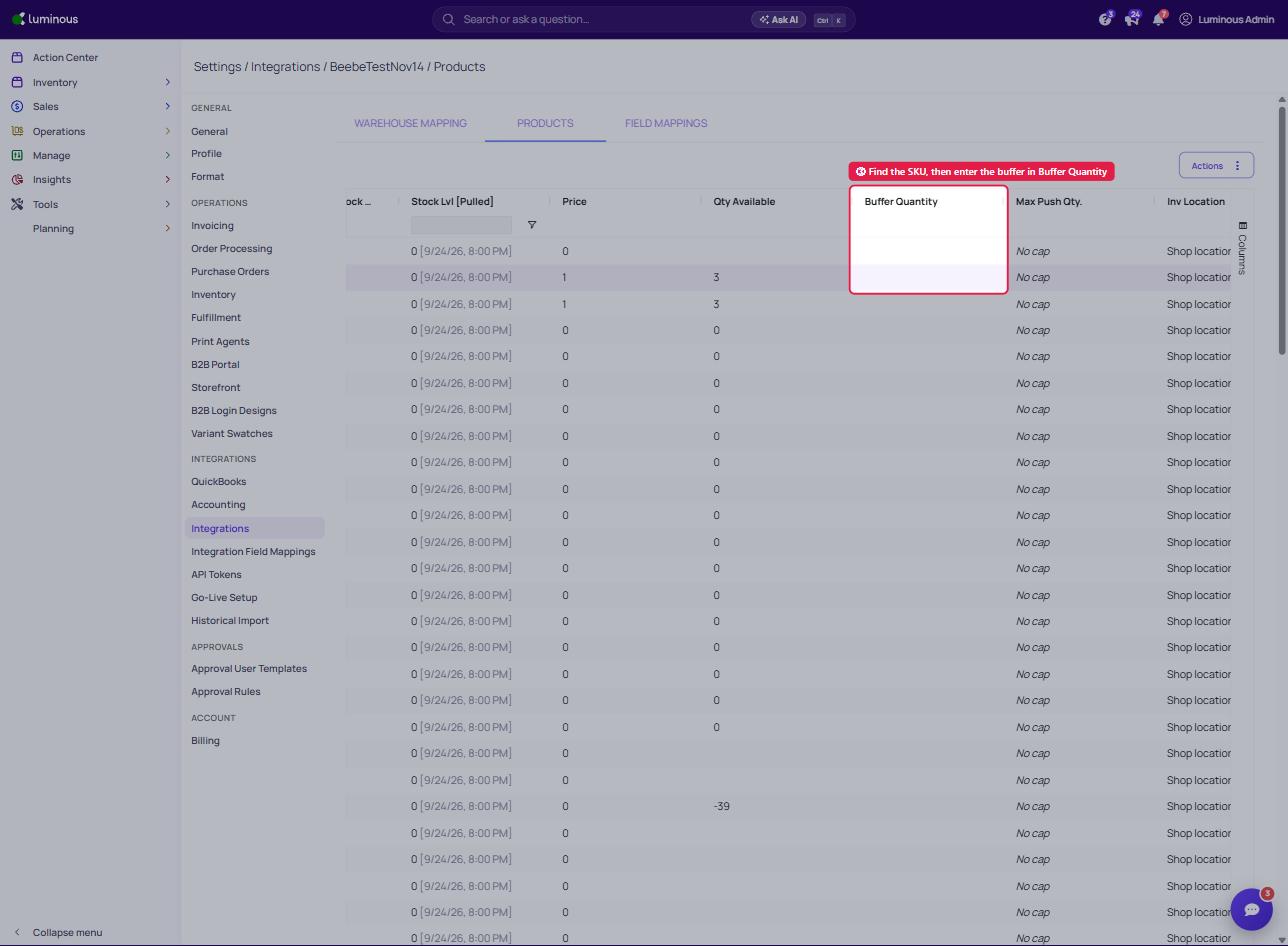
3. Find SKU, then click into the Buffer Quantity field and enter desired buffer stock
1. Click your name in the top right corner, then select 'Settings / Integrations'
2. On the integration's row, click the 'Manage Products' (store) icon
3. Find SKU, then click into the Buffer Quantity field and enter desired buffer stock