Everything starts here. A product becomes manufacturable when it has a build material (bill of materials) attached — the recipe of components and quantities needed to make one unit.
What to do:
- Open each finished-good SKU and attach a build material listing its components and the quantity per unit produced.
-
Go to Inventory - SKUs
-
Select the Finished Good SKU to attached Bills of materials
-
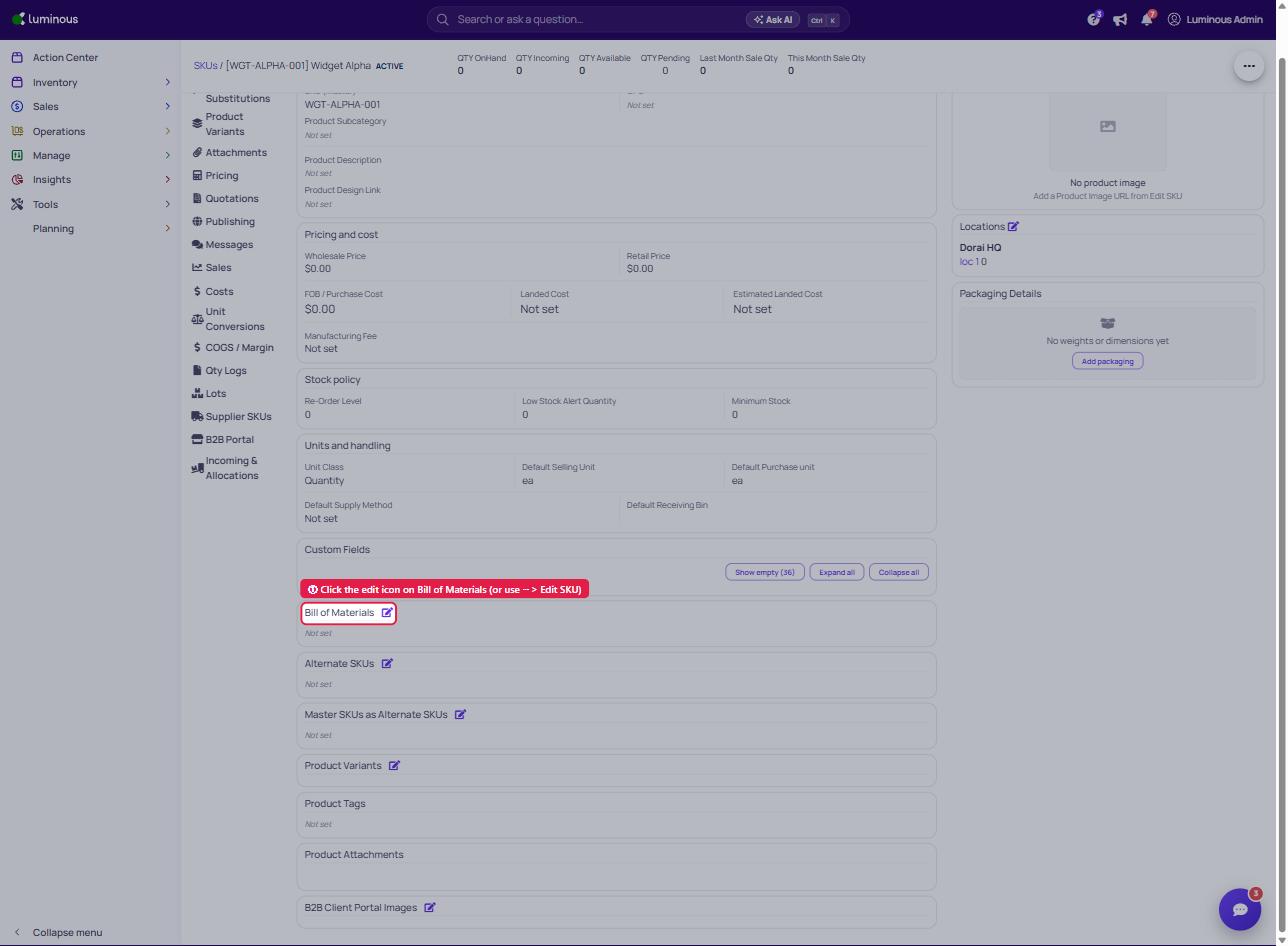
You can either Click the Bills of materials directly from SKU Detailsnpage or click the three dots to Edit SKU.
-
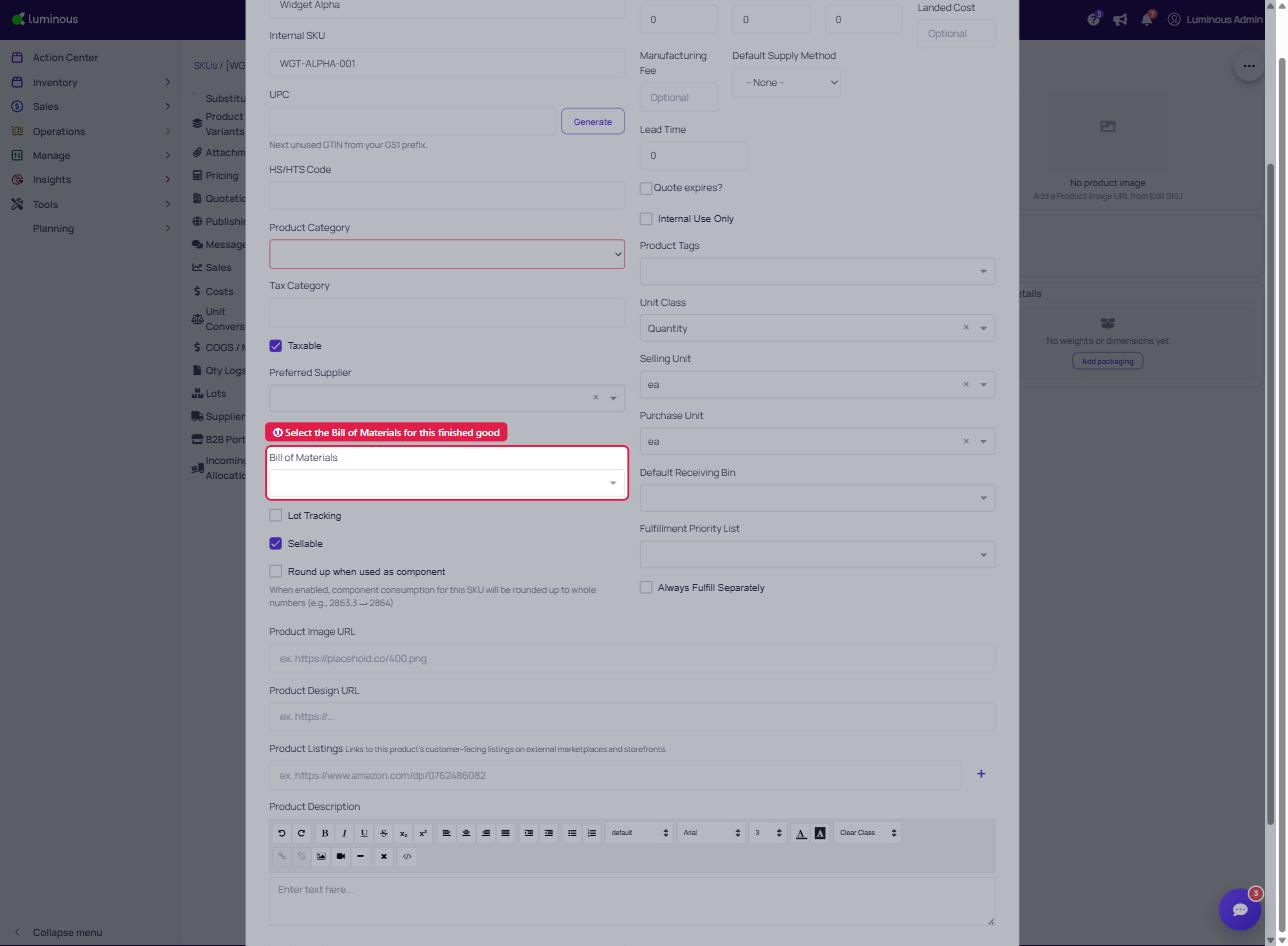
f you select Edit SKU, scroll down to the Bill of materials section to attach the Bills of Materials to the Finished-good SKU.
-
- Make sure component/raw-material SKUs exist for every line.
Watch out: multiple build materials
A SKU can have more than one build material, but there's no priority flag — Luminous uses the first one saved as the default.
Save your preferred recipe first. See Why did Luminous choose a different build material than I expected?.
Full details: Configure bills of materials for manufactured SKUs.