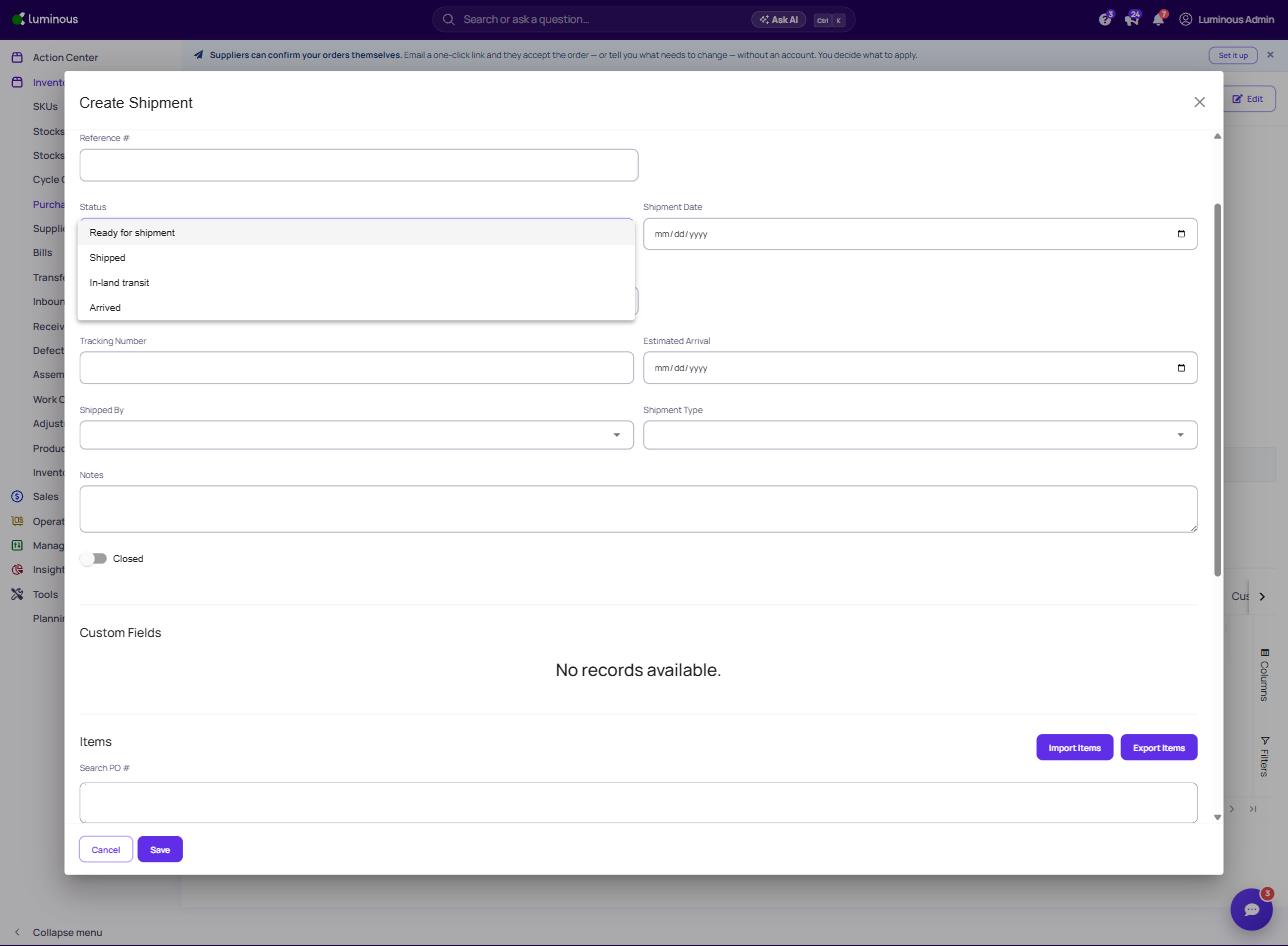
What?
A purchase order is a written request for goods from a supplier. At times these need to be split according to when/where portions of an order will be received.
Why?
This feature is especially useful if you plan to receive a purchase order in different locations or at different times. We allow shipments to be split to offer the user complete flexibility with their purchasing operations.
How?
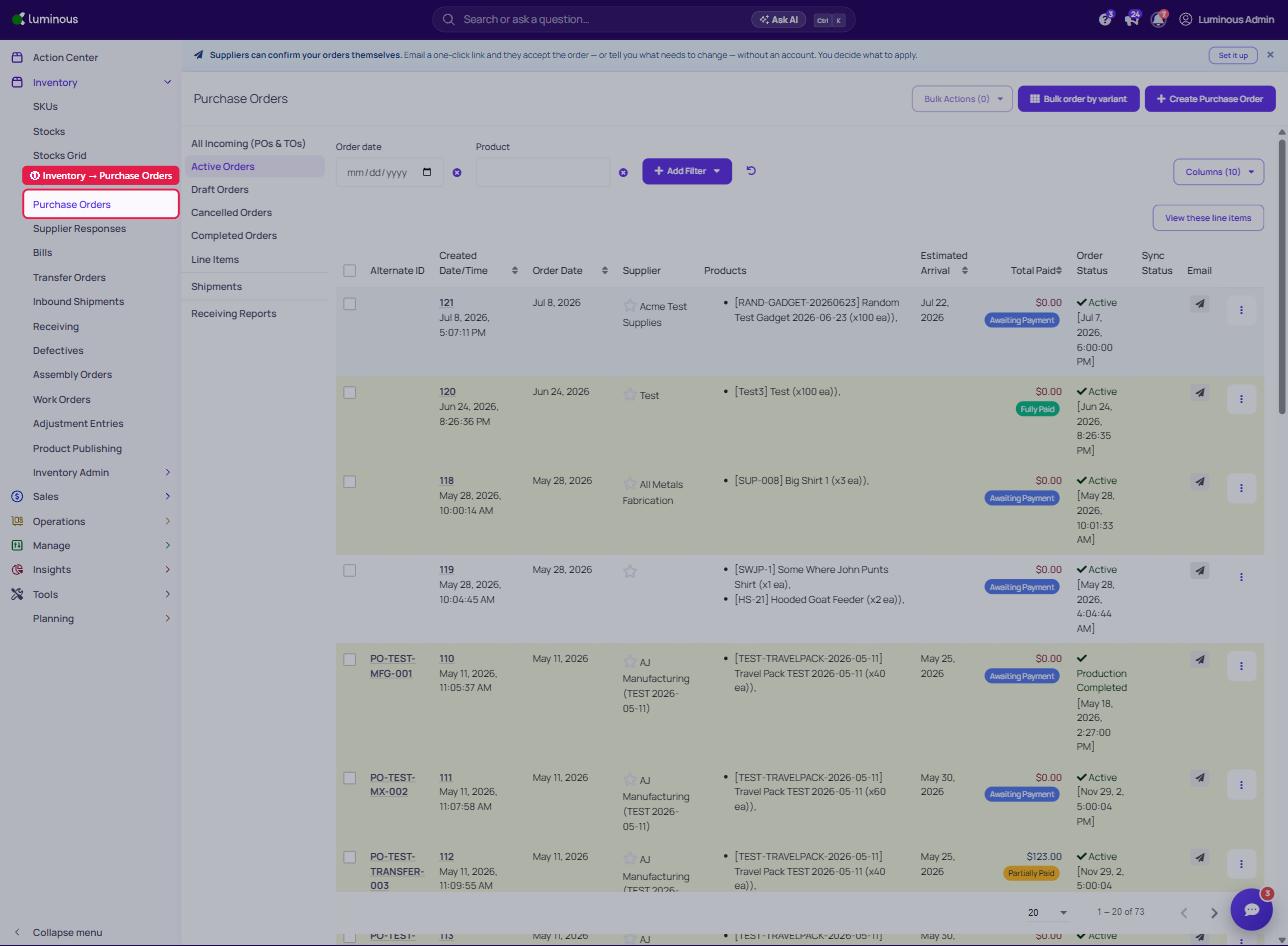
- Inventory -> Purchase Orders
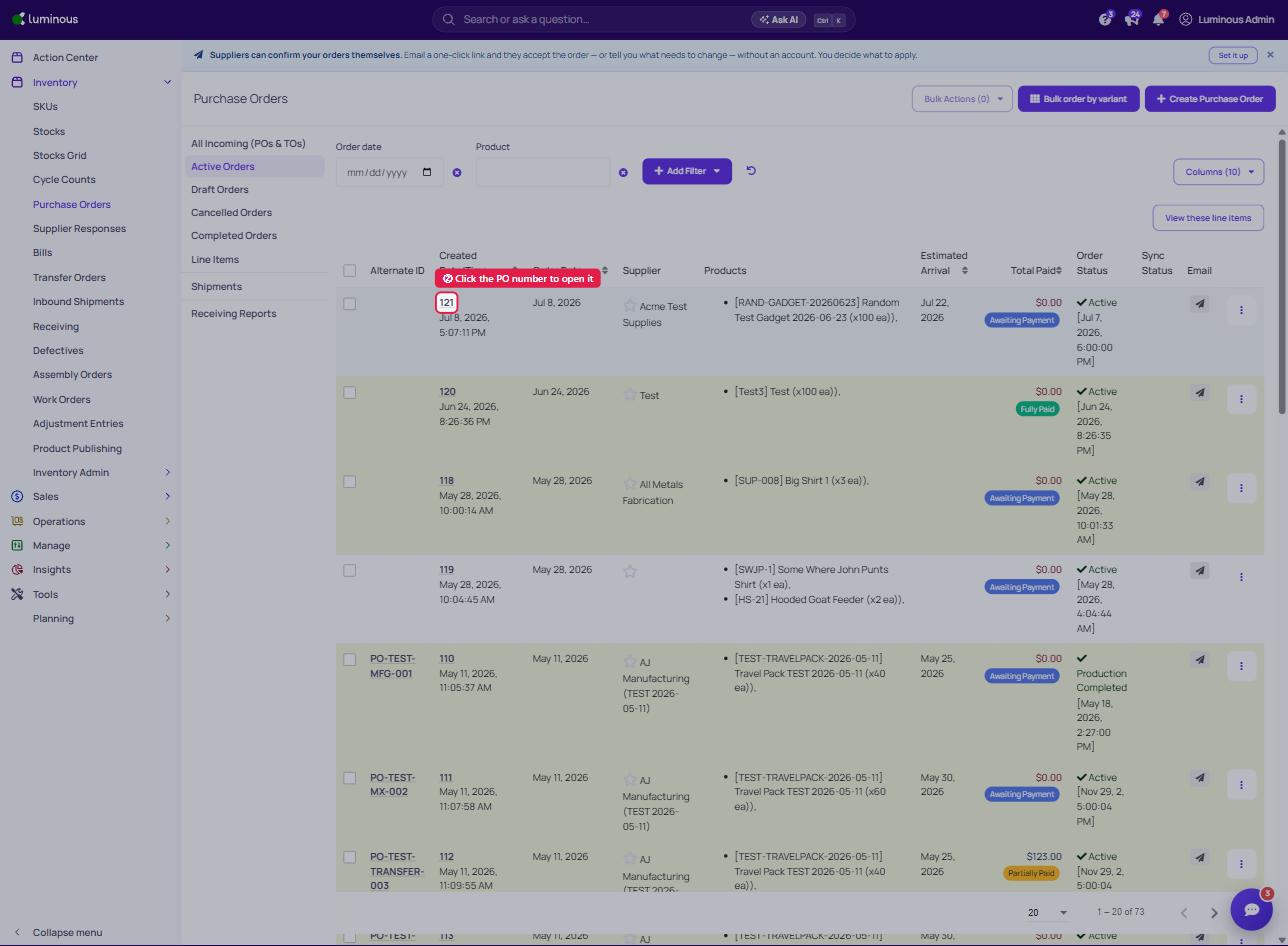
2. Click the PO number of the purchase order you want to split to open it
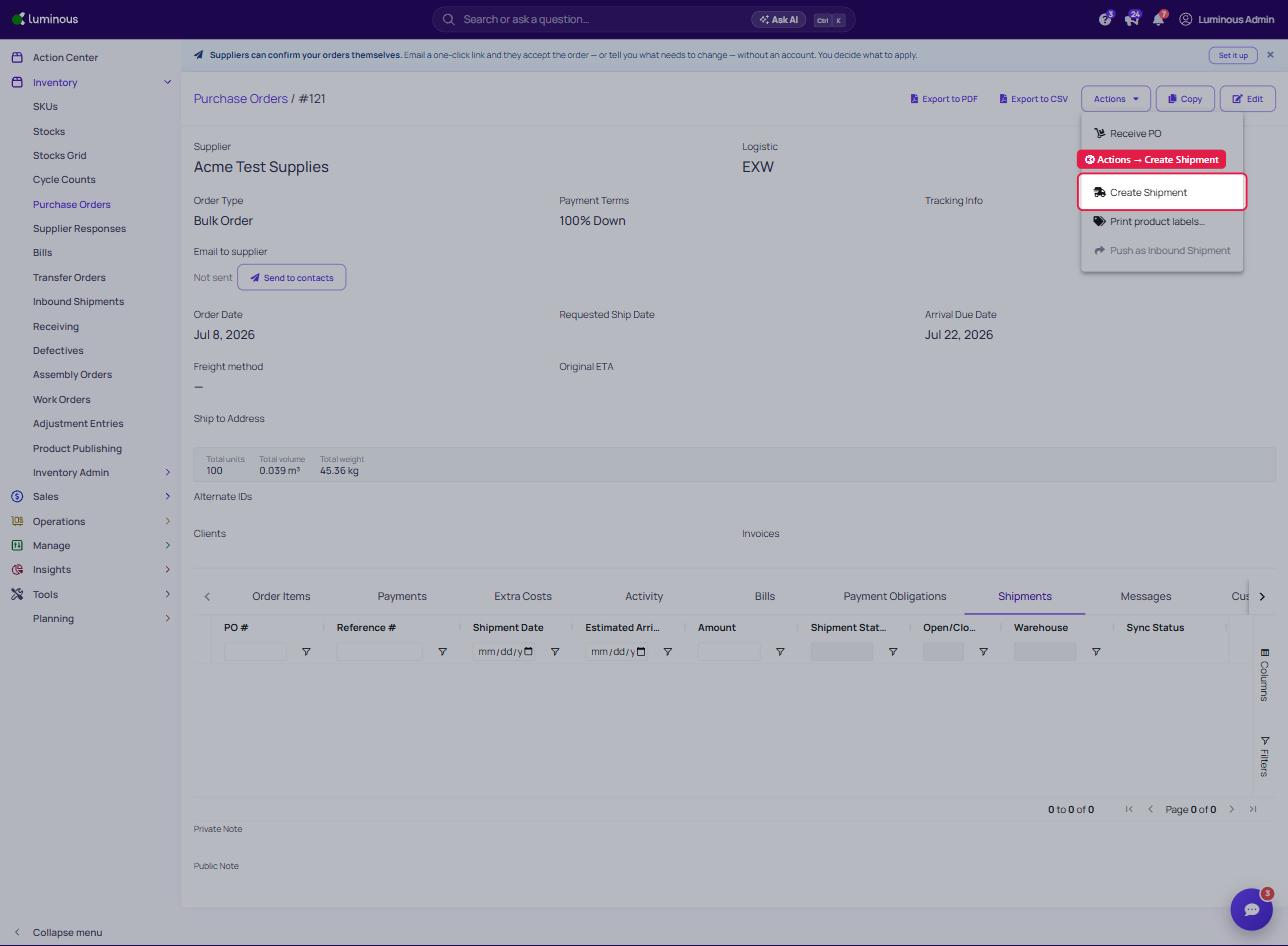
3. Click "Actions", Then "Create Shipment"
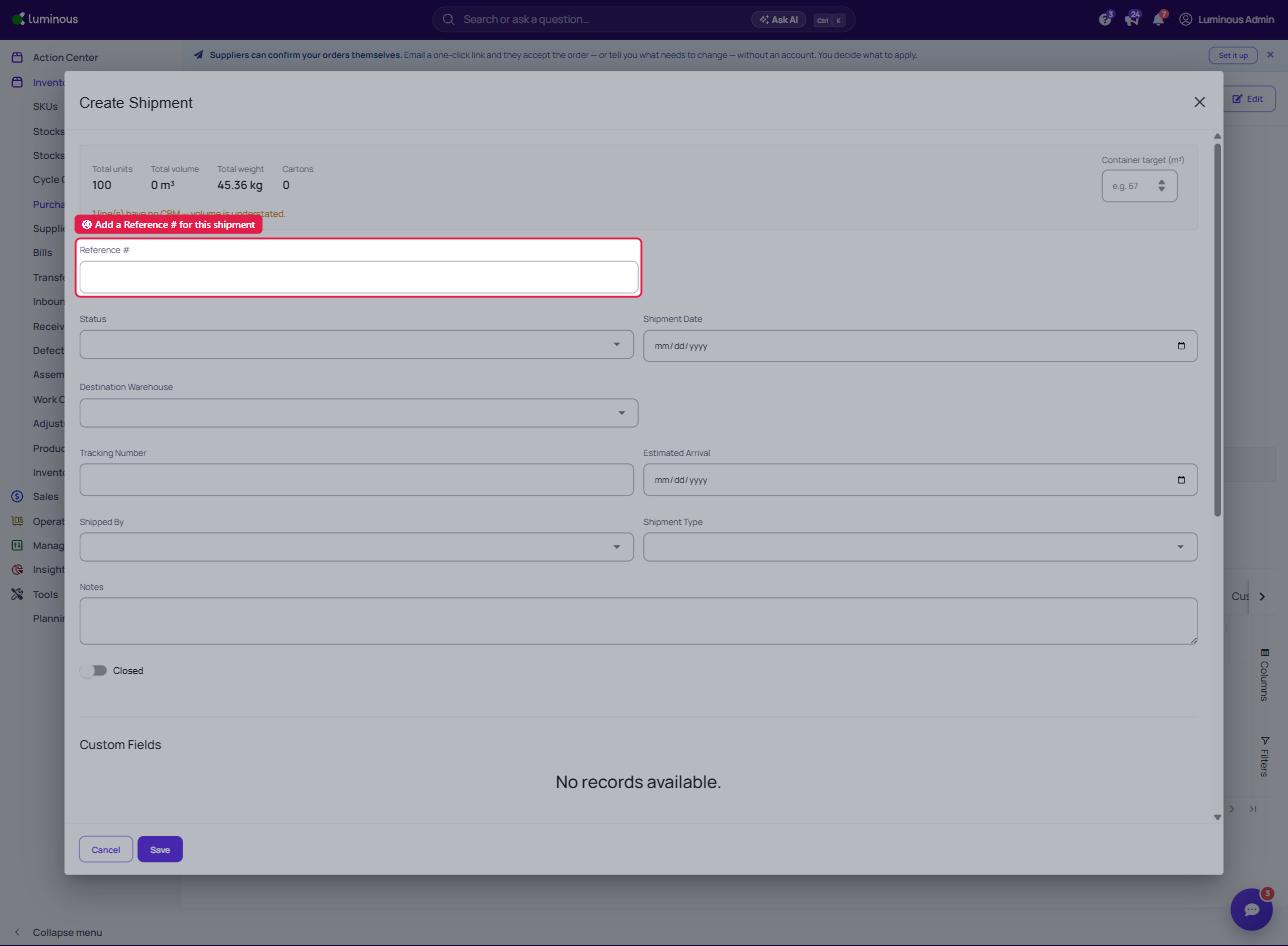
4. Add Reference Number (and any shipping costs in the Extra Costs section, if applicable)
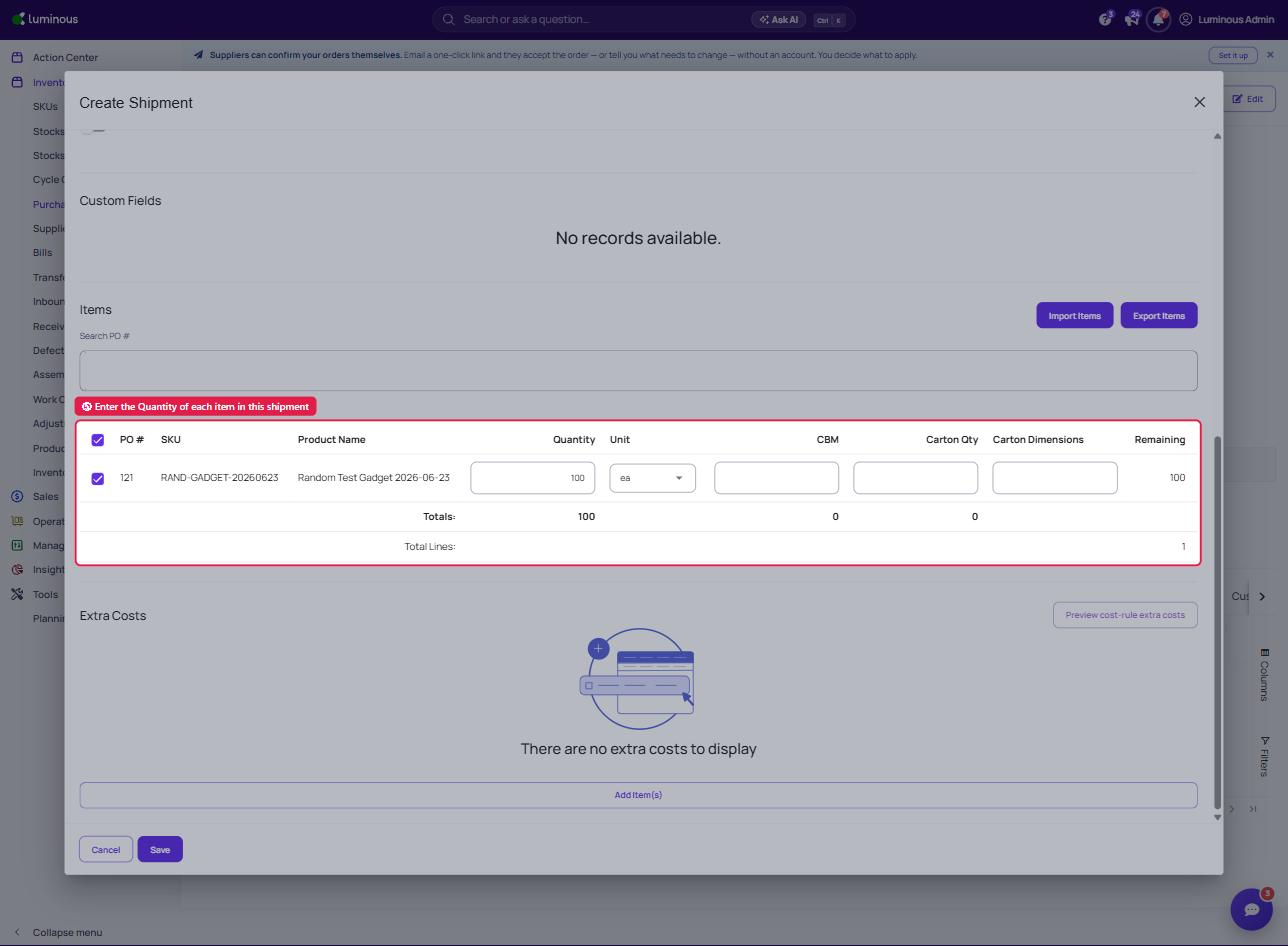
5. In the Items section, specify the Quantity of each product included in this shipment
6. Select the shipment Status, then Save