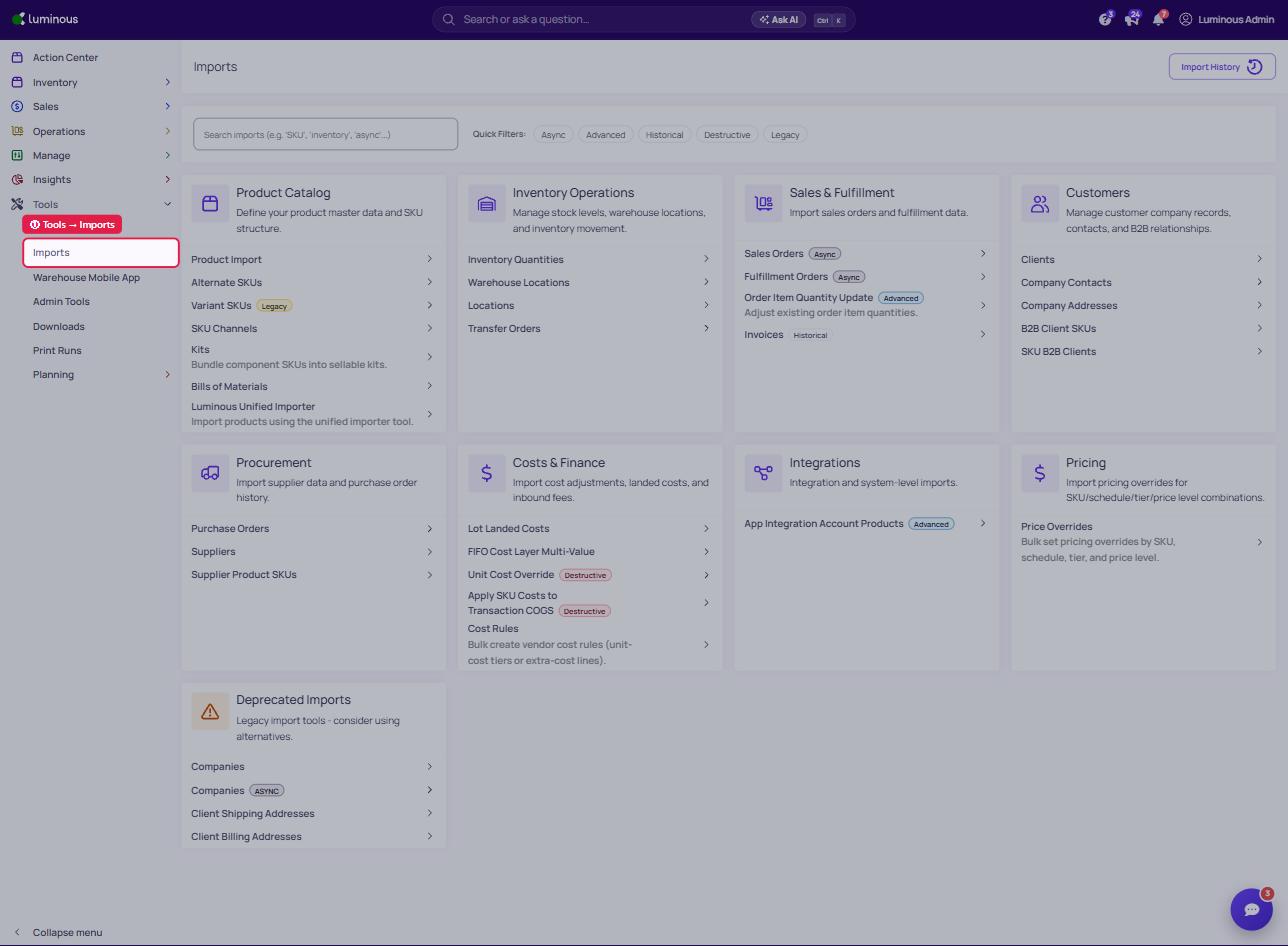
- "Tools" -> "Imports"
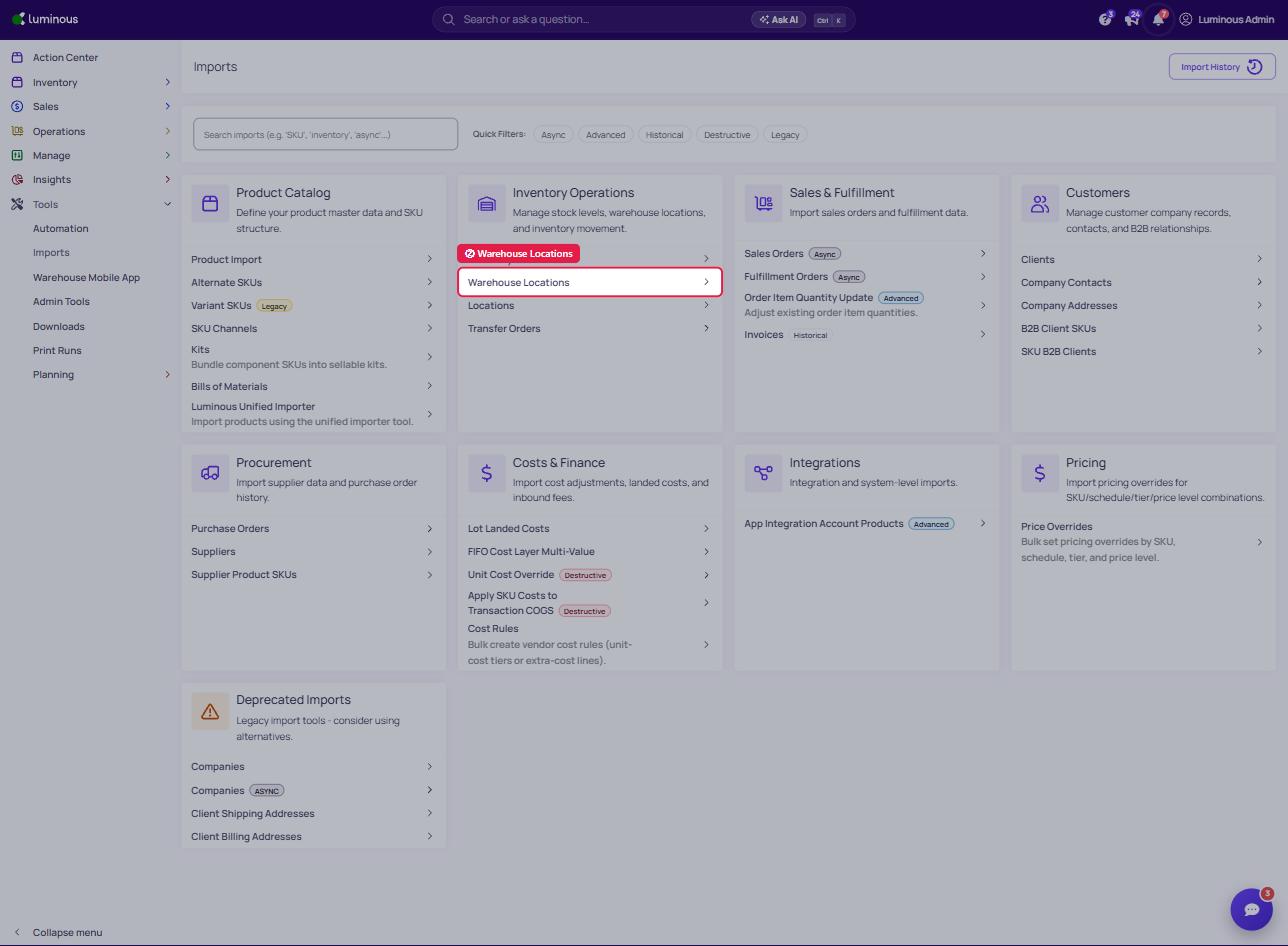
2. "Warehouse Locations" (under Inventory Operations)
3. Select Warehouse Accordingly
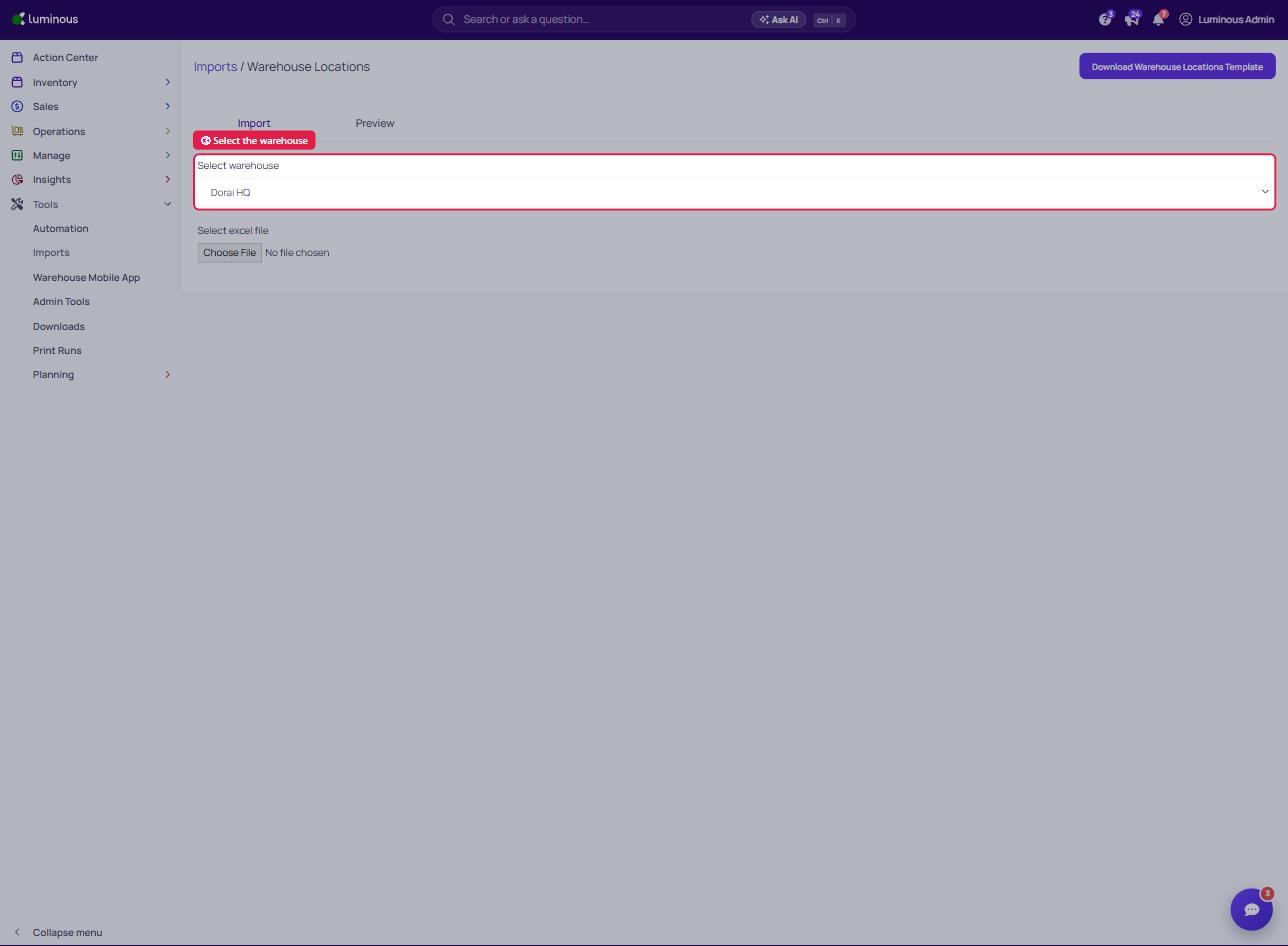
4. "Download Warehouse Locations Template" (top right)
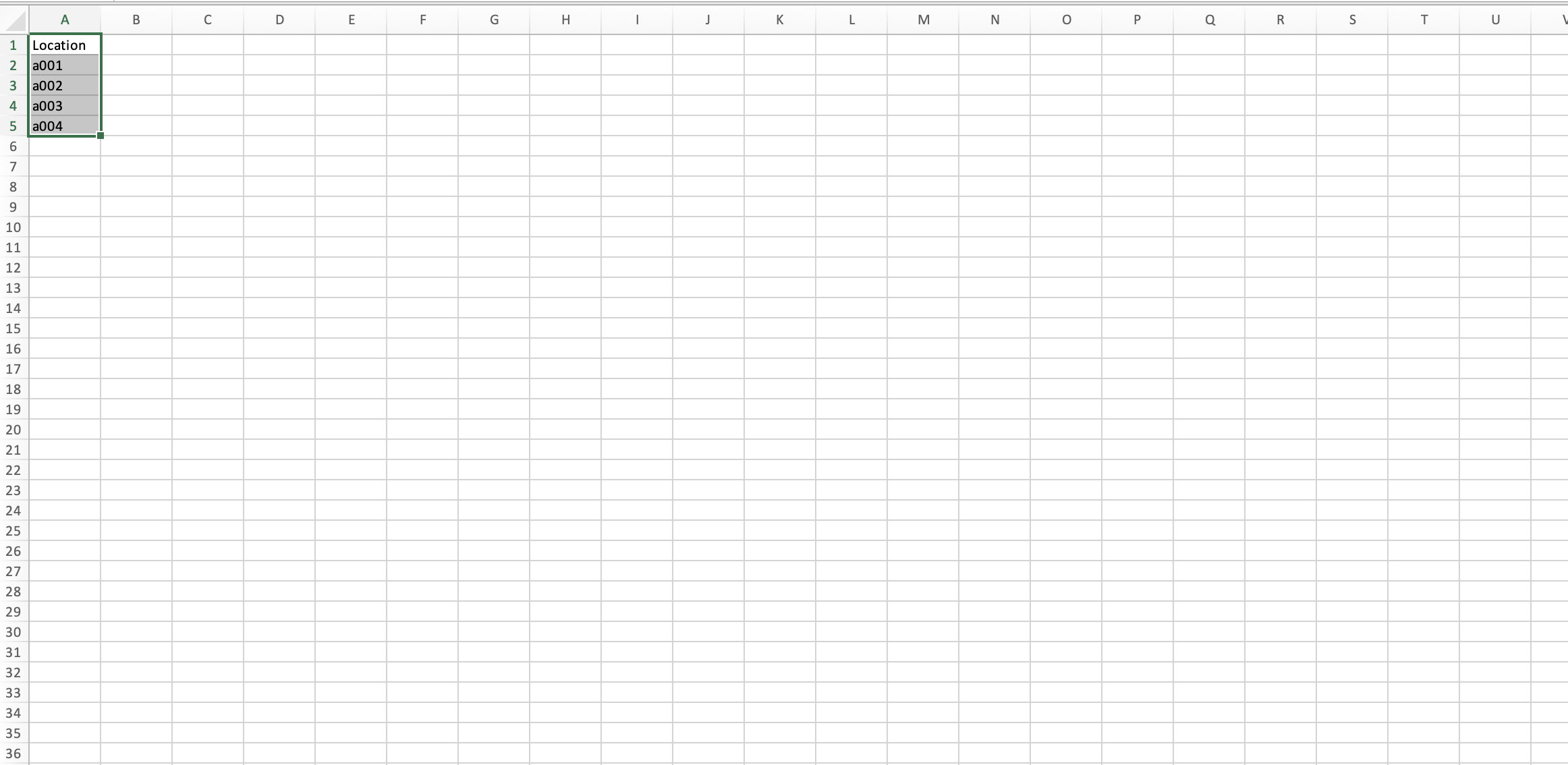
5. Insert Locations into Spreadsheet
6. "Choose File" and Upload
2. "Warehouse Locations" (under Inventory Operations)
3. Select Warehouse Accordingly
4. "Download Warehouse Locations Template" (top right)
5. Insert Locations into Spreadsheet
6. "Choose File" and Upload