📝 Overview
If a client no longer wants to move forward with an order, you can either delete the invoice or mark the fulfillment status as "Cancelled." This guide walks through both options and when to use them.
Option 1: Delete the Invoice Entirely
Use this if the invoice was created by mistake and you no longer need to keep a record of it.
- Go to Sales > Invoices.
- Locate the invoice you'd like to remove.
- Click the three dots next to the invoice.
- Select Delete (Void) (shown for Active or Completed invoices; Draft and Estimate invoices show Delete instead).
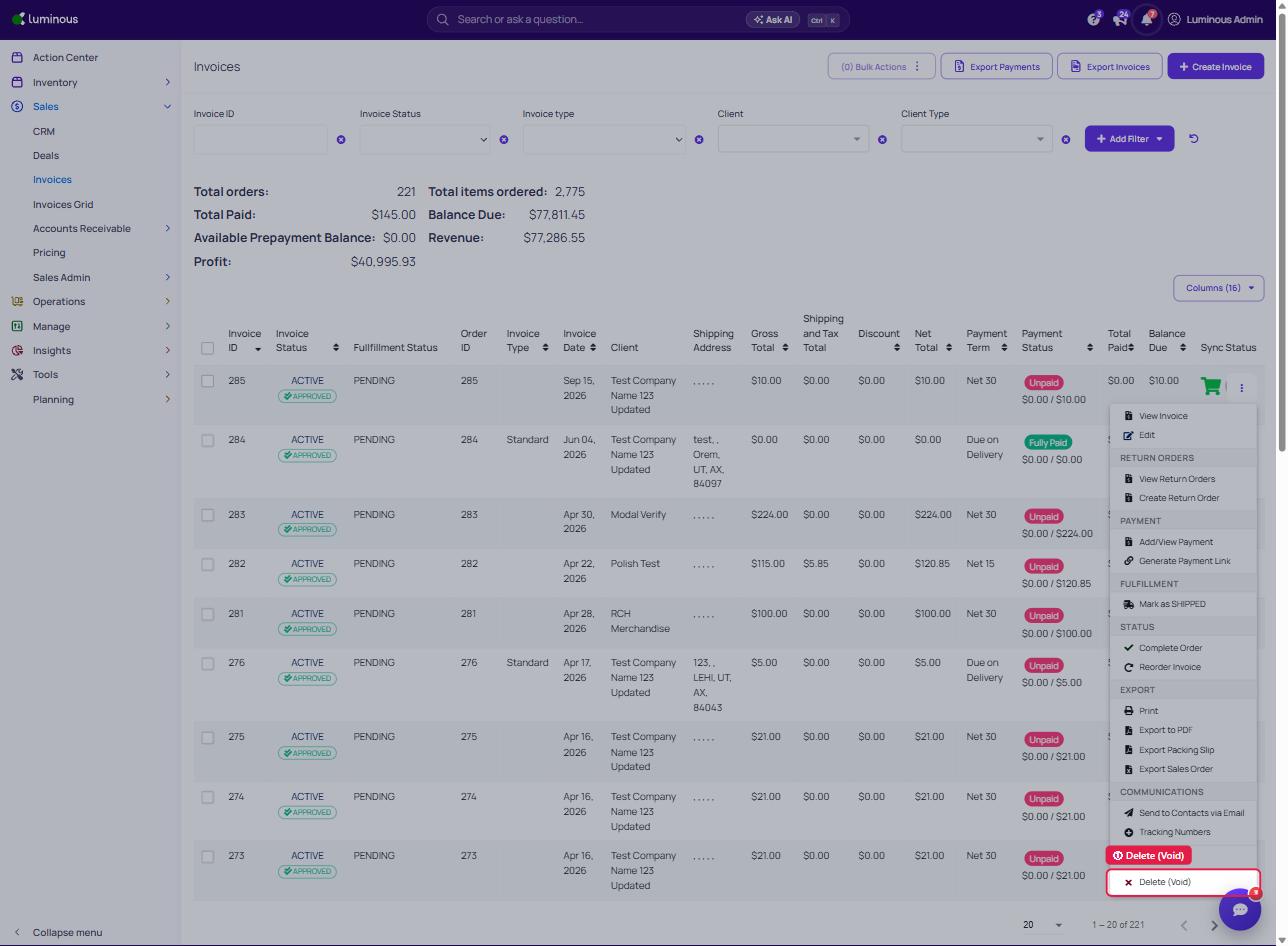
5. In the confirmation popup, click OK.
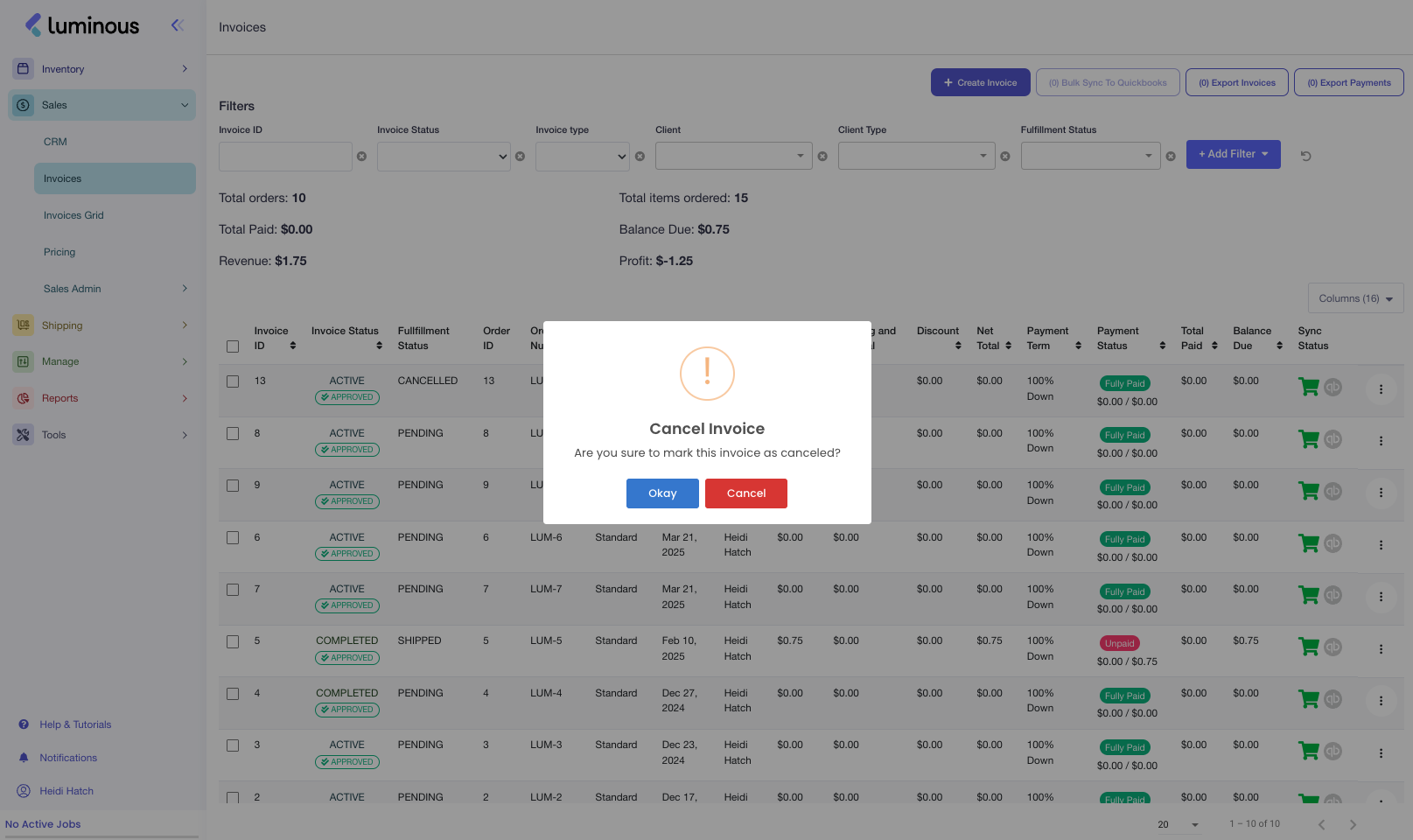
6. An Active or Completed invoice is voided (marked cancelled). If the invoice is linked to a sales order, the popup also offers to delete the associated sales order. Draft and Estimate invoices removed with Delete are deleted from the system.
⚠️ Note: This action is permanent. Only delete invoices when absolutely sure they’re no longer needed.
Option 2: Mark the Fulfillment Status as "Cancelled"
Use this if the invoice is tied to a sales order that was cancelled by the client. This preserves the invoice in your records but reflects that the order was not fulfilled.
- Go to Sales > Invoices and locate the invoice.
- Find the Order ID column (add it from the Columns menu if it’s not already visible).
- Copy the Order ID linked to the invoice.
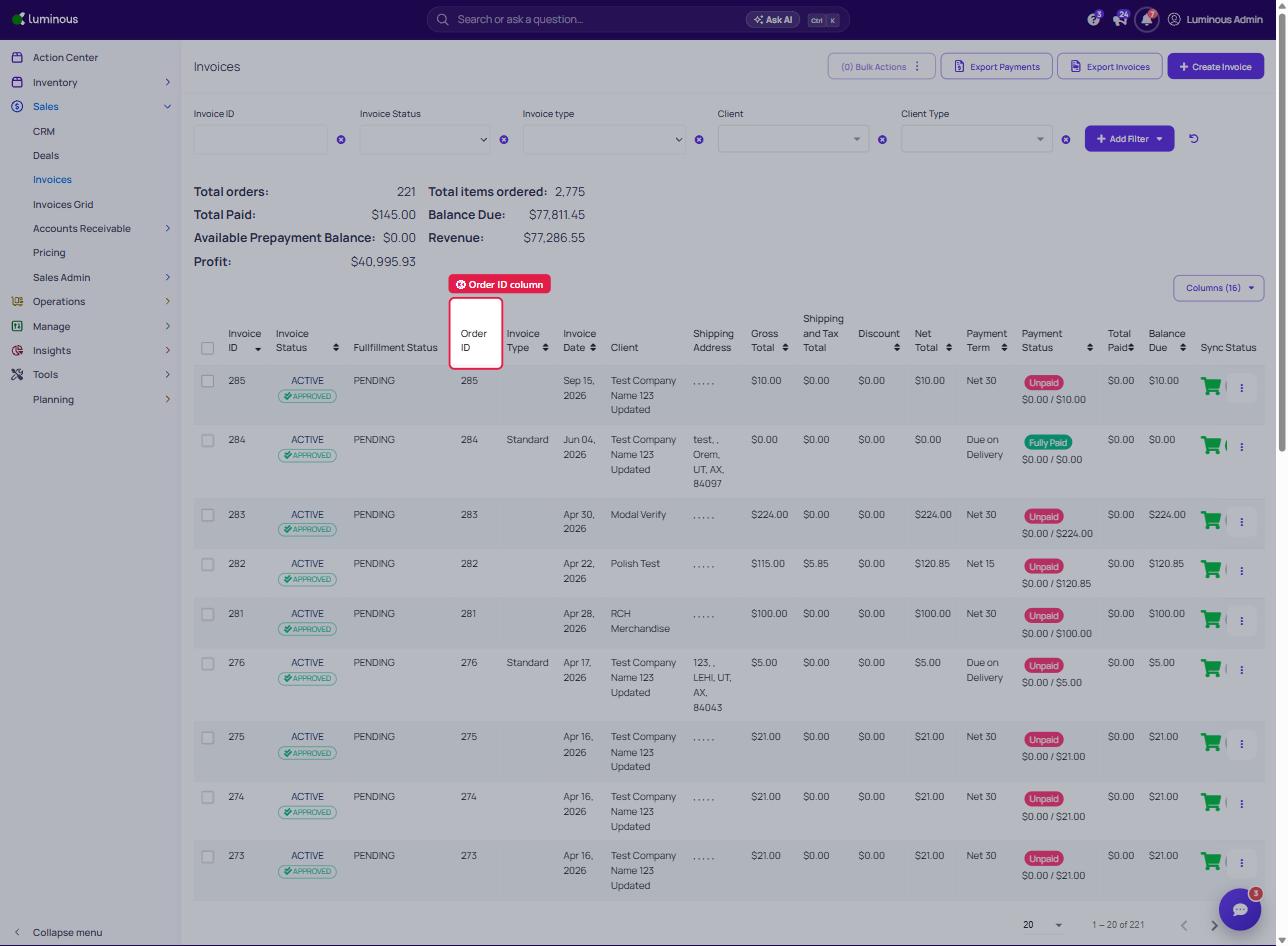
4. In the left-hand menu, click Operations > Sales Orders.
5. Enter the order number in the Order # filter at the top of the list, or find it in the Order ID column.
6. Open the sales order (three dots > View Sales Order).
7. Go to Actions > Update Order Status.
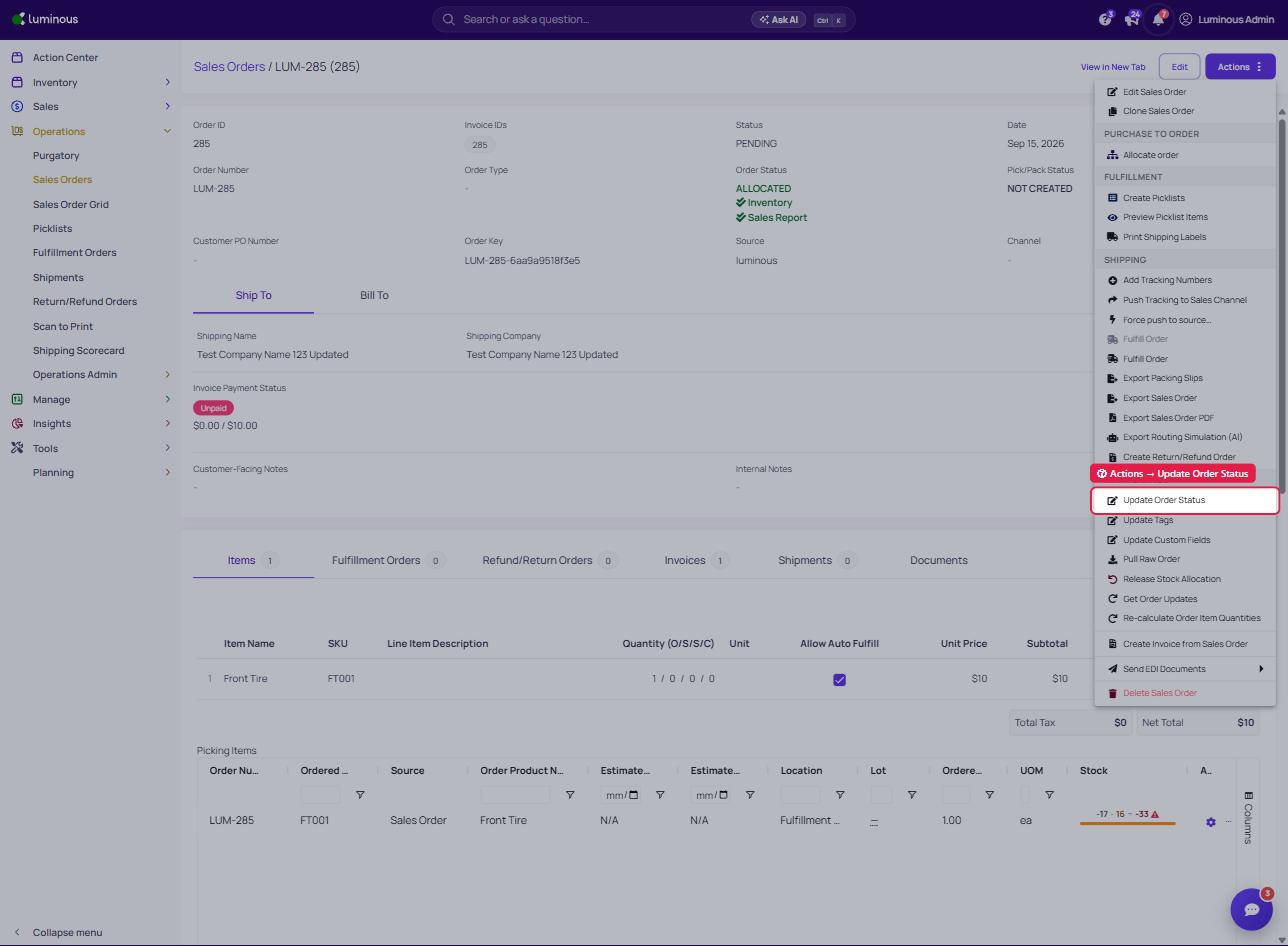
8. Choose Cancelled as the status and save.
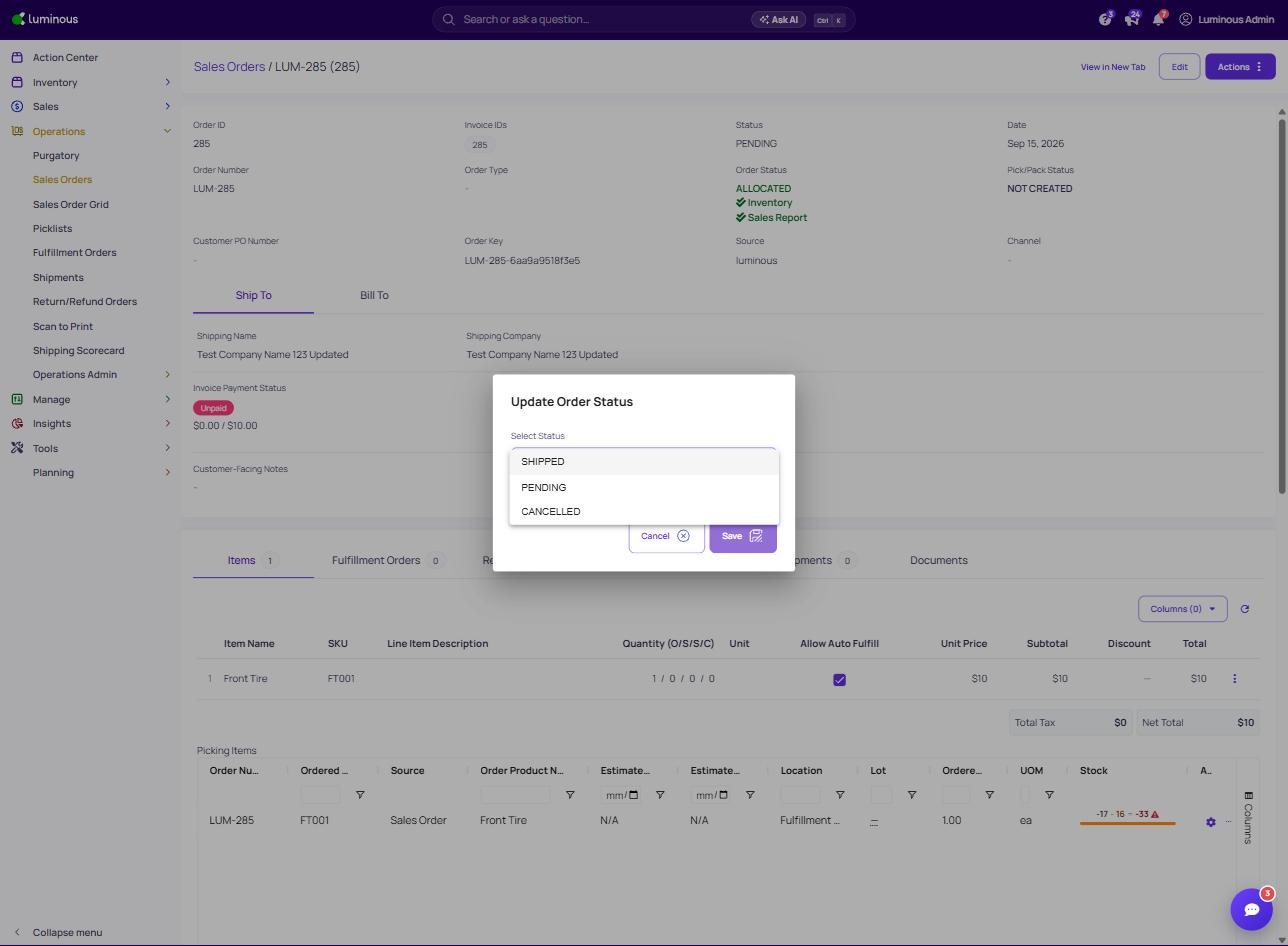
After a moment, the invoice status will reflect as Cancelled in the Sales > Invoices page.
❓ Common Questions
- Will deleting an invoice affect financial reports?
Yes, deleted invoices are removed from records. Use with caution. - Why cancel instead of delete?
Cancelling maintains a history of the transaction, which is helpful for audits or tracking client behavior.
Need Help?
If you're unsure which method to use or encounter an issue, reach out to the support team for help.