Overview
Invoice Settings allow each sales channel to control how invoices are created and synced to QuickBooks. These settings help ensure the correct revenue account is used and define when invoices are pushed.
How to Access Invoice Settings
- Go to Manage
- Select Channels
- Click on an existing sales channel or create a new one
- Scroll to the Settings section
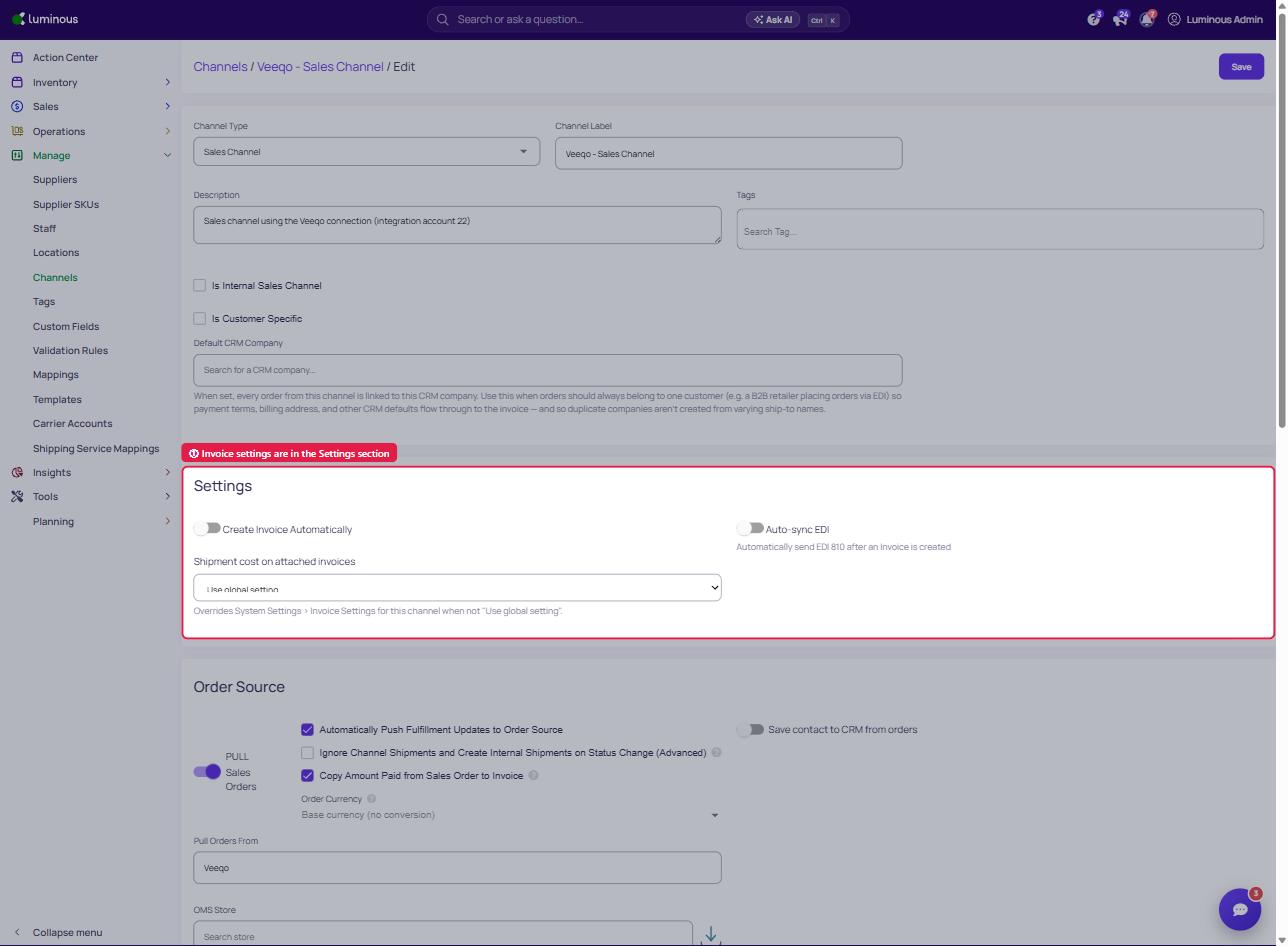
Configure Invoice Settings
1. Set Default Revenue Account (Optional)
Use this setting to override the global default revenue account for this sales channel.
a. Need to toggle the "Create Invoice Automatically" for the settings to appear.
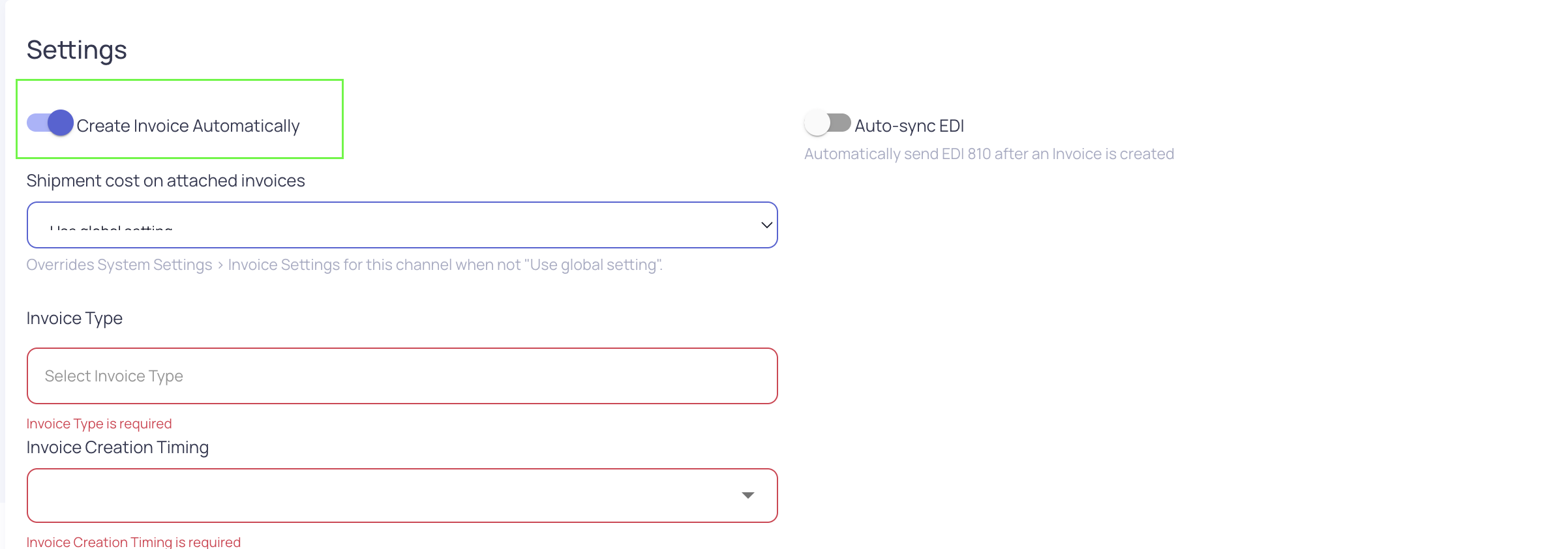
b. Click the Default Revenue Account dropdown
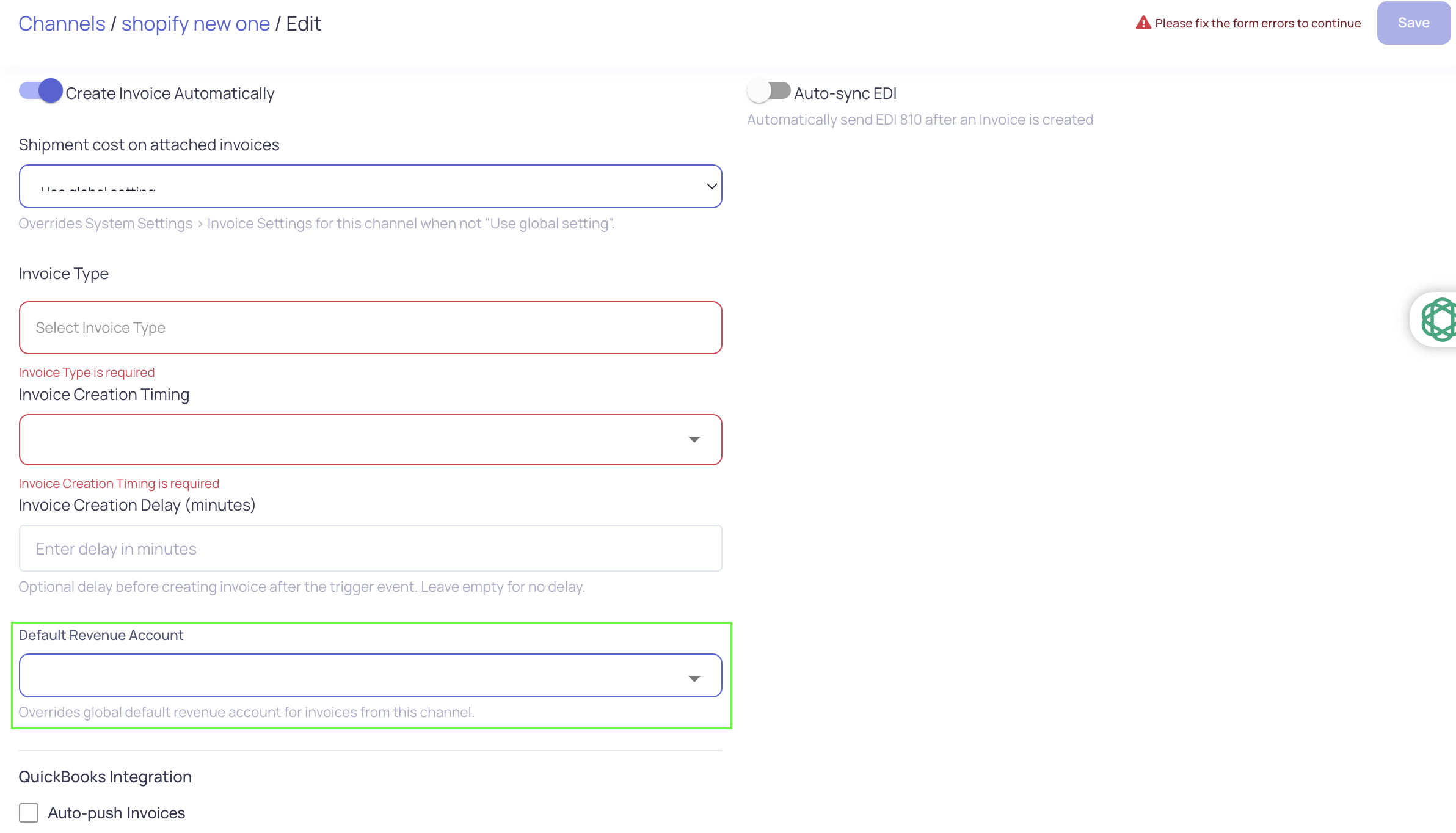
c. Select a revenue account from the list
d. Leave blank to use the global default
Note:
Only revenue-type accounts are shown in this list.
2. Set Invoice Sync Timing
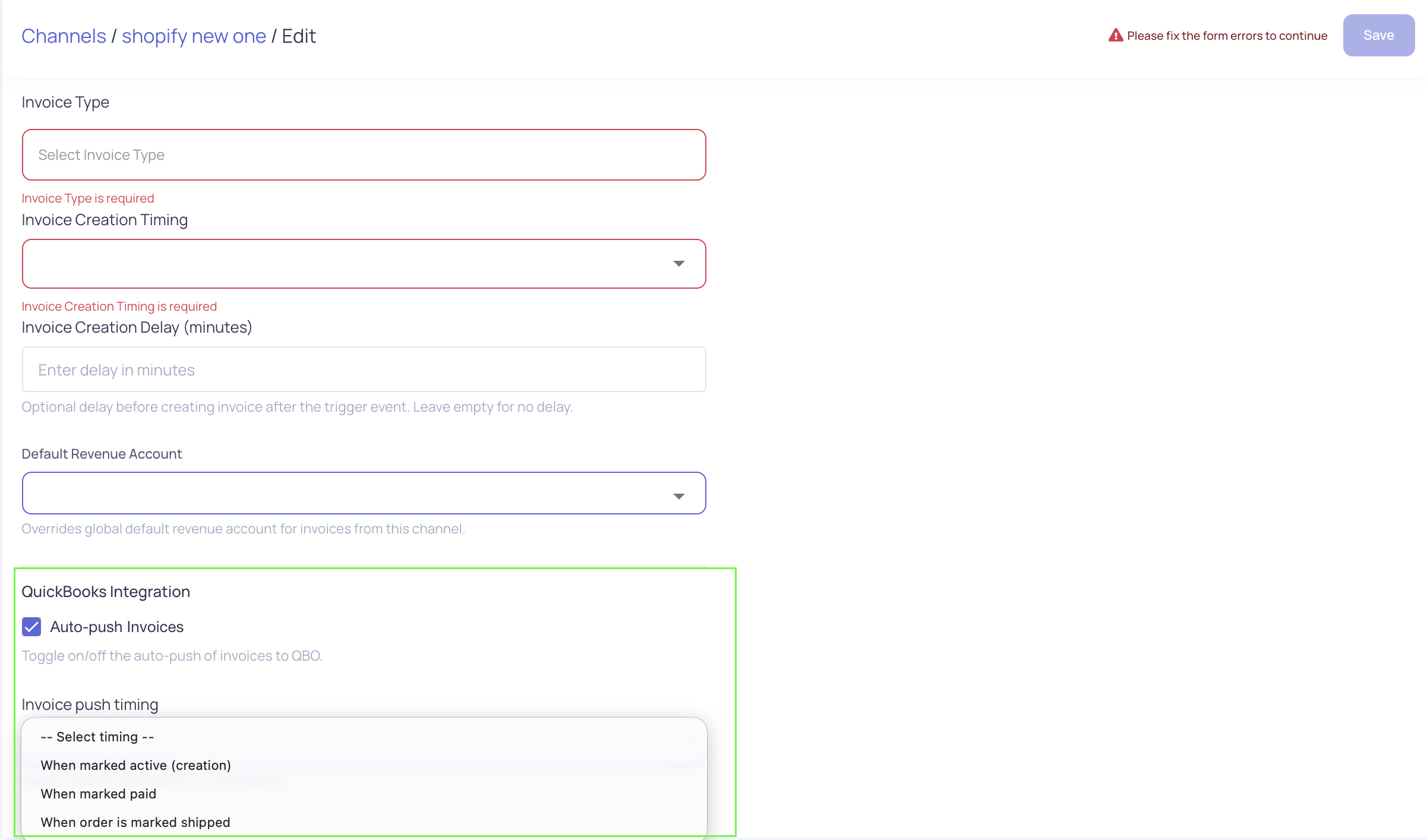
Choose "when" invoices from this sales channel are sent to QuickBooks.
a. You need to toggle on the Auto-push Invoices button first for the settings to appear.
- Click the Invoice push timing dropdown
- Select one of the following options:
- When marked active (creation)
- When order is marked shipped
- When marked paid
How It Works
- If a Default Revenue Account is selected, it will be used for all invoices created from this sales channel
- If no account is selected, the system will use the global default
- The Invoice Sync Timing setting determines when the invoice is pushed to QuickBooks
- These settings apply only to the selected sales channel
Tips & Best Practices
- Set a revenue account for each sales channel to keep financial reporting organized
- Use When order is marked shipped if invoices should only be created after fulfillment
- Use When marked paid if invoices should reflect completed transactions only
Common Questions
Why don’t I see certain accounts in the dropdown?
Only revenue-type accounts are available for selection.
What happens if no revenue account is selected?
The global default revenue account will be used.
Does this change how invoices are created?
No. These settings only control which account is used and when the invoice is synced.
Need Help?
If there are questions about invoice behavior or QuickBooks sync, contact the support team for assistance.