- Click on your user name (top-right corner)
2. Select "Settings", then open the "Purchase Orders" tab
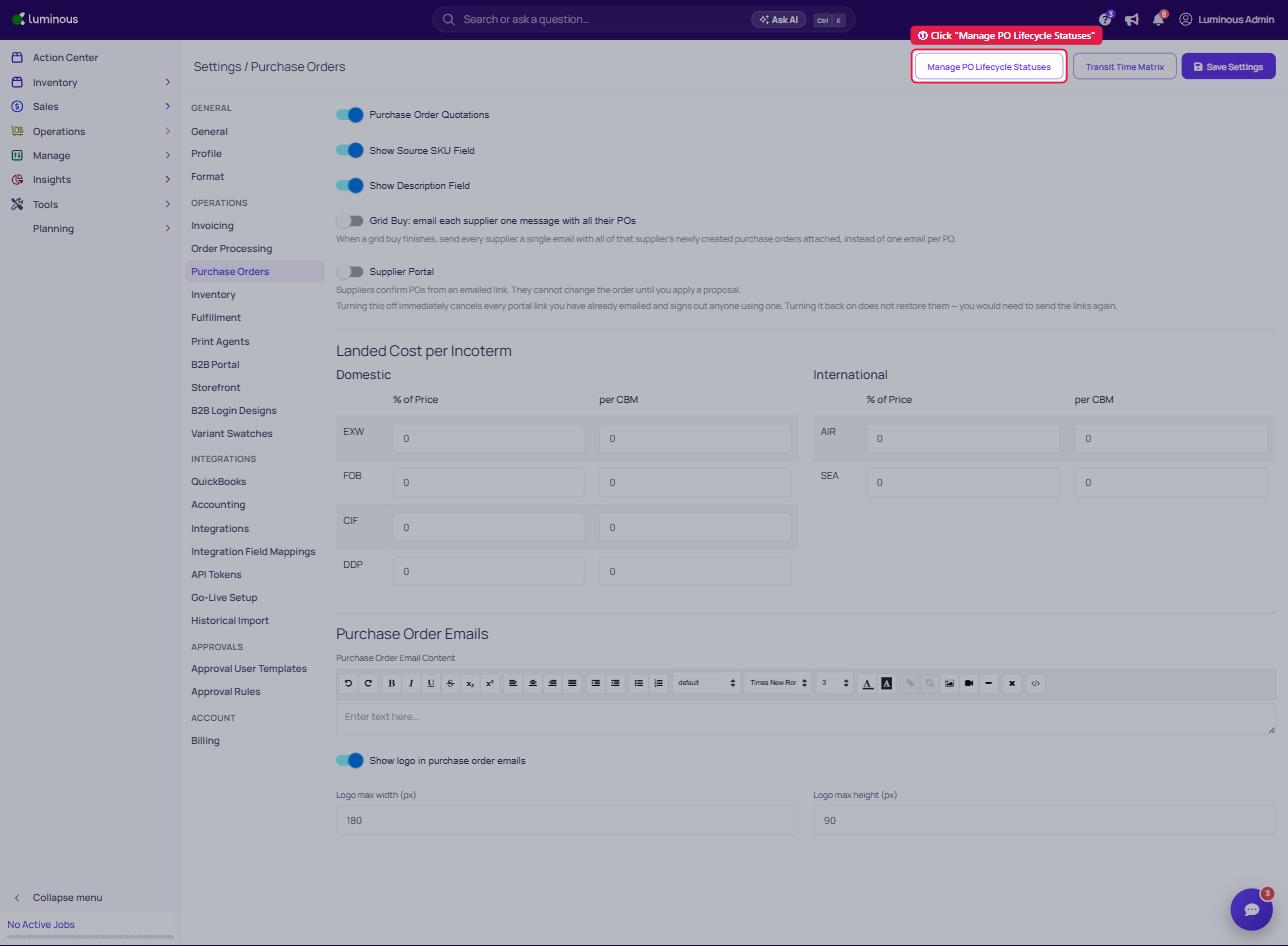
3. Click "Manage PO Lifecycle Statuses". The Statuses page lists the fixed purchase order lifecycle statuses (Active, Production started, Production active, Production completed, In-transit, Delivered, Completed). New statuses cannot be added, but you can rename each status's Display name and choose whether it appears on the Update Status timeline (Active and Completed cannot be hidden)
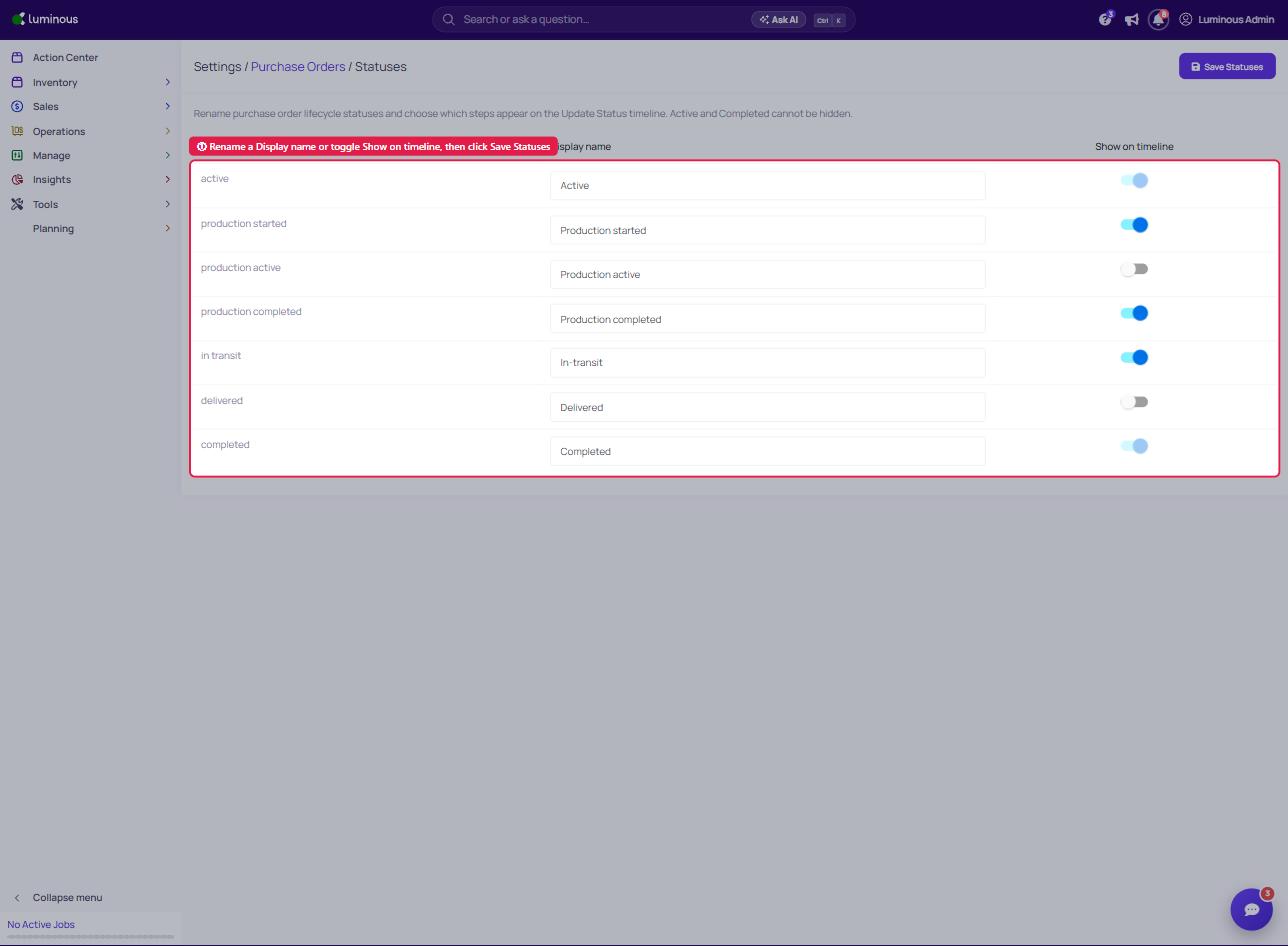
4. Edit the Display name and Show on timeline settings accordingly
5. Click Save Statuses