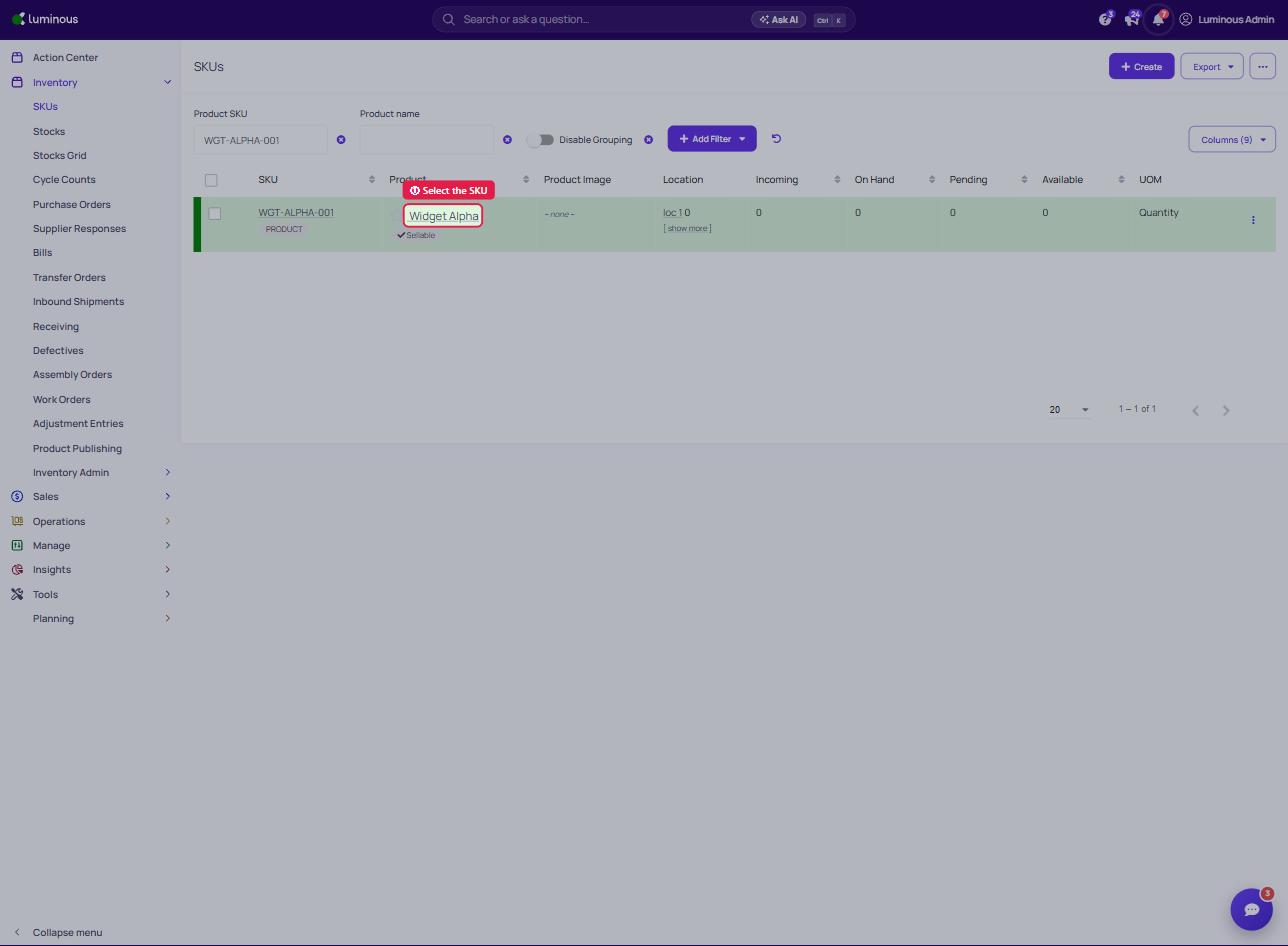
- Go to Inventory → SKUs and Select Desired SKU
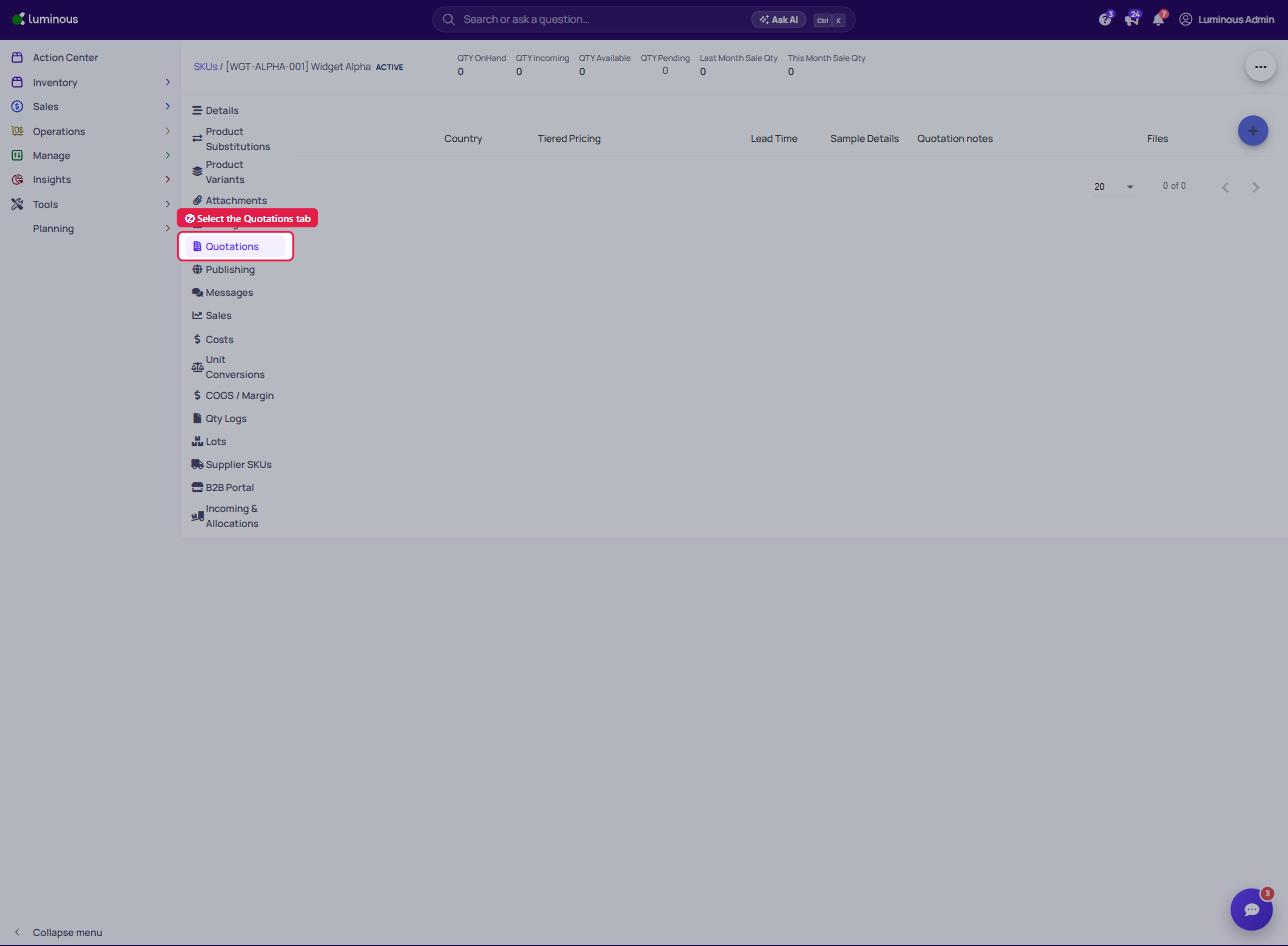
2. Select "Quotations" Tab (in the left-hand tab list)
3. Press "+" in Top Right Corner to Add New Quotation
4. Quantity Amount in Tier 1 Serves as MOQ
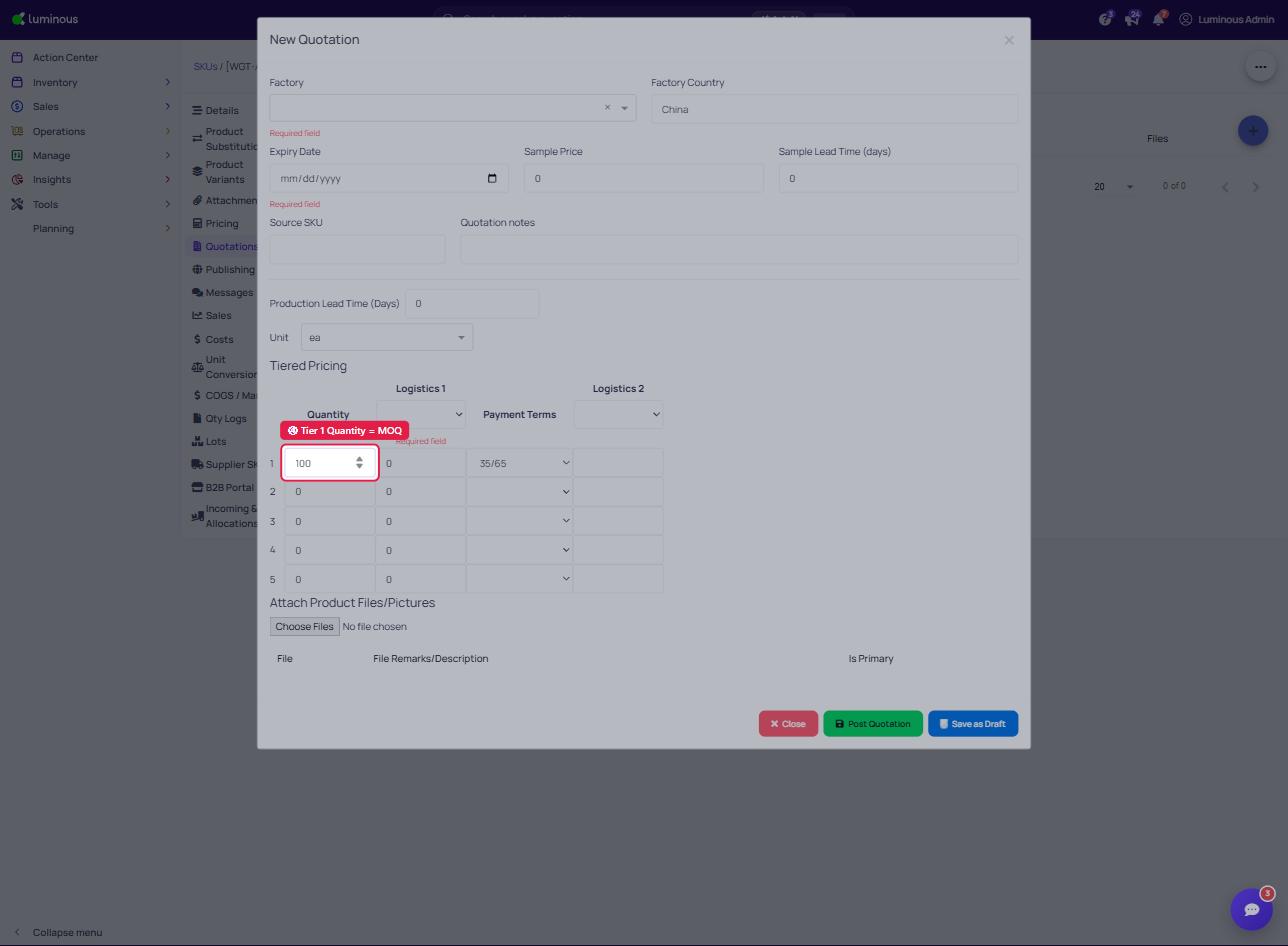
5. Click Post Quotation (or Save as Draft)
2. Select "Quotations" Tab (in the left-hand tab list)
3. Press "+" in Top Right Corner to Add New Quotation
4. Quantity Amount in Tier 1 Serves as MOQ
5. Click Post Quotation (or Save as Draft)