Overview
The default service fee for work orders is not stored on the Bill of Materials itself — the BOM only defines which components and quantities are needed. Instead, the default service fee is set on the SKU (product) as its Manufacturing Fee. When you create a new work order for that SKU, Luminous automatically pre-fills the Service Fee (per unit) field on the work order form from that value.
Step 1: Set the Manufacturing Fee on the SKU
- Go to Inventory → SKUs and open the finished-goods SKU you want to set a default fee for.
- Click three dots on the top right and select Edit SKU.
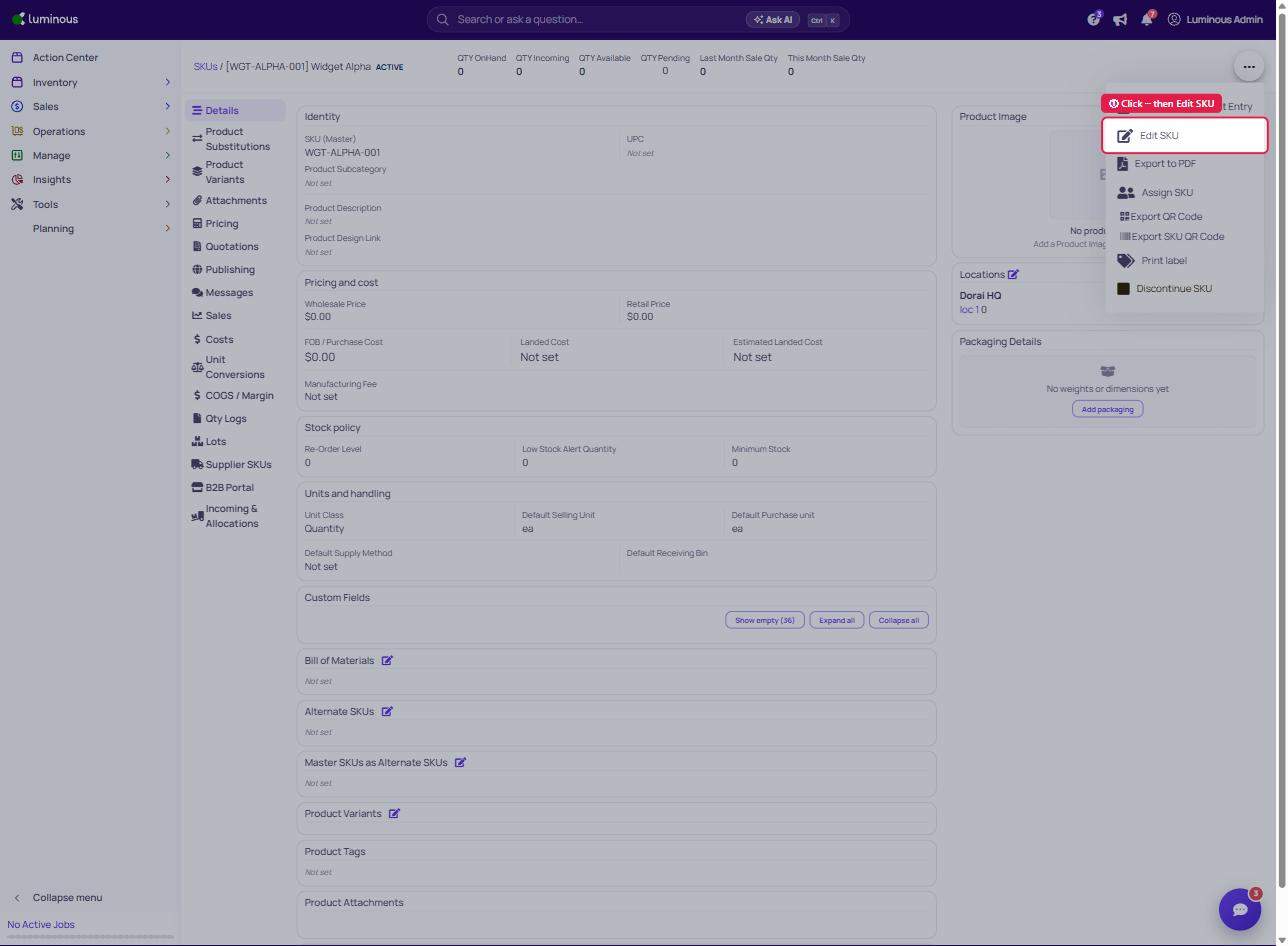
- Locate the Manufacturing Fee field in the Update SKU dialog (Product Information tab).
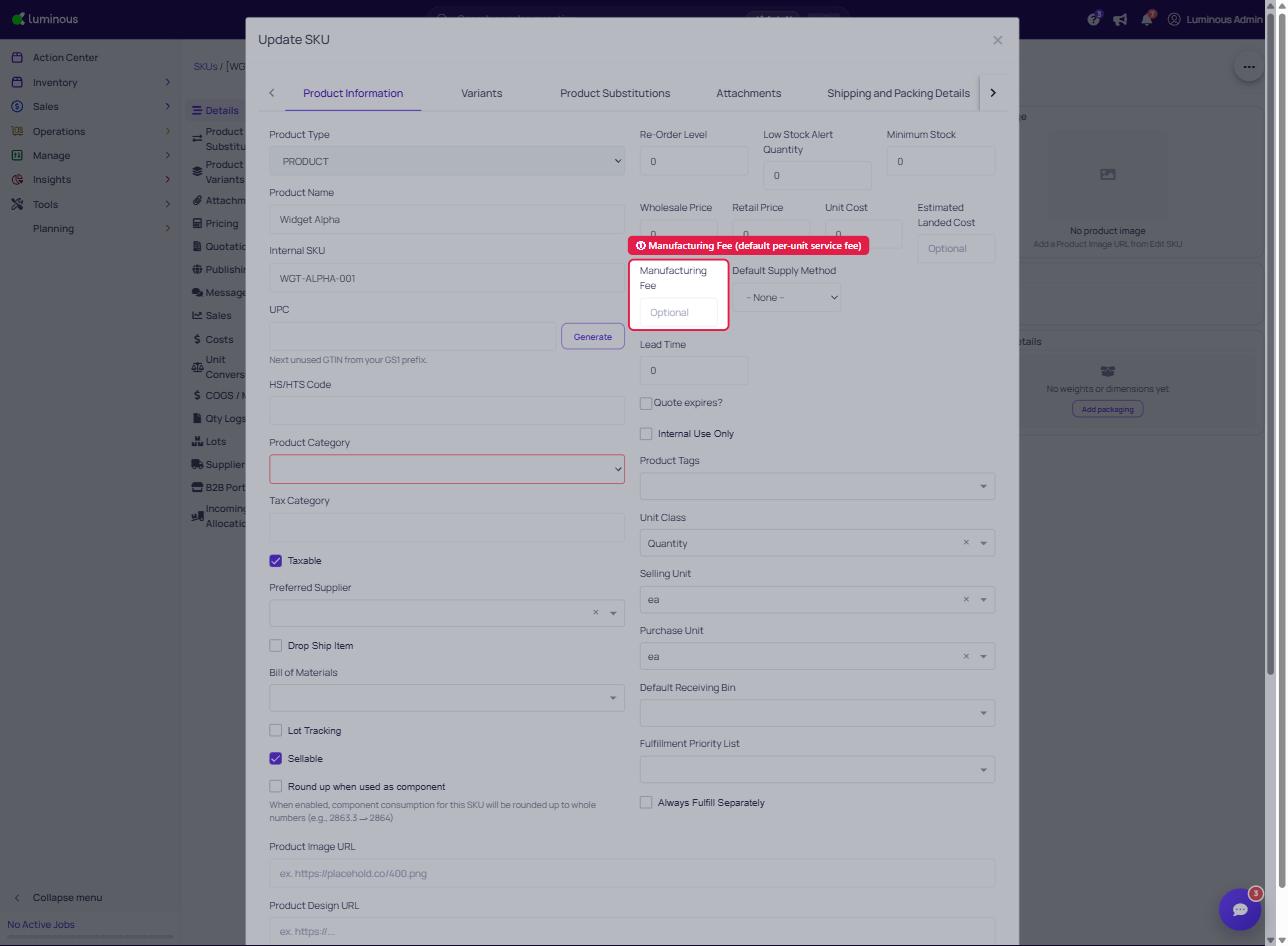
- Enter the per-unit fee you want applied by default whenever a work order is created for this SKU.
- Save the SKU.
Note: The Manufacturing Fee field is only visible when the Work Orders feature is enabled for your account. If you don't see it, contact your Luminous account manager.
Step 2: Create a Work Order — the fee auto-populates
When you create a new work order and select the SKU:
- Luminous checks for a matching Cost Rule (based on vendor, SKU, and planned quantity). If one is found, its price is used.
- If no Cost Rule matches, the SKU's Manufacturing Fee value is automatically placed in the Service Fee (per unit) field.
- If the SKU has no Manufacturing Fee set, the Service Fee field is left blank for you to fill in manually.
You can always type a different amount directly in the Service Fee (per unit) field to override the default for that specific work order.
How the service fee affects finished goods cost
When an assembly order is completed, Luminous combines:
- The Service Fee (per unit) from the work order
- The raw material costs of the components consumed (from the BOM) to calculate the total manufactured cost of the finished goods. This is visible in the assembly order's cost breakdown.
Summary
| Where to set the default | Field name | When it is used |
|---|---|---|
| SKU details page | Manufacturing Fee | Auto-fills Service Fee (per unit) on new work orders |
| Work order form | Service Fee (per unit) | Per-order override; included in finished goods cost at completion |
For quantity-tiered pricing by co-manufacturer, see Set up Cost Rules to configure automatic pricing that takes precedence over the SKU's Manufacturing Fee.