Overview
Luminous now allows selecting a Warehouse Group when restocking returned items during the return/refund process.
Previously, returned products could only be restocked into a location within the default warehouse group or the warehouse group tied to the fulfillment channel. This made it difficult for companies that use separate warehouses or virtual warehouse groups for returns and quality checks.
With this update, returned inventory can now be restocked into any available warehouse group, allowing teams to route returned products through proper inspection or QA workflows before making them available for sale again.
When This Feature Is Useful
Many companies process returned items through a returns or inspection warehouse before returning them to sellable inventory.
Common workflows include:
- Sending returned products to a Returns warehouse
- Moving items through a quality assurance (QA) process
- Separating defective vs sellable items
- Restocking inventory only after inspection is completed
This update allows returned items to be placed into the correct warehouse during the return process.
How to Restock Returned Items to a Different Warehouse Group
- Navigate to Operations → Sales Orders.
- Open the order that requires a return or refund.
Note: Only orders with a Shipped status will be able to create return/refund orders.
- Click Actions → Create Return/Refund Order.
- Select Re-stock items (add back to inventory) if the returned items should be added back into inventory.
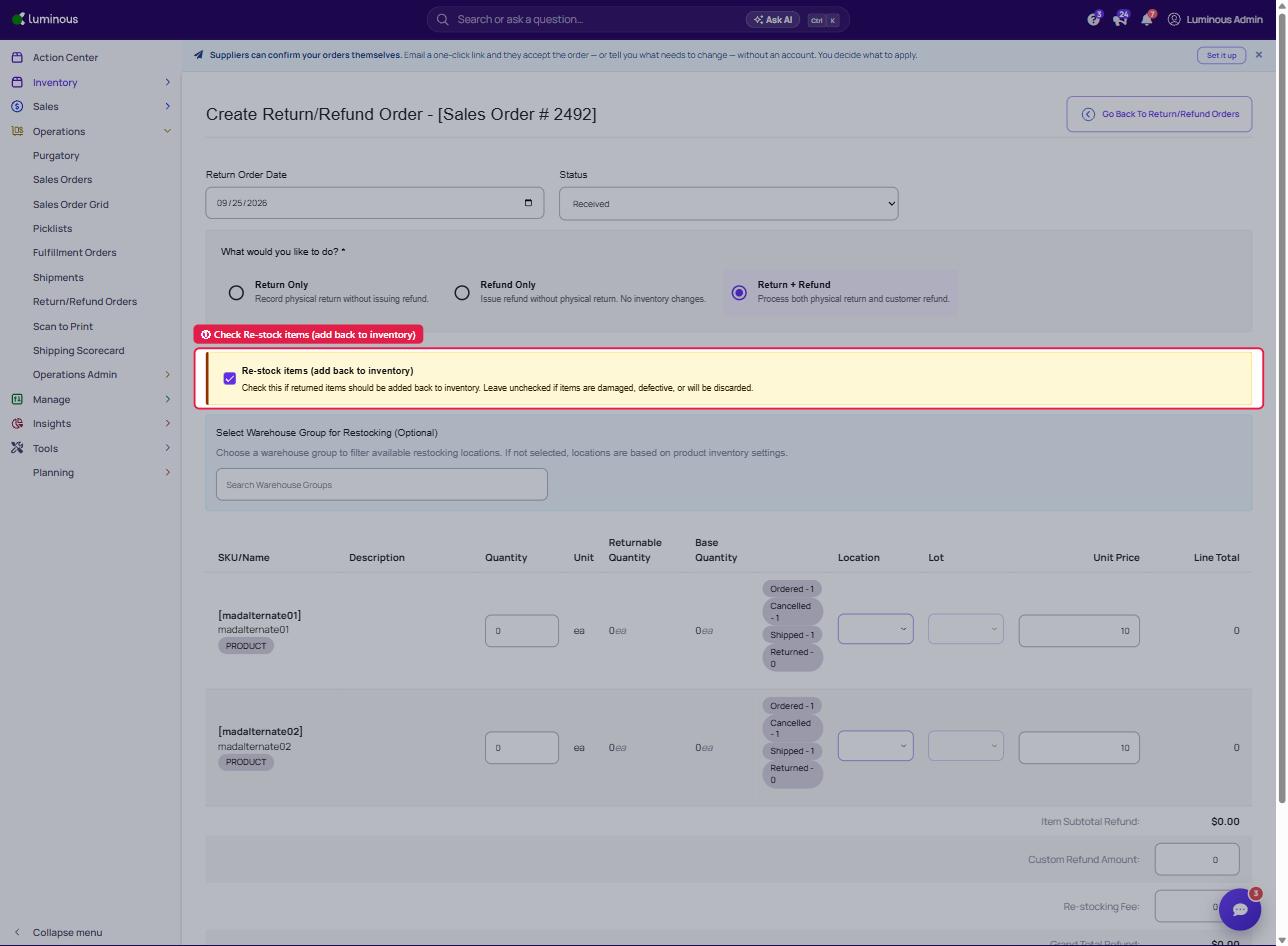
- In the Location column, a dropdown will now appear allowing the selection of a location from available warehouse groups.
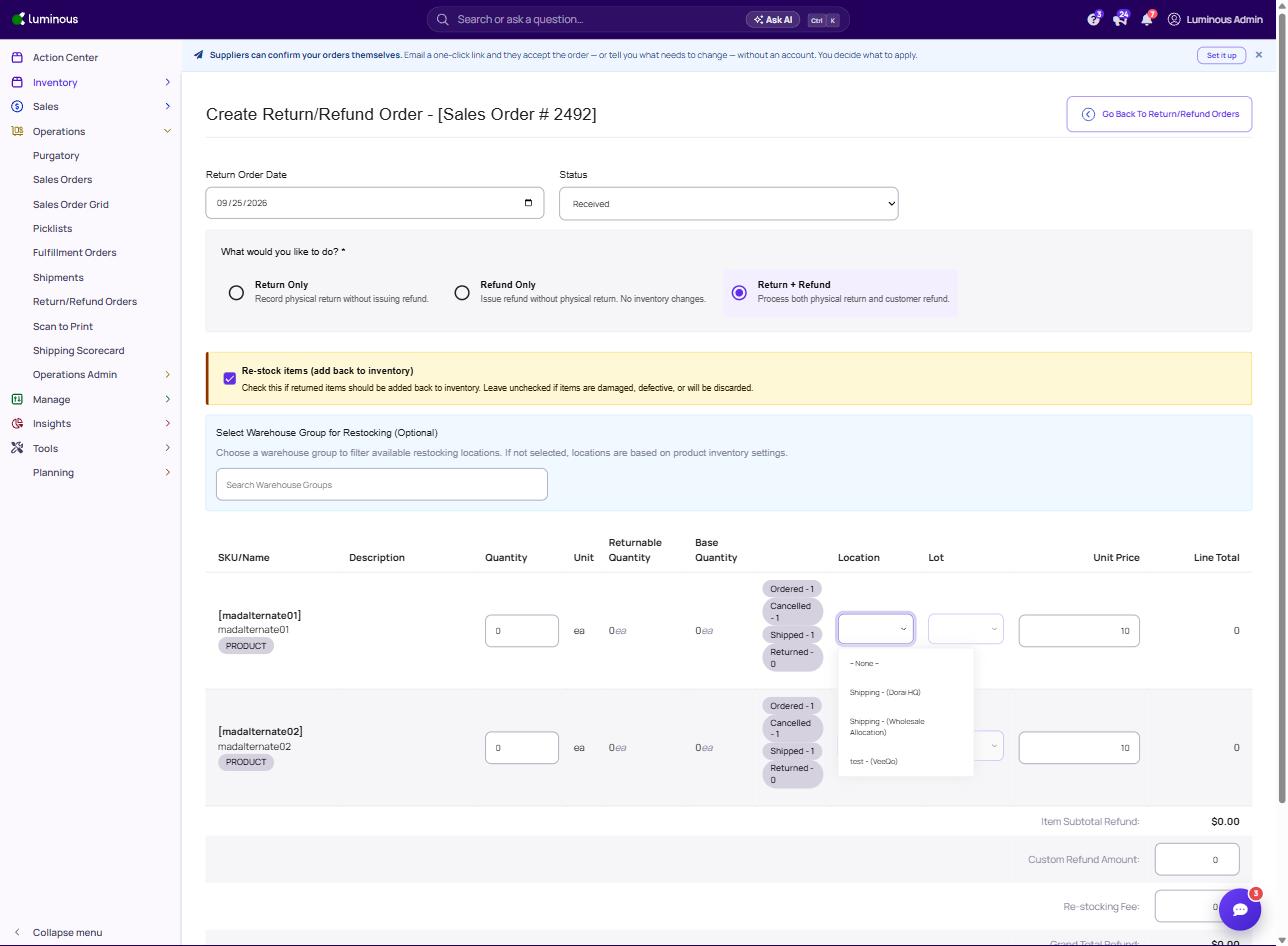
- Choose the appropriate warehouse location where the returned items should be placed.
- Complete the return process and save the order.
Returned inventory will now be restocked into the selected warehouse location, even if it is not part of the default warehouse group.
Example Use Case
A company receives returned products that must be inspected before resale.
Instead of restocking directly into the main warehouse, the team can:
- Select a Returns or QA warehouse location
- Inspect the returned items
- Move sellable inventory back to the primary warehouse later
This helps maintain accurate inventory quality and stock availability.