Luminous now supports the ability to push costs—either Unit Cost or Currently Landed Cost—to Shopify independently from inventory stock quantity pushes. This update gives clients greater control over cost reporting in Shopify without requiring full inventory synchronization.
This is especially useful for clients who rely on Luminous for cost tracking but manage stock updates through another system or workflow.
How to Enable Independent Cost Push to Shopify
- Navigate to Channel Settings
- Go to Manage > Channels
- Open the Shopify channel you wish to configure
- Click the three dots and select Edit
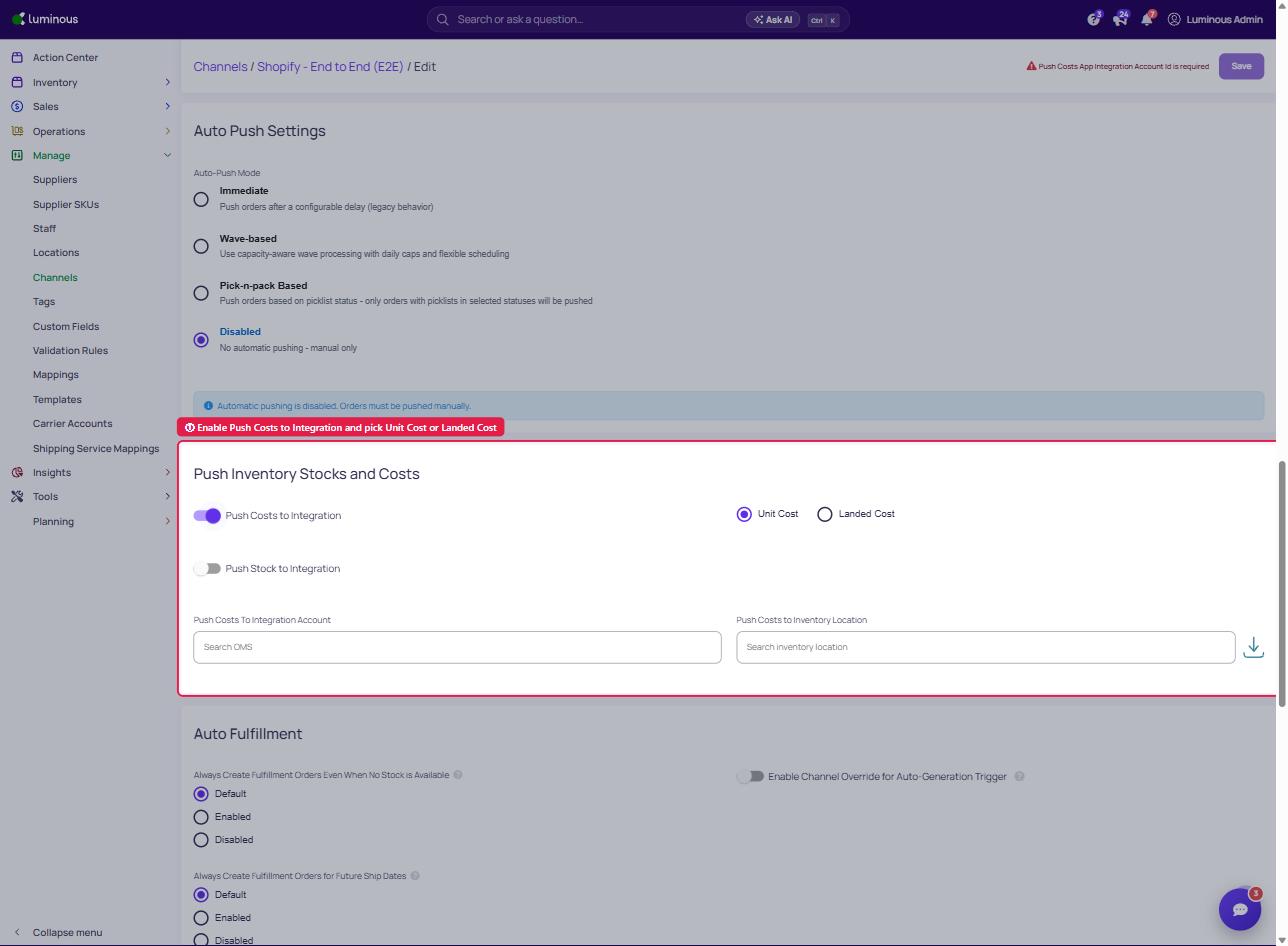
- Locate the Push Inventory Stocks and Cost
- Enable the Push Costs to Integration toggle, then choose the Push Costs To Integration Account and Push Costs to Inventory Location.
- This can be enabled independently or in combination with stock push.
- Select a Cost Type
- Once cost push is enabled, choose the desired cost type:
-
Unit Cost: Uses standard base pricing logic.
-
Landed Cost: Uses the weighted average from Luminous's FIFO cost layers.
-
- Once cost push is enabled, choose the desired cost type:
- Save Changes
- Click Save to apply the new configuration.
How It Works
| Scenario | What Happens in Shopify |
| Stock Push ON, Cost Push OFF | Only inventory quantities are pushed |
| Stock Push OFF, Cost Push ON | Only cost (unit or landed) is pushed |
| Stock Push ON, Cost Push ON | Both inventory and cost are pushed together |
| Both OFF | No data is pushed |
- Landed Cost Source: Pulled from the default warehouse group associated with the channel.
- Landed Cost Output: Written to a metafield (
luminous.landed_cost) in Shopify for reporting accuracy.
Example
If a product’s landed cost is $5.40, it will be reflected in Shopify’s metafield upon pushing. If switched to Unit Cost, it might reflect a different value (e.g. $0.50) depending on your cost configuration in Luminous.
Tips & Reminders
- Ensure warehouse group is properly set for the channel; landed cost pulls from that group.
- Landed cost requires inventory data—no landed cost will push if there's no available stock.
- No impact to stock levels if cost is pushed independently.
Troubleshooting
- Landed cost not appearing in Shopify?
- Confirm inventory exists in the default warehouse group.
- Verify metafield visibility settings in Shopify.
- Unit cost incorrect?
- Check RFQ base price settings and cost calculation method (FIFO, Weighted, Last PO).