How the Connection Works
Luminous connects to TikTok via Trackstar_cart, an integrated app that securely links your TikTok account to the Luminous platform. This setup ensures that campaign insights and creator data flow smoothly between both systems.
Steps to Connect Luminous to TikTok
-
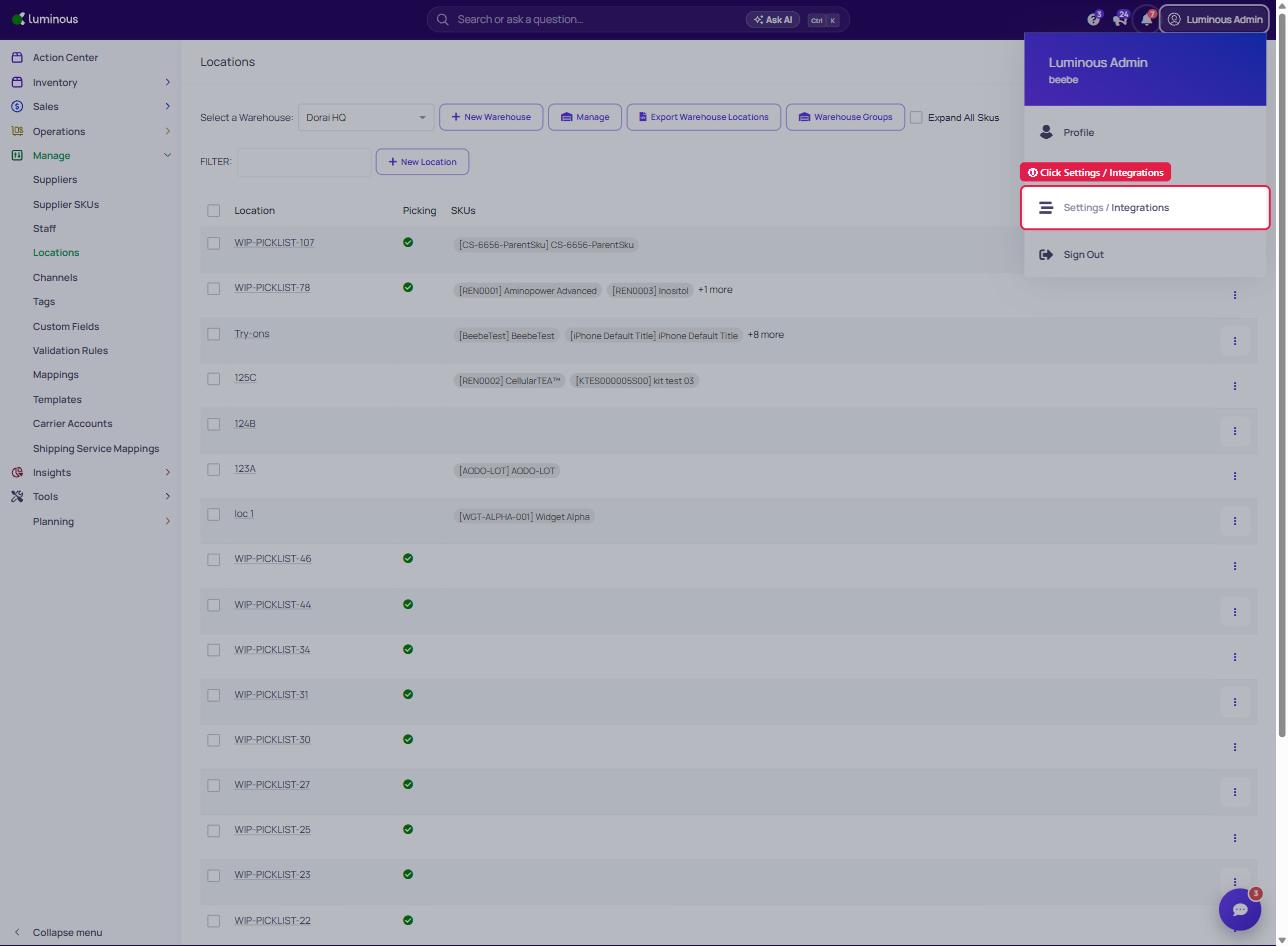
Open Settings / Integrations (click your name in the top-right corner)
-
Add a New Integration
- Click “Add Integration.”
- Search for TikTok, select it, then choose “Via TrackStar — sales channel.”
-
Search for Tiktok and Connect your Account
-
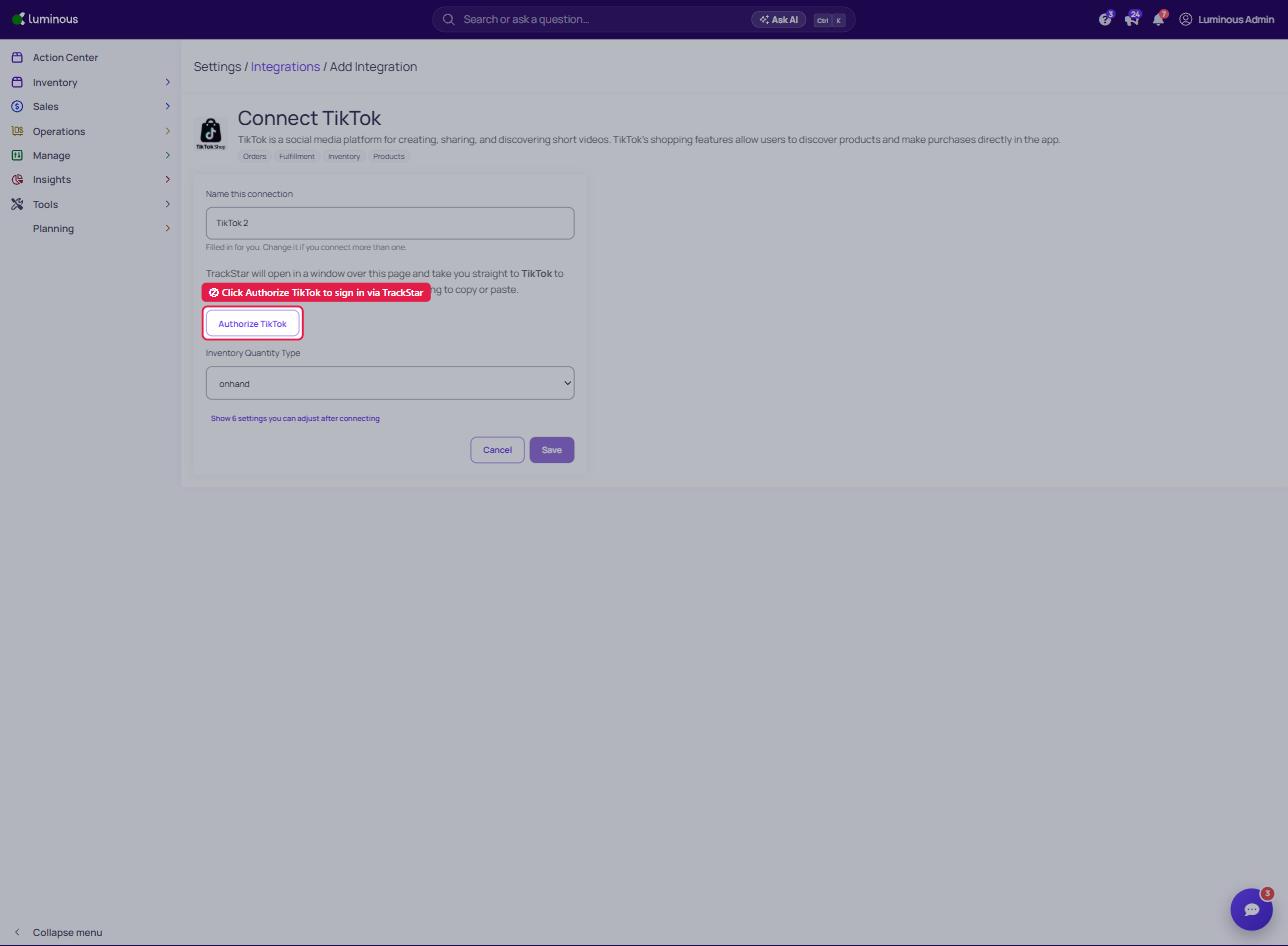
Click “Authorize TikTok.”
-
TrackStar opens in a window over the page and takes you straight to TikTok to sign in
-
This will redirect you to the TikTok authorization page.
-
-
Log In to TikTok
- Enter your TikTok credentials to approve the connection.
- Once authorized, Trackstar_cart will automatically link your TikTok account to Luminous.
-
Verify the Connection
- Return to Luminous and confirm that your TikTok account shows as connected. To do this click the test credentials.
- You can now begin tracking campaigns and creator data seamlessly.
Troubleshooting Tips
If you run into any issues:
- Make sure you selected a Via TrackStar option for TikTok.
- Double-check your TikTok login credentials.
- Refresh your browser and try connecting again.
- If the issue persists, contact Luminous Support for help.