Export Existing Companies and Contacts
The first step is to export your current B2B clients from where the data resides currently. Here are a few tutorials on how to export data from different systems.
- Hubspot - https://youtu.be/lviKIrZiXxY
- Salesforce - https://youtu.be/VgEY0ChMB7w
- Quickbooks - https://youtu.be/PzEz1XvV0_0
Import Into Luminous
- 'Tools' -> 'Imports'
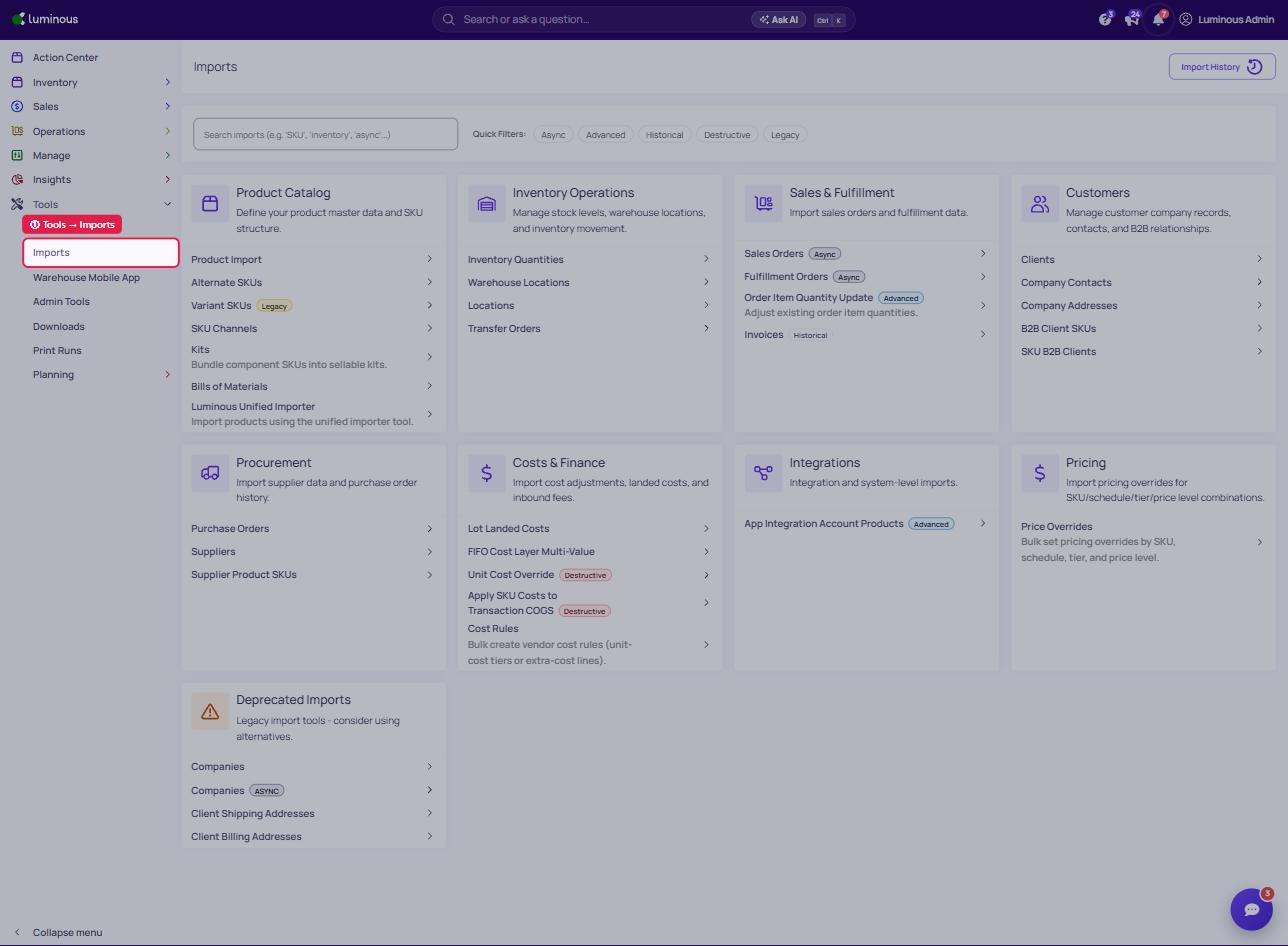
2. To import companies, utilize "Clients" under the Customers section
3. To import contacts, utilize "Company Contacts" under the Customers section