- Click your account name in the top-right corner.
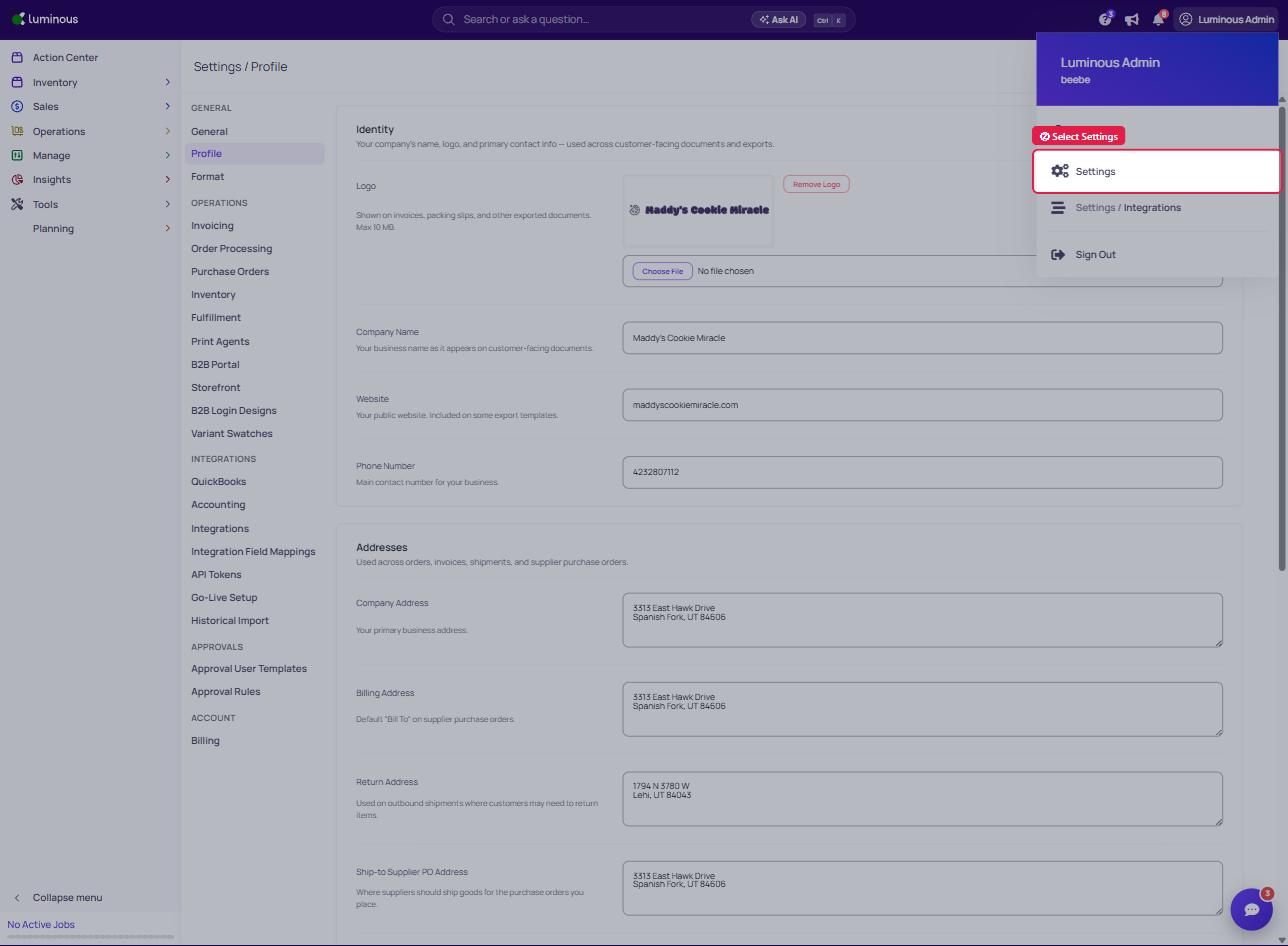
2. Select "Settings"
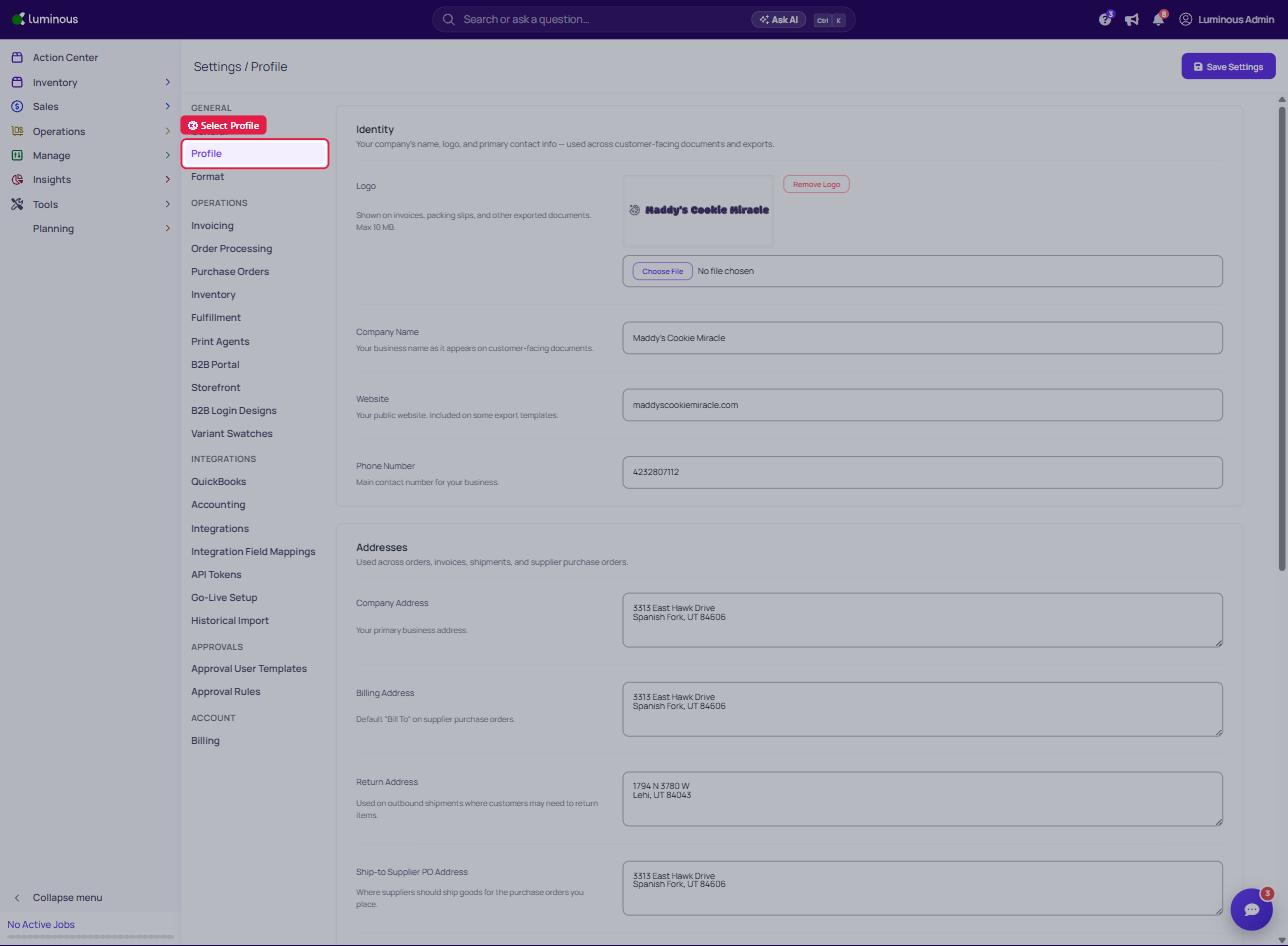
3. Select "Profile" (under the General section)
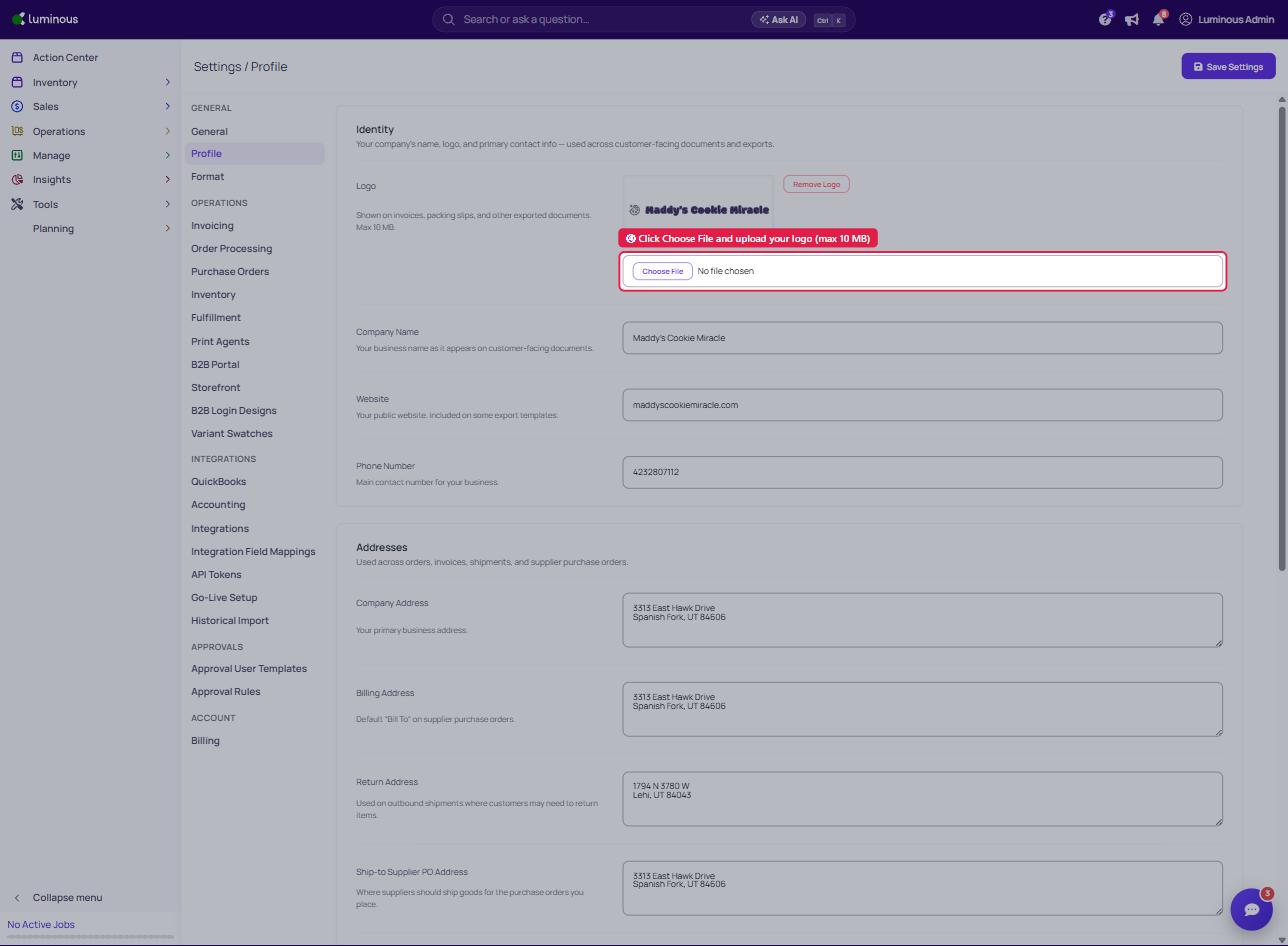
4. Under Identity, next to Logo, click "Choose File" and upload your logo (max 10 MB)
5. Click "Save Settings" (top right)
2. Select "Settings"
3. Select "Profile" (under the General section)
4. Under Identity, next to Logo, click "Choose File" and upload your logo (max 10 MB)
5. Click "Save Settings" (top right)