What?
A a variant SKU is a product that falls under or is "nested" under a master SKU. Common examples of variant types are size and color.
Why?
This can make it easier to categorize SKU's and bulk select for purposes of organizing.
How?
- To Add SKU's Under a New Master: Inventory -> SKUs
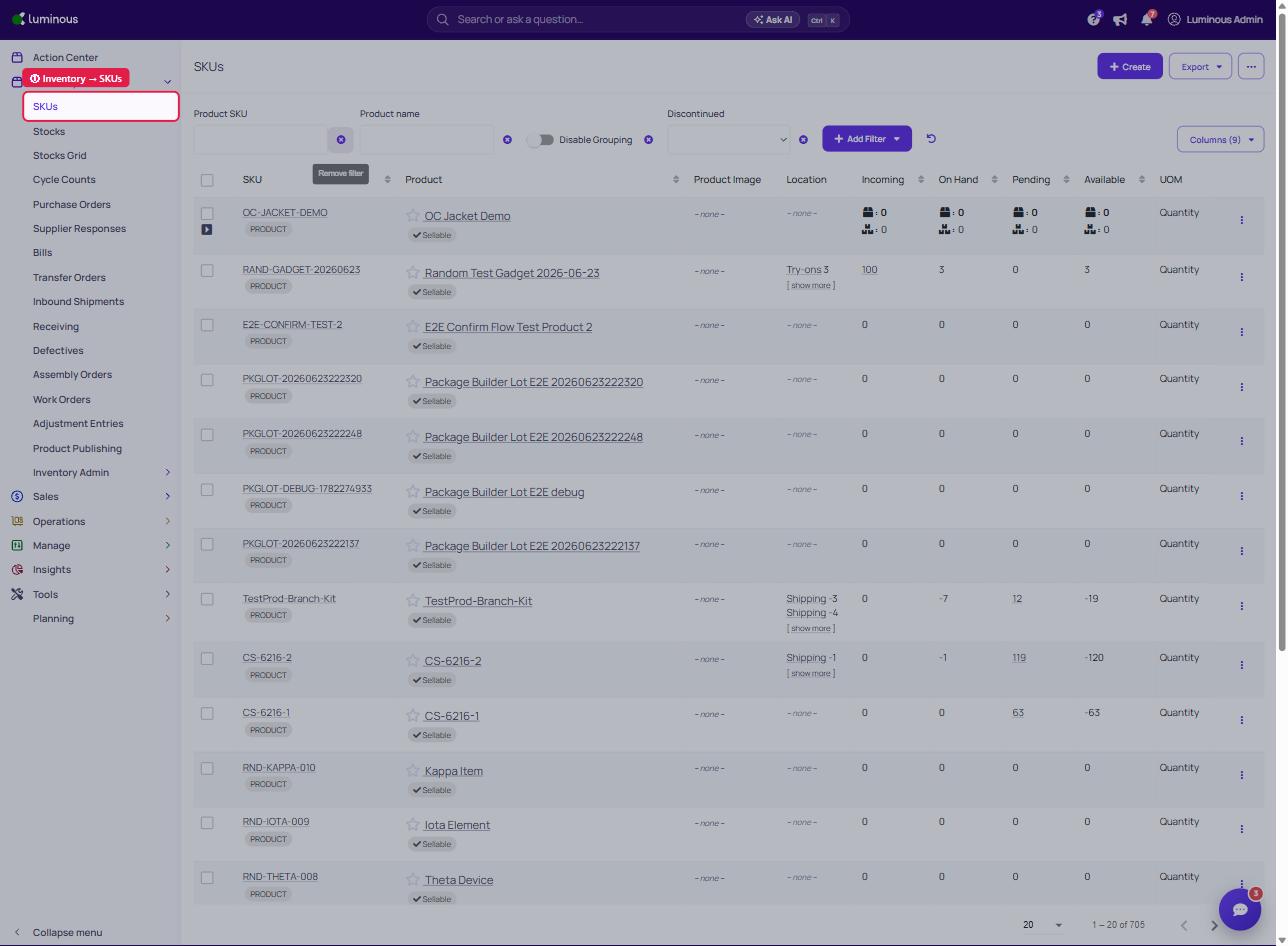
2. Select SKUs to Add Under New Master
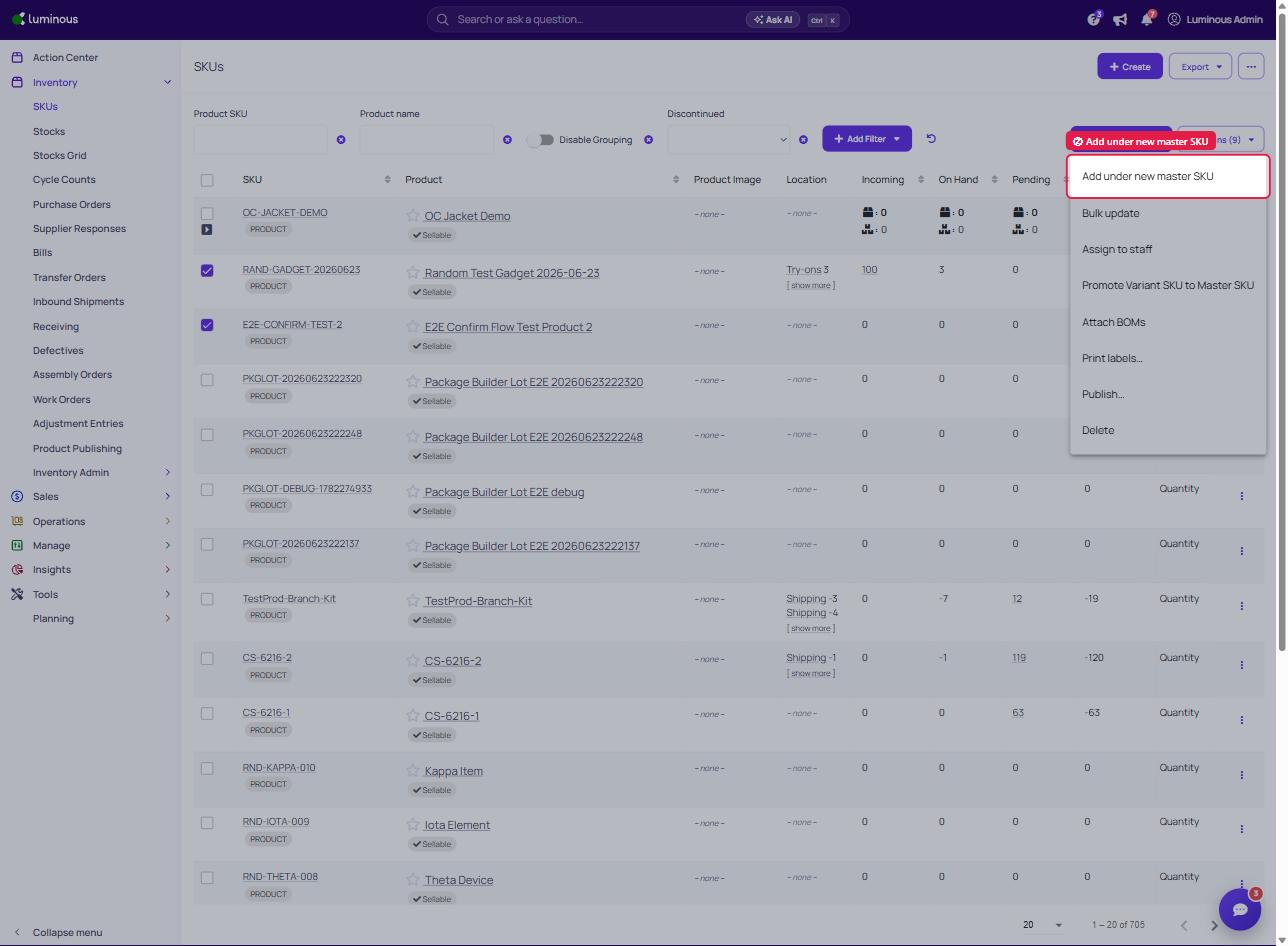
3. Choose An Existing Master SKU or Create a New One
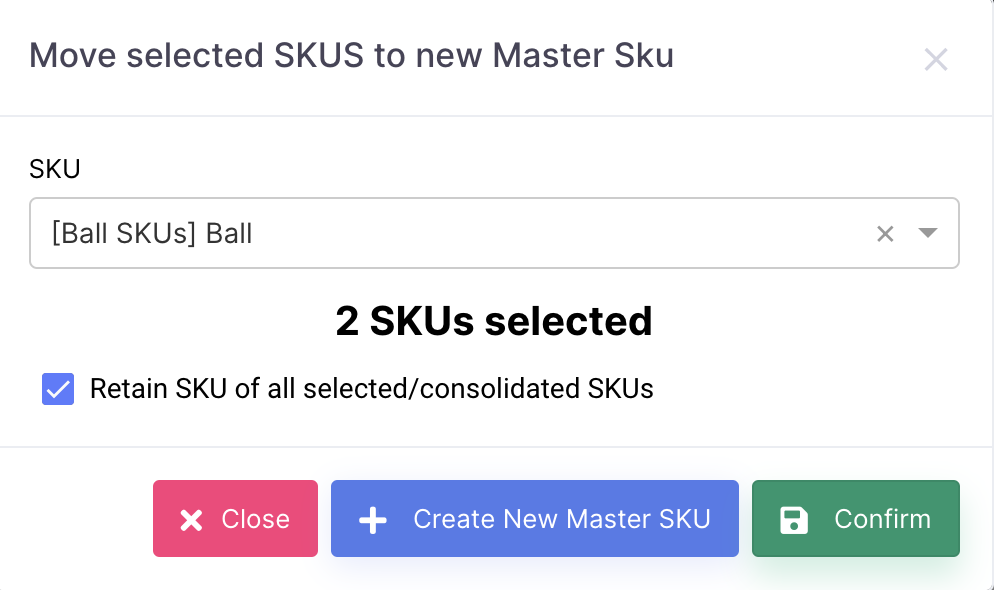
Note - If box isn't checked to "Retain SKU of all selected/consolidated SKUs", a new SKU will be generated that is associated with the new master's SKU
- To Add Variants (Child) SKU's Under a Master From the SKU Details: Inventory -> SKUs
2. Click "Edit SKU"
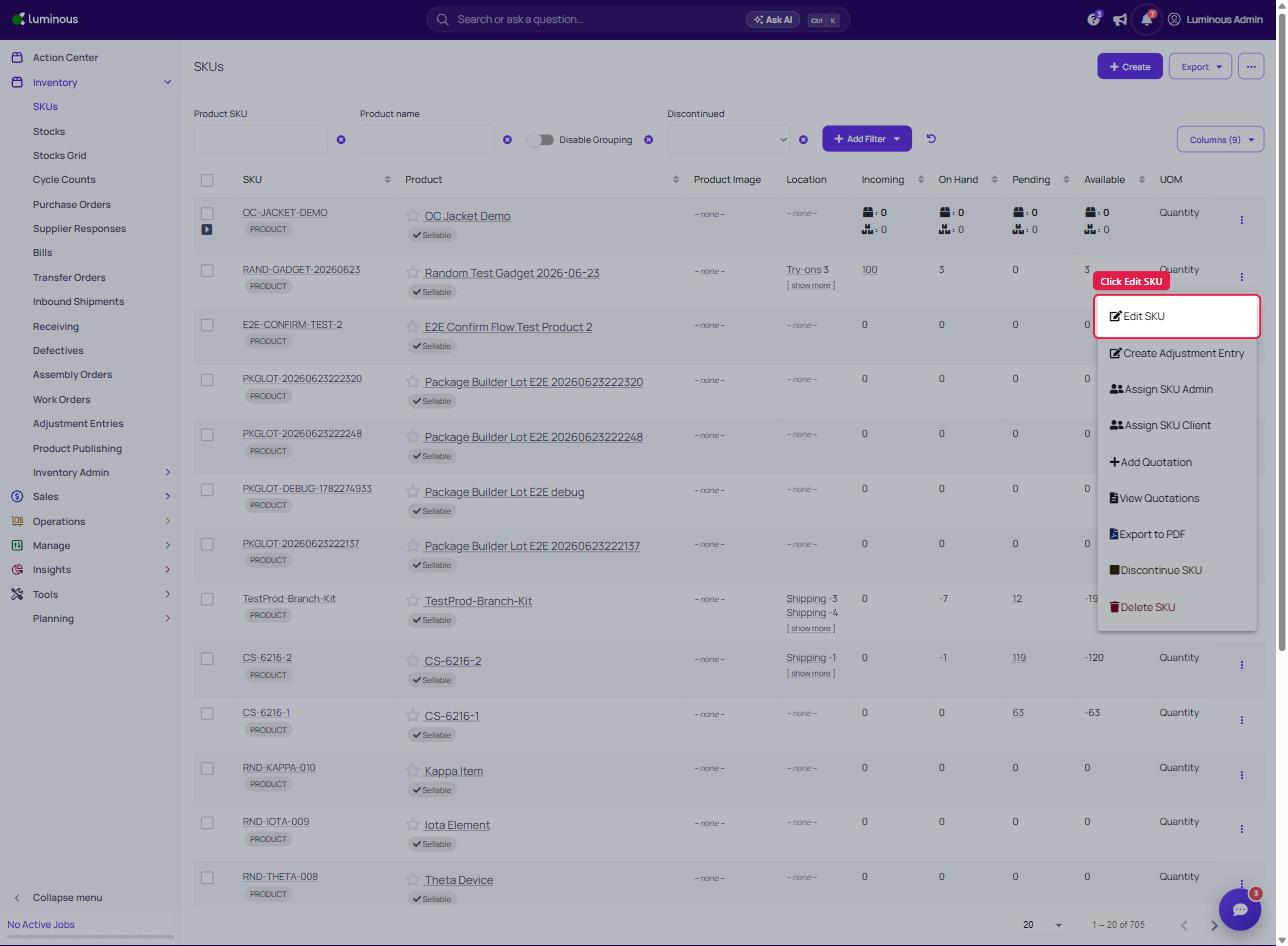
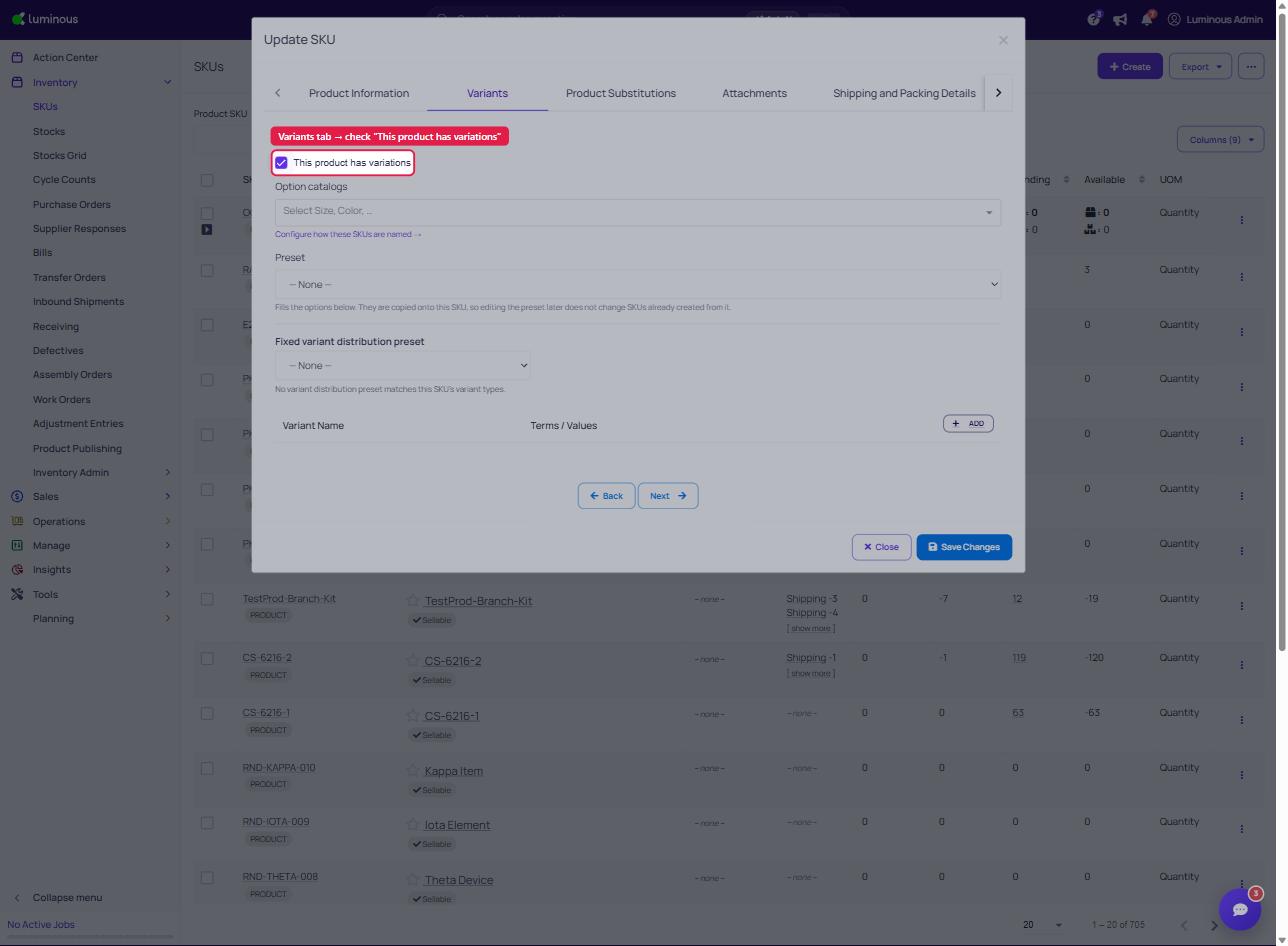
3. Click "Variants" Tab and Check "This product has variations"
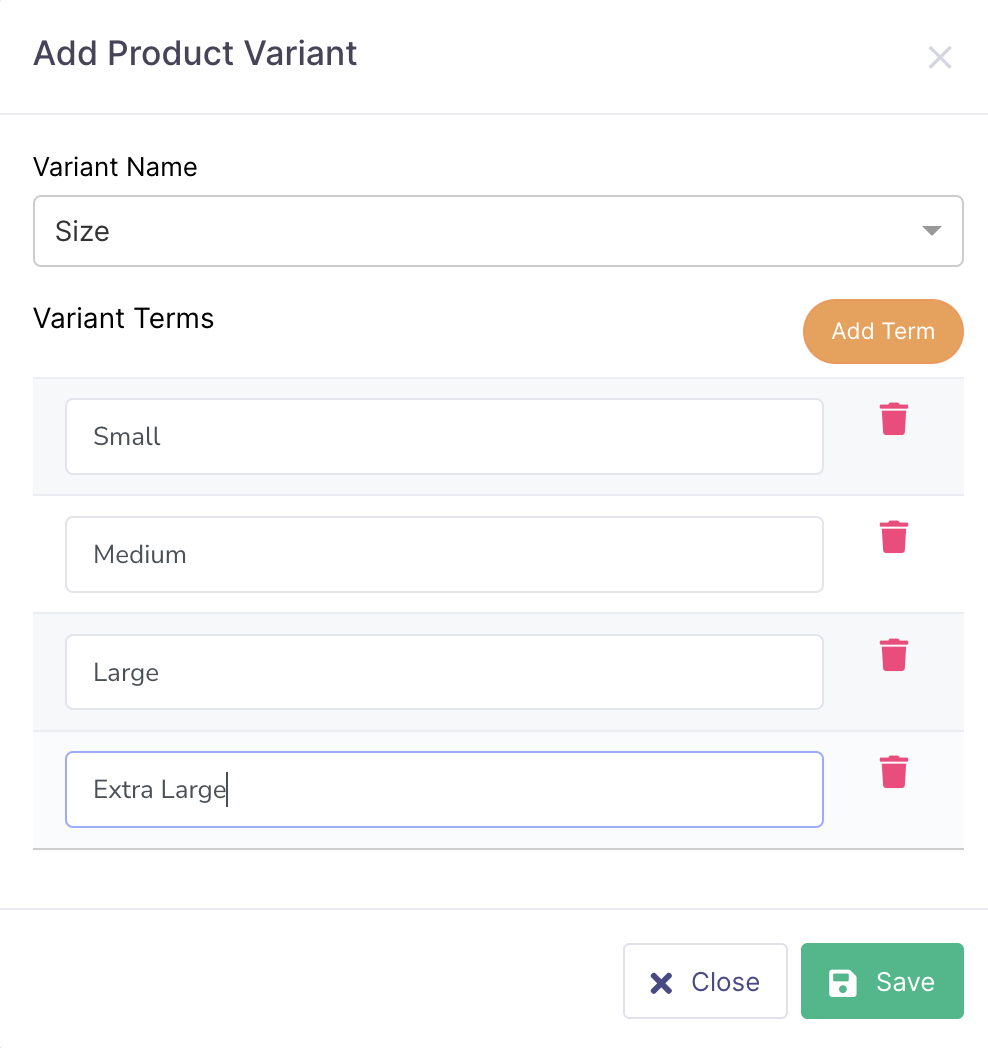
4. Add Product Variants
5. Click "Save Changes"
Note - To manage Variant Types, go to "Inventory" -> "Inventory Admin" -> "Variant Options & Presets"